31
Connecting to a Wireless Local Area Network
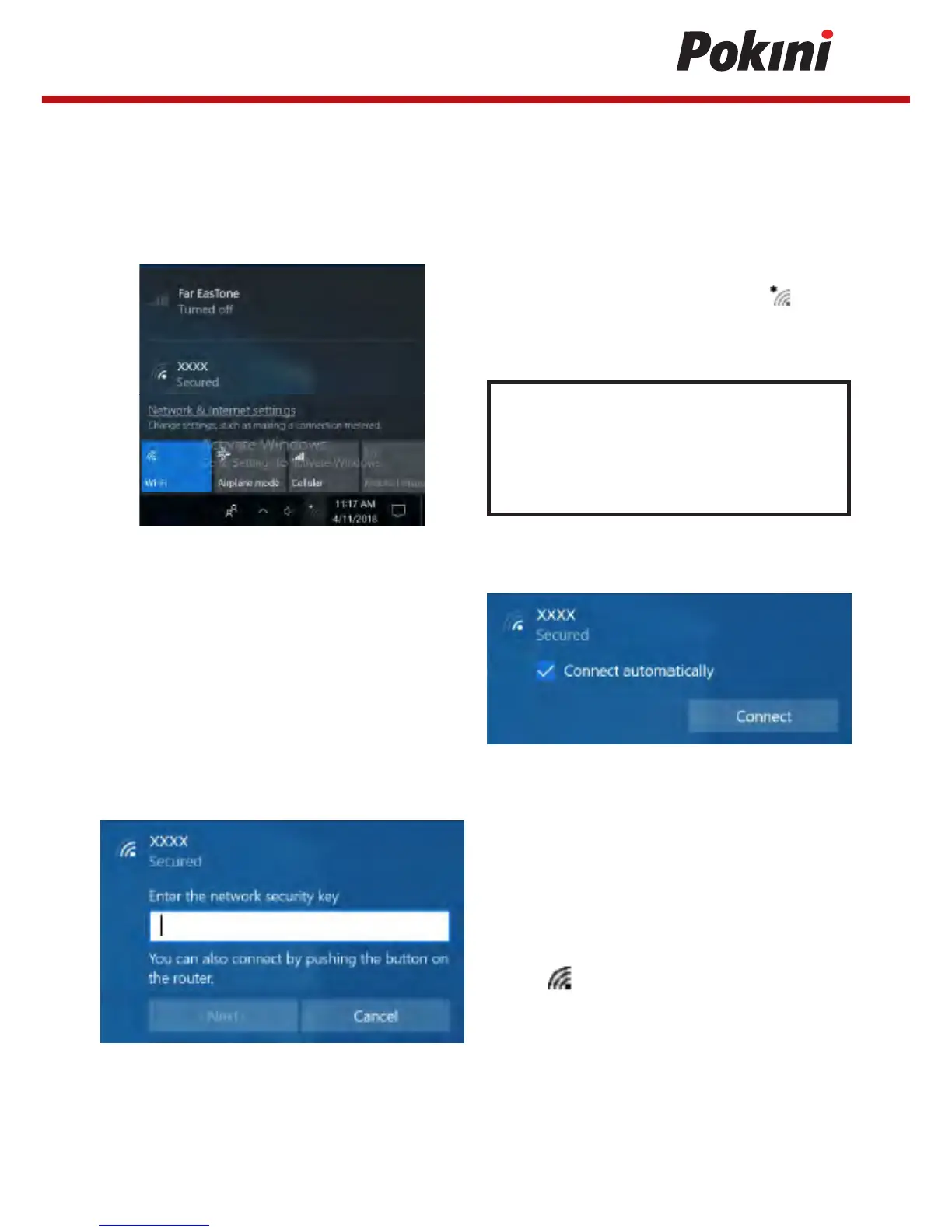
Your tablet PC comes with a WLAN module. A wireless network can be added either
when the network is detected or by manually entering the settings information.
To connect, follow the steps below:
1. Tap the wireless network icon ( ) on
the system tray.
Tip:
If you do not see the wireless network
icon, tap on the system tray, and tap
Wi-Fi to enable the Wi-Fi function.
2. Available wireless network connections
are displayed. Tap the desired wireless
network.
3. Tap Connect. Some networks require a
network security key or a password.
4. Enter the network security key.
5. Tap Next. After the connection is
established, you can see the wireless
icon in the Notification area.
(Check Connect automatically box to automatically
connect to this network when it is available.)


 To Next Page