4. AFTER TRAINING
Training Summary
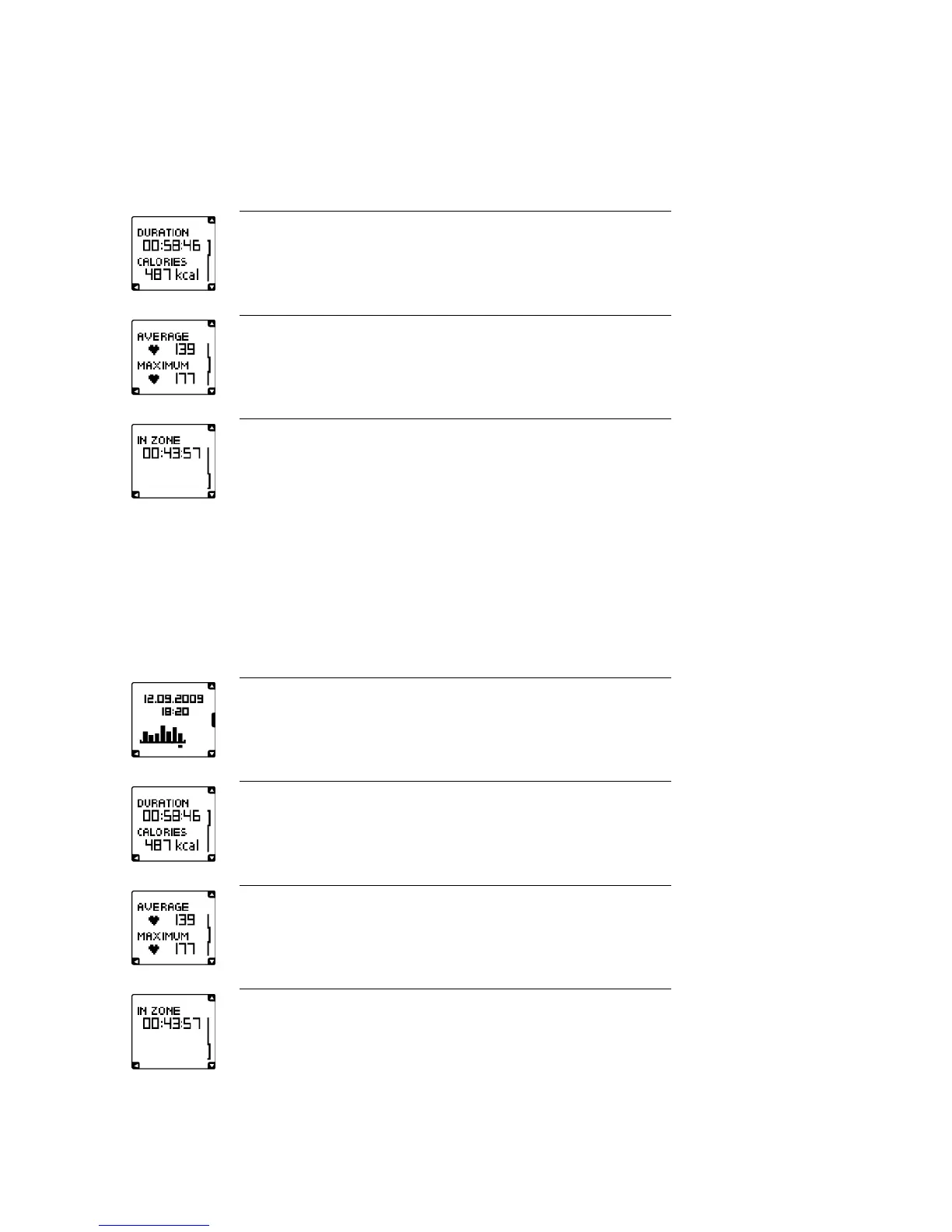
The Polar FT4 displays a training summary after each training session:
DURATION
The duration of your training session
CALORIES
The amount of burnt calories during the training session.
AVERAGE
Your average heart rate during the training session
MAXIMUM
Your maximum heart rate during the training session
IN ZONE
Time you stayed in the fitness improving zone during the training session.
Review Training Data
To review your training data, select MENU > Data. Then select Training files, Totals since xx.xx.xx, Delete
files or Reset totals.
Training Files
To review your past training data, select Menu > Data > Training files. Then select the date and time you
want to view.
File creation day: 12.09.2009
File creation time: 18:20
Each bar represents one training session file. Select the training session you want to
view.
DURATION
Duration of your training session
CALORIES
The amount of burnt calories during the training session
AVERAGE
Average heart rate during the training session
MAXIMUM
Maximum heart rate during the training session
IN ZONE
The total time spent in the fitness improving zone
ENGLISH
8 After Training





 To Next Page