8
Polaroid m737t Digital Camera User Guide
www.polaroid.com
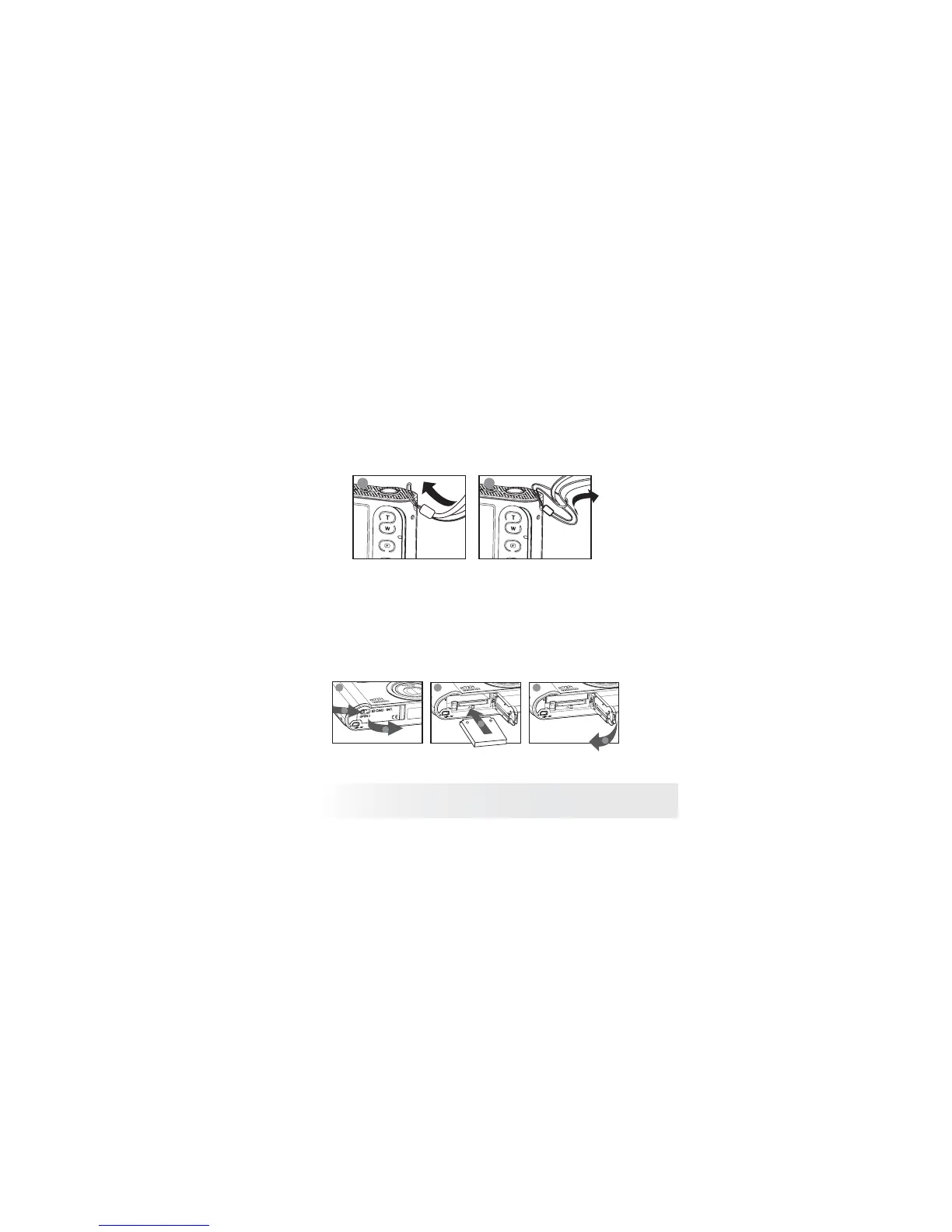
• Attaching the Wrist Strap
1 2
• Installing the Battery
One Lithium rechargeable battery is supplied with the product. For detailed
instructions on battery usage, please see “Using Your Batteries” on page 9.
1. Slide the block right as illustrated. Then release it, the door will
automatically open.
2. Insert the battery as shown, ensuring you follow the +/- signs
correctly.
3. Press the battery door downwards until you hear a click.
a
a
1 2 3
a
b



 To Next Page
 Loading...








