21
Polaroid PDC 3080 Digital Camera User Guide
www.polaroid-digital.com
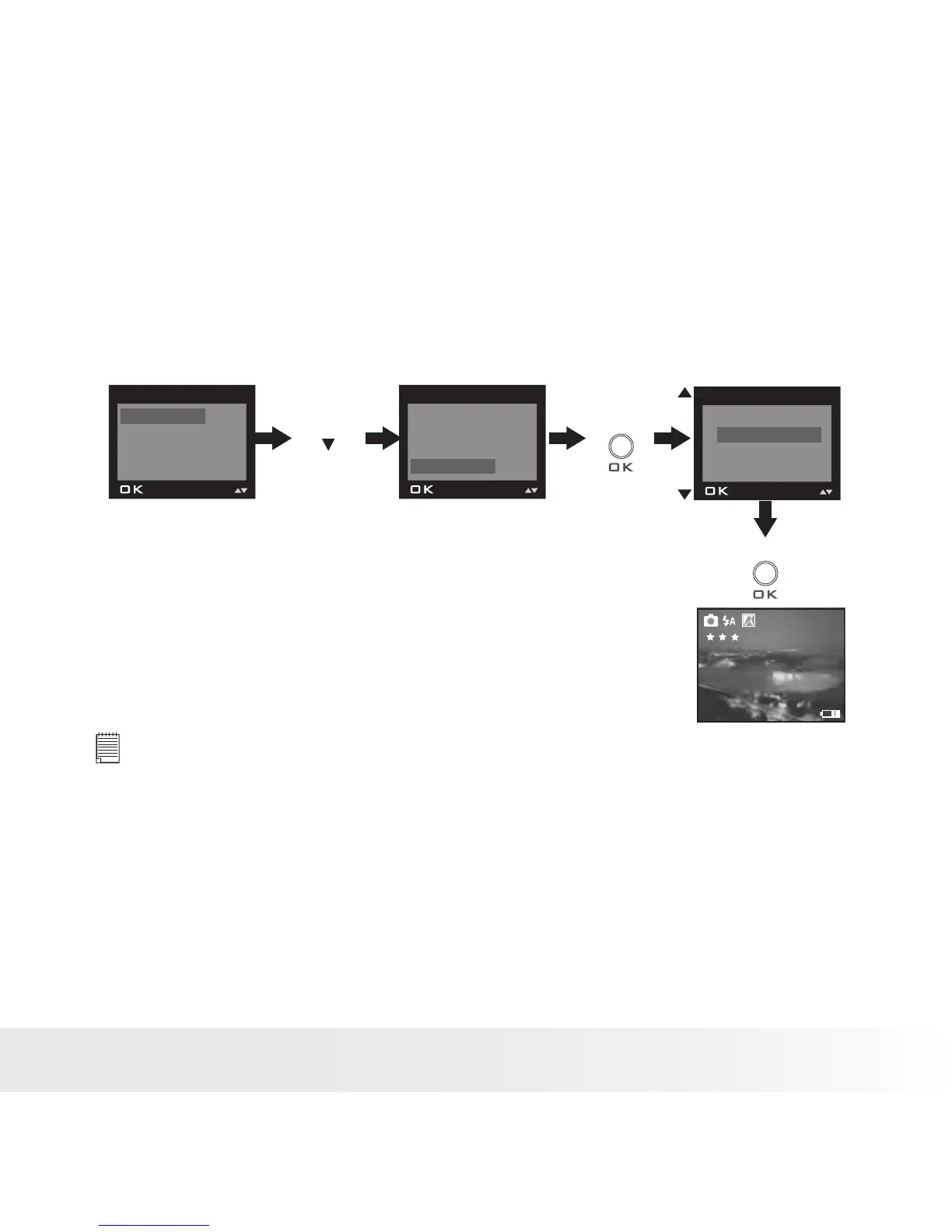
• Setting the Beep Sound On / Off
You can turn the beep sound on and off in Capture mode. When the beep
sound is turned on, the camera will beep when you press the buttons.
1. Turn on the camera.
2. Set the camera to Still Image mode.
3. Follow the guidelines in “Setup Menu” on page 17 to access the Setup
menu.
Press
Press
FORMAT
DATE/TIME
AUTO OFF
BEEP
SETUP
FORMAT
DATE/TIME
AUTO OFF
BEEP
SETUP
ON
OFF
BEEP
Press
until
2048 x 1536
0006
x1.0
NOTE:
This setting is also available in Video mode.


 To Next Page
 Loading...