ENGLISH
23
Channel Control
If you did not perform a channel scan during the “Initial Setup”,
please follow the instructions below:
Memorizing Channels
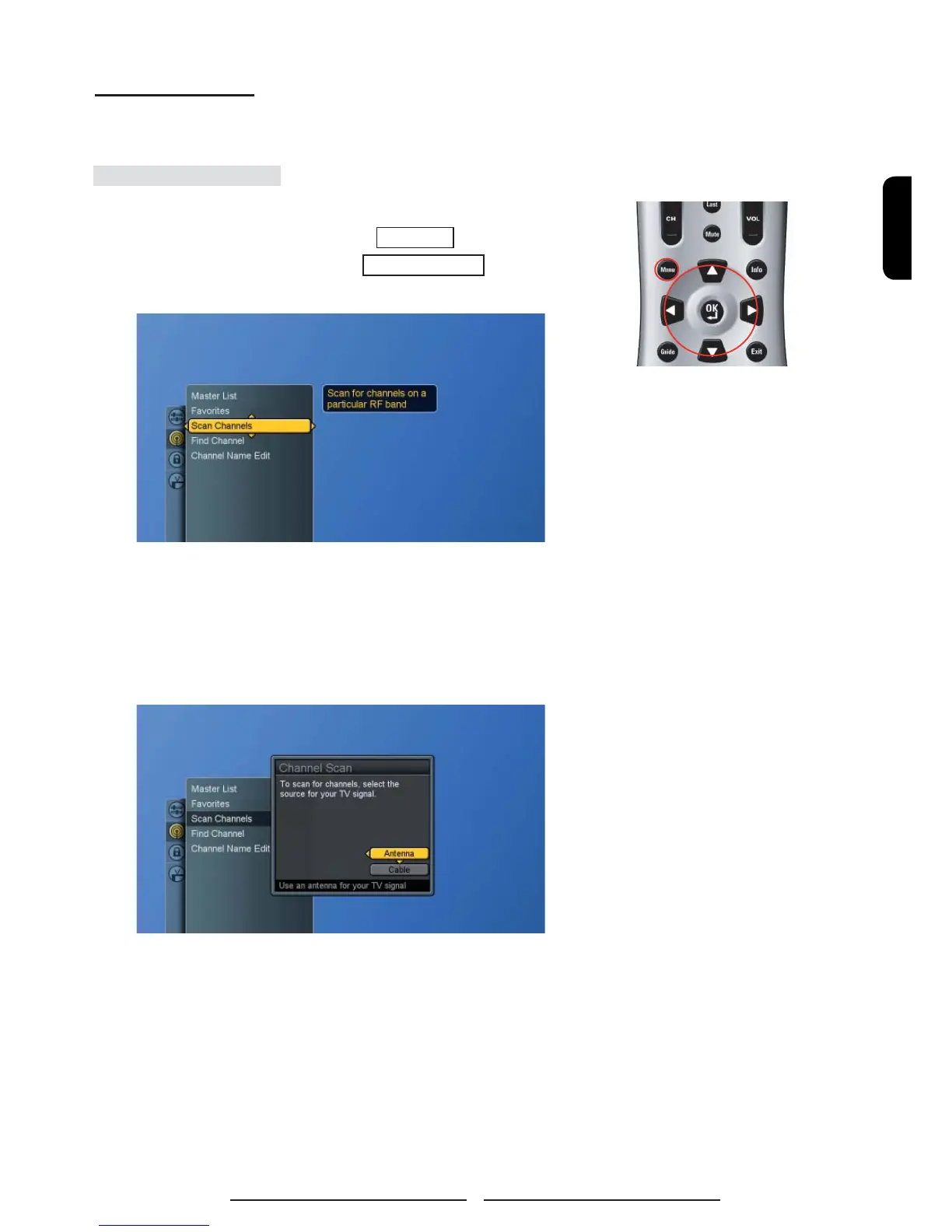
1. Press the Menu button to display the main menu.
2. Press the ▲▼ buttons to select Channels.
3. Press ► / ▼ buttons to select Scan Channels.
4. Press ► button again to display the menu and then press
▲▼ buttons to select the source for your signal.
If users select Cable, the system will detect and select which
cable (i.e. STD, IRC or HRC) is used automatically.
5. Press OK button to display Scan screen.



 To Next Page
 Loading...