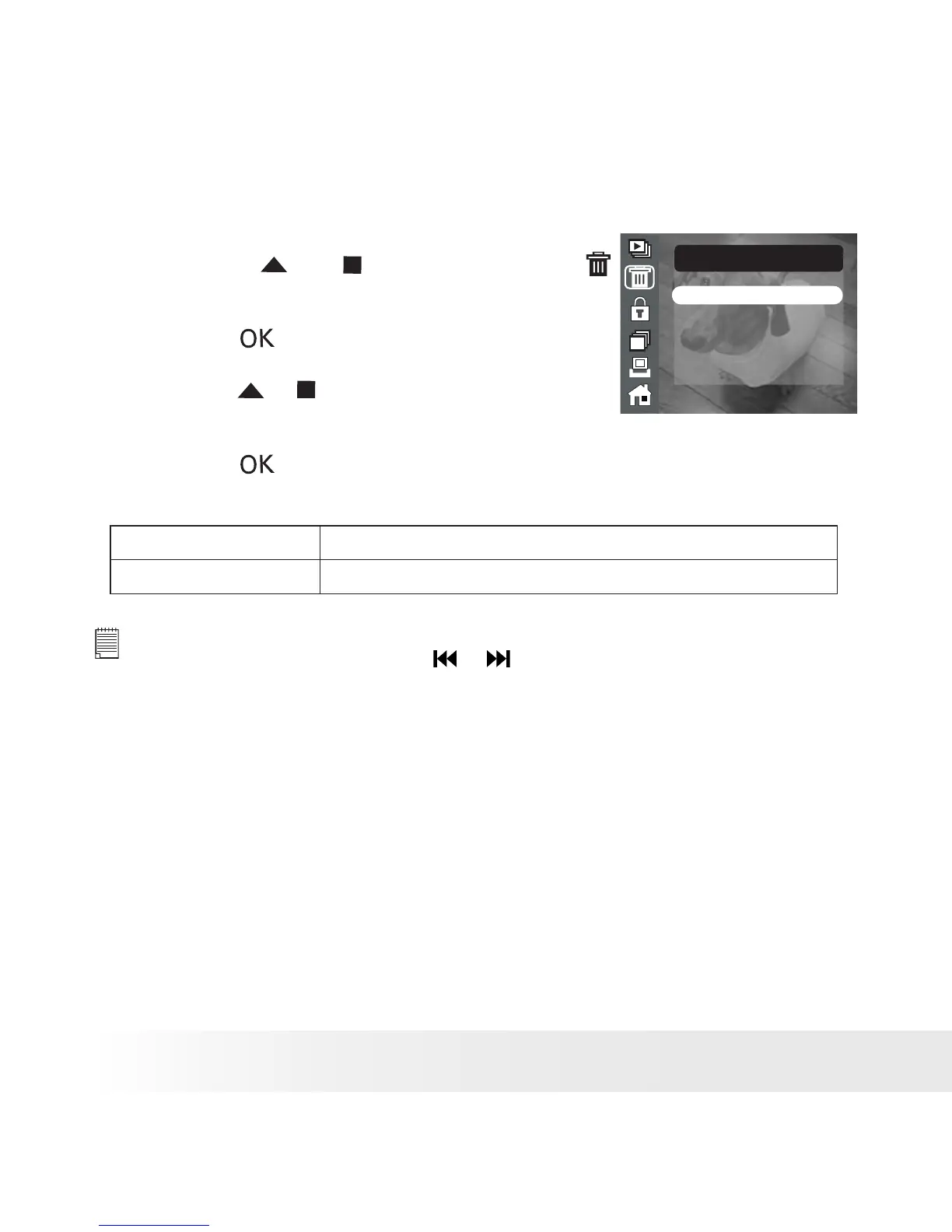
• Deleting Picture(s)
1. Access the picture menu.
2. Press the or button to select
(ERASE).
THIS IMAGE
ALL IMAGES
ERASE
3. Press the button.
4. Press the or button to select the desired
setting.
5. Press the button.
THIS IMAGE Delete the currently displayed picture.
ALL IMAGES Delete all images stored in the current memory.
NOTE:
• To delete one picture, use the or button to select the one you want to
delete before the above operation.
• Protected le can not be deleted. Remove protection before deleting.
• All deleted pictures can not be recovered.











 To Next Page