23
Polaroid izonePHOTO™ Portable Digital Picture Viewer User Guide
www.polaroid-digital.com
• Convert Image, Video and Audio Format via ArcSoft®
MediaConverter™ (PC Only)
IMPORTANT!
To play the video clip in the izonePHOTO™, it is necessary to convert to asf format.
1. Click “Start” -> Choose “Programs” -> Choose “ArcSoft
MediaConverter” -> Choose “Media Converter”
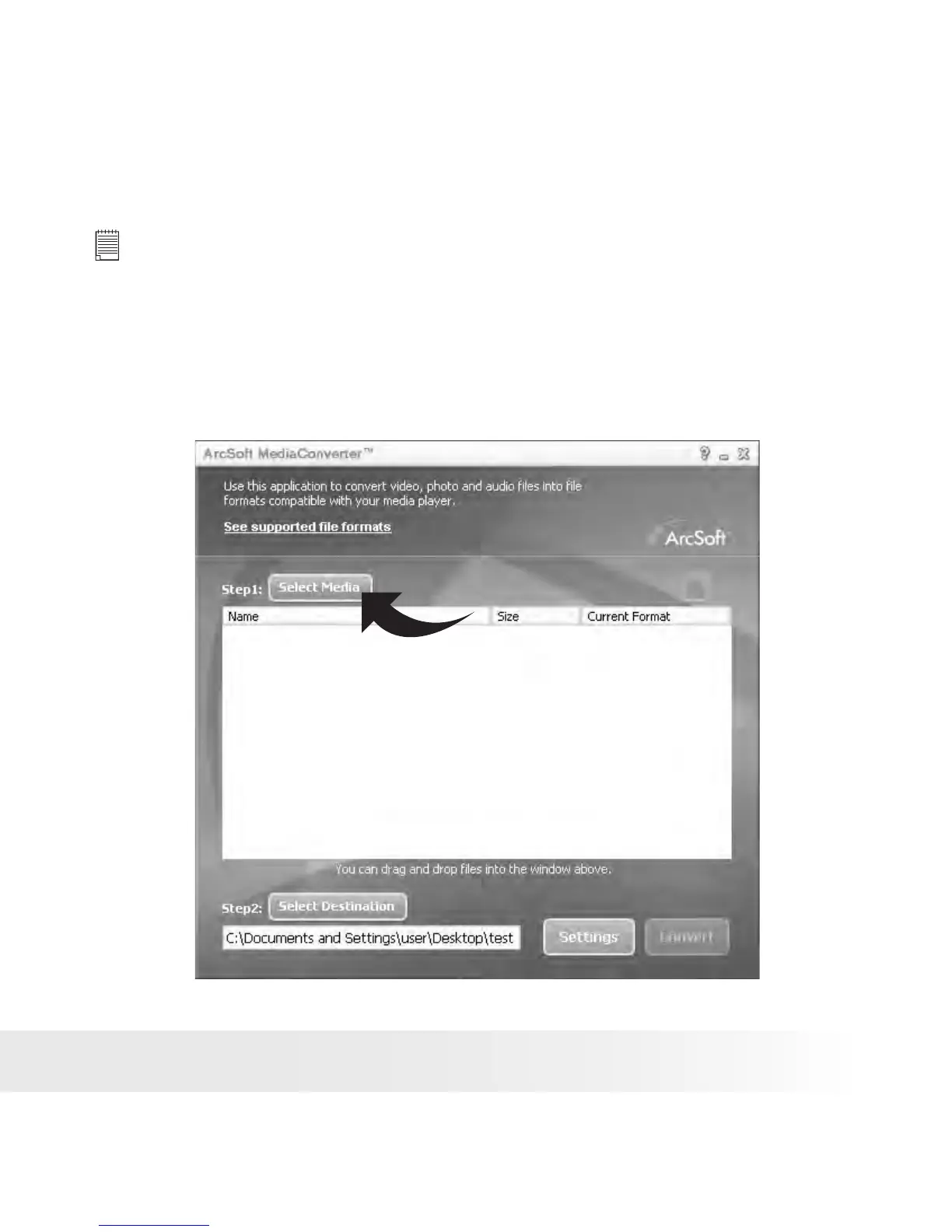
2. The “ArcSoft MediaConverter™” interface appears on the computer
screen.
3. Click “Select Media”.











 To Next Page