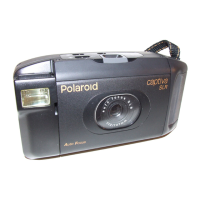
The camera has four ash modes (default setting is Flash Off).
When shooting under these conditions: Select this mode
Flash Off
The ash does not re. Use this setting for
outdoor pictures, or where ash is prohibited or
may be distracting, or when shooting towards
a reective surface, such as a window or a
mirror. If there is not enough light when using
this setting, your pictures will be too dark.
The ash res automatically as needed. Use
this setting to take most pictures.
Use this setting to avoid red glare in your
subject’s eyes. The camera res a brief preash
before the regular ash.
The ash res for every picture. Use this
setting in high-contrast situations to provide ll-
light or use it indoors in low light.
Icon shown
on the LCD screen
Auto Flash
Red-eye
Reduction
Forced On
NOTE:
• Flash is also available in
,
,
,
and
modes.
• Never touch or block the ash with your ngers. Doing so can soil these
components and interfere with the correct ash operation.


 To Next Page
 Loading...