geneo+U
21
WIZARD APPLICATION
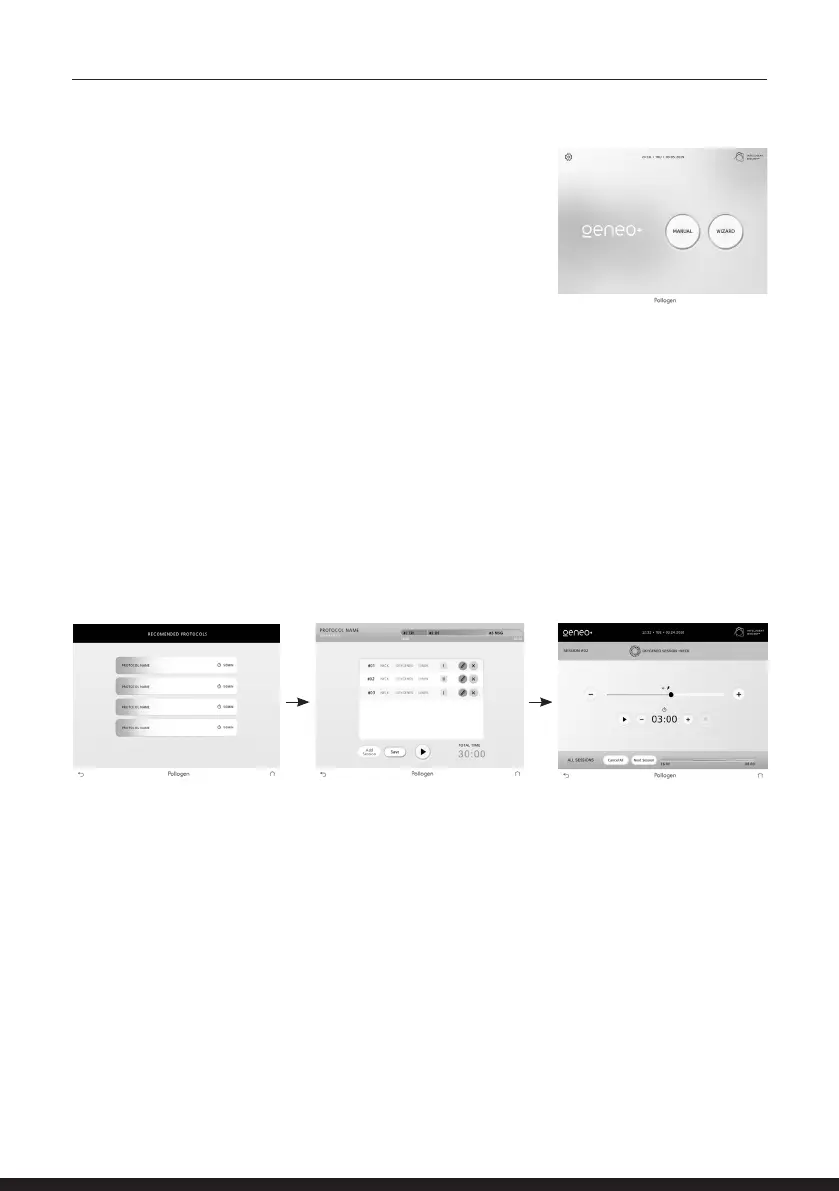
From the main menu, tap the ‘Wizard’ key in order to perform a
treatment in automatic mode.
Buttons will appear, from which you can choose either the
‘recommended’ pre-set protocols or ‘my protocols’ to plan your own
protocols based on your preference.
Recommended
Press the recommended button to reach the list of the 3 pre-set protocols:
• Balancing • Intense lifting • Ultimate treatment
Press on the desired treatment bar. A protocol summary screen will appear with a window
Displaying types of sessions and total treatment time.
If you wish to proceed with the chosen protocol, press the PLAY button followed by applicator ON key.
Treatment screen will appear – parameters can be adjusted on this screen.



 To Next Page