37
Menu Settings
Scan Mode [
] + [
]
Under FR mode, press [
]keyrst,thenpress[
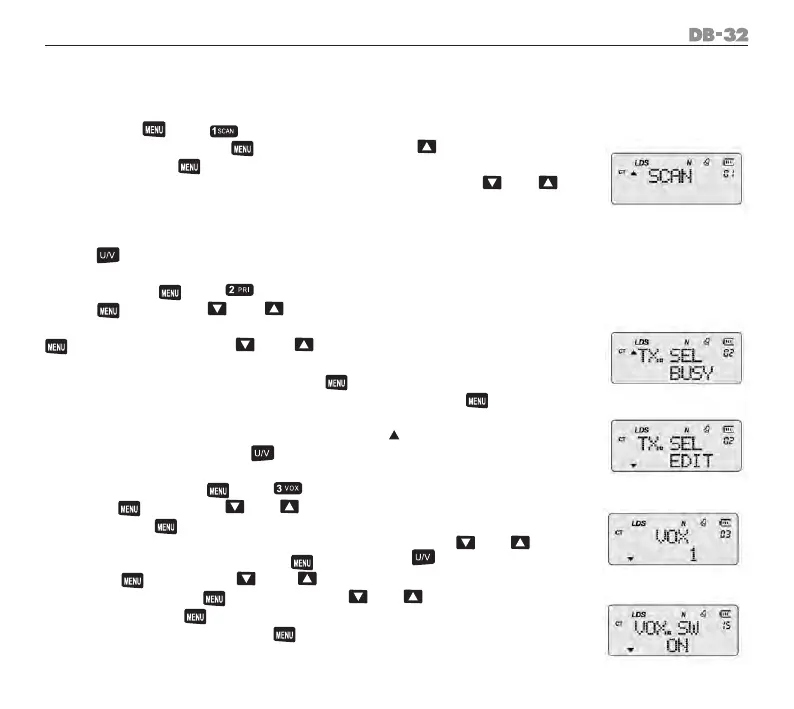
] key, LCD displays
“SCAN”, press [
]keytoconrmscan.Underscanning,frequencywill
increase or decrease bases on current frequency space. Use [
] / [
]
key to change scan direction.
If operation follows step 1, scanning bases on current CH No./FR frequency
under FR/CH mode.
Press [
] key to exit.
Priority Scan [
] + [
]
Press [
] key, use [
] / [
] key to select menu 2, priority scan set-
ting. LCD displays “TX.SEL EDIT” or “TX.SEL BUSY”, choose any and press [
]keytoconrm.Use[
] / [
] key to select the “TX.SEL EDIT” or
“TX.SEL BUSY”,
When“EDIT”selected,conrmedby[
] key, radio transmits on current
editedchannel.When“BUSY”hasselected,conrmedby[
] key, radio
transmits on last talked channel.
When standby and press PTT key, there is a “ “ displaying on the right
bottom of channel. Press [
] key twice to exit.
VOX grades setting [
] + [
]
Press [
] key, use [
] / [
] key to select menu 3 VOX grades set-
ting. Press [
] key enter grade selecting (1-8), 1 is the lowest, should
talk loudly. 8 is the highest, talk with normal voice. Use [
] / [
] key
toselectthegrade,conrmby[
] key. Press [ ] key to exit.
Press [
] key, use [
] / [
] to select NO.15, with “VOX.SW” /
“OFF”;conrmby[
] key. Then use [
] / [
] key to choose “ON”
andconrmby[
] key again. VOX function set successful. It is availa-
ble for earphone VOX. Press [
] key twice to exit.
1.
2.
1.
2.
1.
2.



 To Next Page