EasyManua.ls Logo

POLMAR DB-50M - User Manual

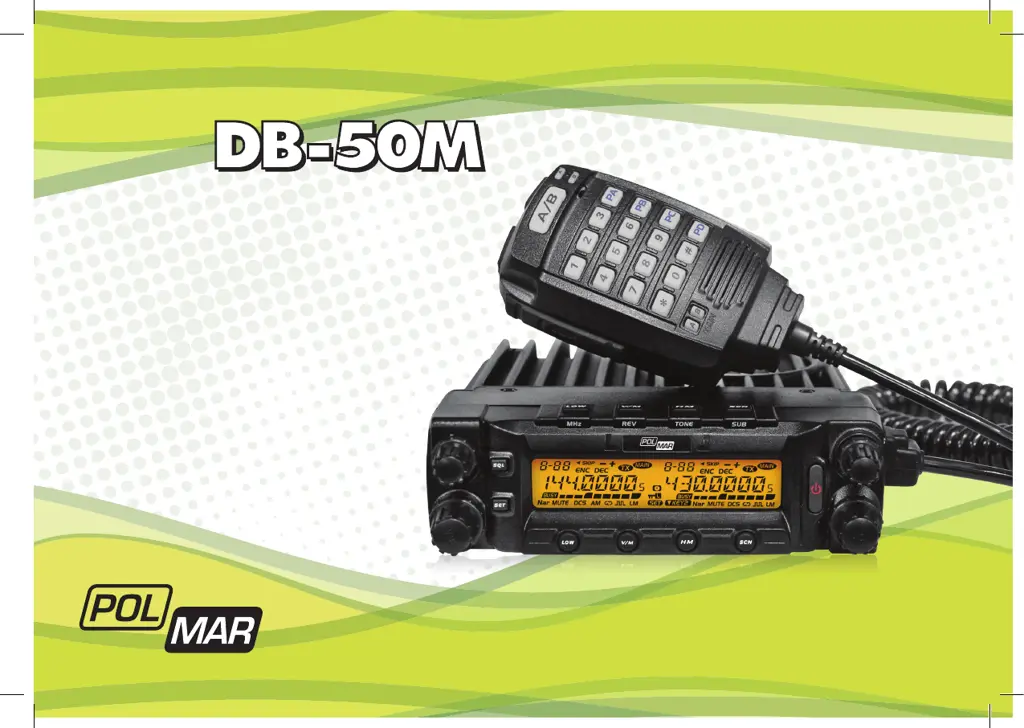
POLMAR DB-50M
93 pages
Go to English
Print Icon
To Next Page IconTo Next Page
Loading...
Importato e distribuito da Polmar srl
Manuale d’uso
User’s manual
RICETRASMETTITORE
DUAL BAND VHF/UHF
DUAL BAND VHF/UHF
TRANSCEIVER

Table of Contents

Other manuals for POLMAR DB-50M

Questions and Answers

  • V
    Vanessa SaundersAug 3, 2025
    Why is there no sound coming from the speaker of my POLMAR Transceiver?
    • S
      Sharon MckinneyAug 3, 2025
      If no sound comes from the speaker, it could be due to a muted squelch. Try decreasing the squelch level. Alternatively, the Tone or CTCSS/DCS squelch might be active; in this case, turn CTCSS or DCS squelch off.
  • M
    millermatthewAug 7, 2025
    What to do if the PTT key is pressed but transmission does not occur on my POLMAR Transceiver?
    • L
      Lauren GilesAug 7, 2025
      If pressing the PTT key doesn't initiate transmission, check the microphone and antenna connections. Ensure the microphone and antenna are properly connected.
  • F
    Frances McintoshAug 11, 2025
    What to do if the fuse is blown on my POLMAR Transceiver?
    • C
      Chad JonesAug 11, 2025
      If the fuse is blown, you should identify and resolve the underlying issue that caused it to blow. Then, replace the blown fuse with a new one.
  • B
    Brian OrtizAug 16, 2025
    How to unlock the keys and dial on my POLMAR Transceiver?
    • I
      ismithAug 16, 2025
      If the key and dial are not functioning, the key-lock function may be activated. Cancel the Key-lock function to restore their operation.
  • J
    John CopelandAug 19, 2025
    How to brighten a dim display on a POLMAR Transceiver?
    • B
      Bradley JenkinsAug 20, 2025
      If the display is too dim, adjust the Dimmer to a higher level.
  • J
    Joshua ParkerAug 25, 2025
    What to do if power is on but nothing appears on the display of my POLMAR Transceiver?
    • E
      emily95Aug 25, 2025
      If the power is on but nothing appears on the display, the + and - polarities of the power connection may be reversed. Connect the red lead to the plus terminal and the black lead to the minus terminal of the DC power supply.
  • C
    Cory McknightAug 29, 2025
    Why won't the rotating dial change the memory channel on my POLMAR Transceiver?
    • R
      ronaldalexanderAug 29, 2025
      If the rotating dial won't change the memory channel, the transceiver may be in CALL mode or VFO mode.

Summary

Introduction and Safety

Foreword and Precautions

Introduction to the transceiver and essential safety guidelines for operation.

Installation Guide

Supplied and Optional Accessories

List of items included in the package and available separately.

Mobile Installation and Power Connection

Procedures for mounting the transceiver and connecting the power supply.

Antenna and Accessory Connections

Guidelines for correctly connecting the antenna and other external components.

Operating the Transceiver

Front and Rear Panel Overview

Identification of transceiver controls, display, and ports.

Basic Operations (Power, Volume, Modes, Tuning)

Fundamental transceiver functions including power, volume, mode switching, and tuning.

Receiving and Transmitting

Core functions for radio communication, including signal reception and transmission.

Advanced Functions and Settings

Shortcut Operations and Scanning

Quick access to key functions and monitoring features.

Signaling and DTMF Setup

Configuration of CTCSS, DCS tone, and DTMF signaling.

Keypad, Lockout, and Display Settings

Controlling keypad behavior, lockout functions, and display options.

Software and Maintenance

Cable Cloning and Factory Reset

Procedures for data transfer and restoring factory defaults.

Software Installation Guide

Instructions for installing programming software and drivers on PC.

Troubleshooting and Specifications

Trouble Shooting Guide

Solutions for common operational issues and problems.

Technical Specifications

Detailed performance, dimensional, and electrical data of the transceiver.

Reference and Warranty

CTCSS;DCS Reference Charts

Tables listing CTCSS tone frequencies and DCS codes.

Warranty Conditions

Terms and conditions of the product warranty.

POLMAR DB-50M Specifications

General IconGeneral
BrandPOLMAR
ModelDB-50M
CategoryTransceiver
LanguageEnglish

Related product manuals