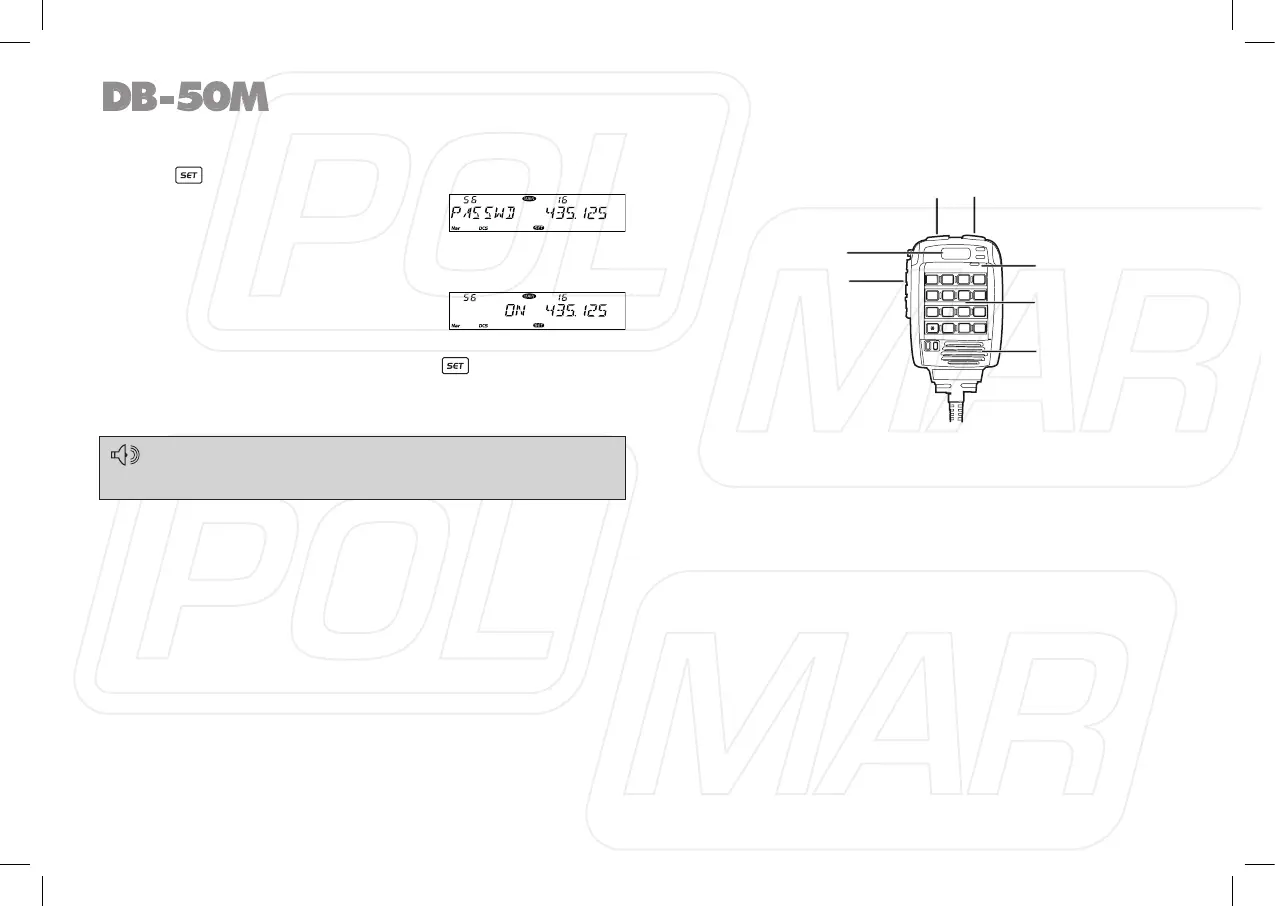
◊ Password Function
1. Press key to enter function menu.
2. Turn the Main band selector knob
to choose No. 56 menu. The LCD
displays “PASSWD”.
3. Press the Main band selector knob
to enter function setup.
4. Switch the Main band selector knob
to choose wanted value.
ON: Turn on password function.
OFF: Turn off password function.
5. Press the Main band selector knob or key to store value
and back to function menu. Press [SQL] key or hold selector
knob for over 0.5 second to store setup and exit.
When password function is on, correct password shall be input
after power on. The password shall be programmed before using
this function.
Microphone Operation
You can operate the transceiver by keypad or input desired
frequency and channel through the microphone.
◊ Send DTMF signaling
Hold the PTT key; input the desired DTMF signaling by the
numeric keys.
◊ Main/Sub band switching
This transceiver is defaulted on dual receive, in this status, a
MAIN icon will display in the top right corner of the Main band
frequency, transmitting is only available on the Main band. In
standby, you can switch Main band and sub band by the A/B key.
◊ Function operation through PA-PD keys
The PA, PB, PC, PD, keys are programmable, they can be
endowed with the following functions.
34
1
4
78
9
0
#
5
6
2
3
PA
MIC
PB
A
B
A
A/B
B
PC
PD
MAIN
PTT
Main/Sub band switch
DOWN UP
MIC
Numeric Keys
Microphone speaker



 To Next Page