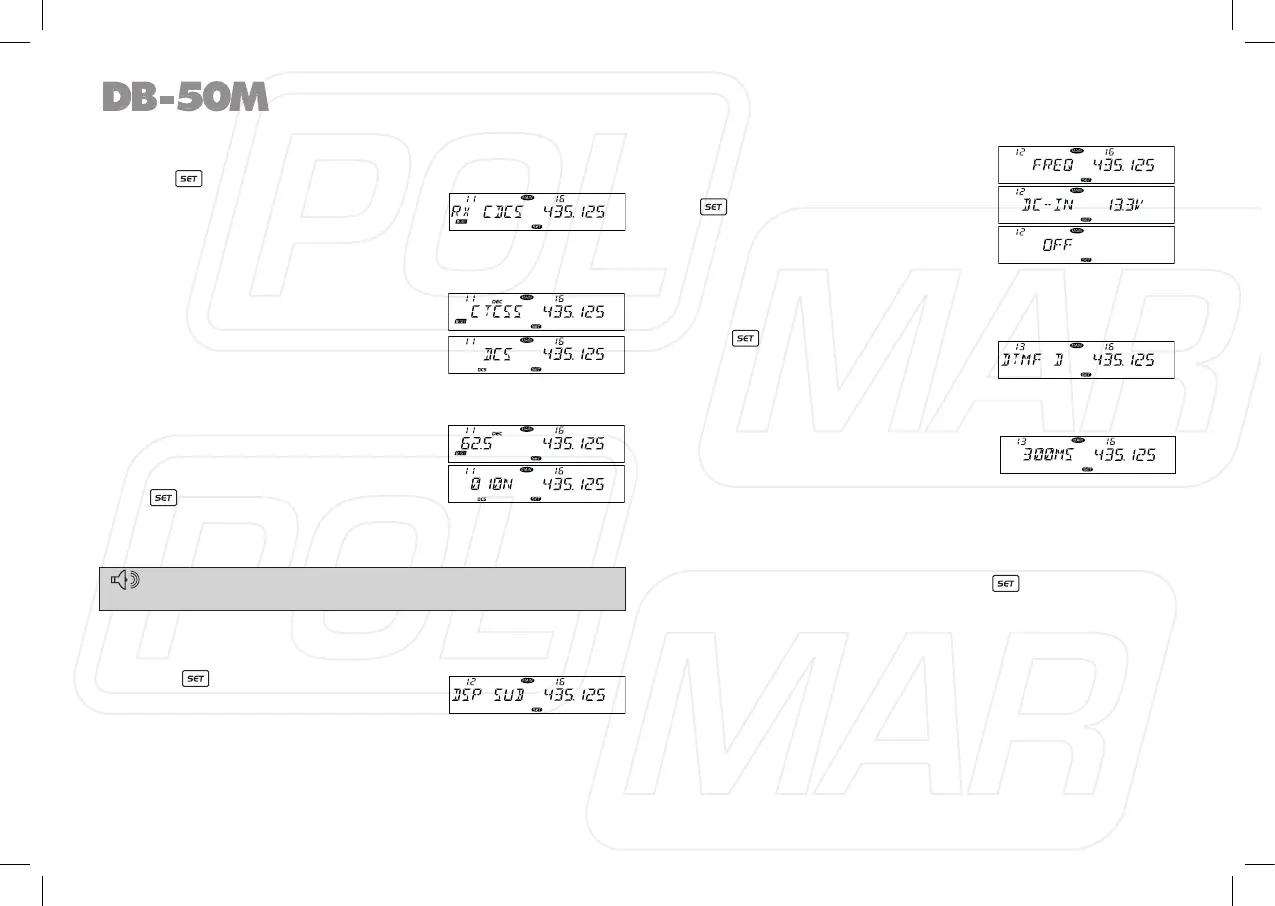
◊ CTCSS/DCS decode Setup
1. Press key to enter function menu.
2. Switch the Main band selector knob
to choose No 11 menu, the LCD
displays “RX CDCS”.
3. Press the Main band selector knob to enter function setup.
4. Switch the Main band selector knob to choose wanted value.
OFF: Turn off CTCSS/DCS decode.
CTCSS: Choose CTCSS decode.
DCS: Choose DCS decode.
5. Press the Main band selector knob
to enter the menu.
6. Switch the Main band selector knob
to choose wanted CTCSS, DCS code.
CTCSS: 62.5-254.1 Hz, and one
self-dened group, total 52 groups.
DCS: 000N-777I, total 1024 groups.
7. Press the Main band selector knob
or key to store value and back
to function menu. Press [SQL] key
or hold selector knob for over 0.5 second to store setup and
exit.
◊ Sub Band Display Setup
1. Press key to enter function
menu.
2. Turn the Main band selector knob
to choose No. 12 menu. The LCD displays “DSP SUB”.
3. Press the Main band selector knob to enter function setup
4. Switch the Main band selector knob to choose wanted value.
FREQ: display sub band frequency.
DC-IN: display sub band voltage.
OFF: turn off display for sub Band.
5. Press the Main band selector knob
or key to store value and back
to function menu.
Press
[SQL]
key or hold selector
knob for over 0.5 second to store
setup and exit.
◊ DTMF Encode Pre-Loading time
1. Press key to enter function
menu.
2. Turn the Main band selector knob
to choose No. 13 menu. The LCD displays “DTMF D”.
3. Press the Main band selector knob to enter function setup
4. Switch the Main band selector
knob to choose wanted value.
100MS: The Pre-Loading time is
100 mS.
300MS: The Pre-Loading time is 300 mS.
500MS: The Pre-Loading time is 500 mS.
800MS: The Pre-Loading time is 800 mS.
1000MS: The Pre-Loading time is 1000 mS.
5. Press the Main band selector knob or key to store value
and back to function menu. Press [SQL] key or hold selector
knob for over 0.5 second to store setup and exit.
22
The working of CTCSS/DCS decode shall be work associated with
the squelch mode setup (refer to Squelch Mode setup in page 20).
NOTE



 To Next Page