43
Channel name setting
When standby, press [
] key, use [
] / [
] key to select menu 26,
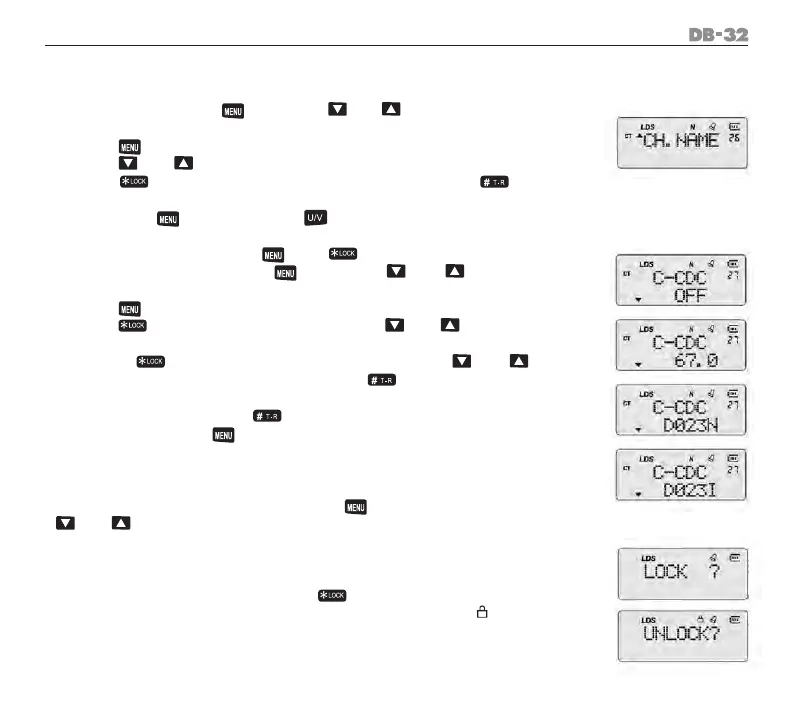
LCD displays “CH.NAME”.
Press [
] key to enter the setting mode, message is blinking.
Press [
] / [
] key to select the desired letters.
Press [
] key switch to the next editable letter, press [
] key to
cancel current letter, and return to the last editable letter.
Conrmby[
] key and press [
] key twice to exit.
Setting TX/RX CTCSS/DCS [
] + [
]
When radio standbys, press [
] key, use [
] / [
] key to select
menu 27, LCD displays “C-CDC/OFF”.
Press [
] key to enter the setting mode.
Press [
] key radio shows 67.0(QT), use [
] / [
] key to choose
QT groups.
Repress [
] key radio will show D023N(DCS), use [
] / [
] key
to choose DCS groups. Continue pressing [
] key to switch signaling
mode. OFF—QT—DCS--OFF
When choose DCS, press [
] key to choose DCS direction, like D023I
.......Conrmedby[
] key.
Setting TX/RX CTCSS/DCS
If only set RX with CTCSS/DCS, TX without CTCSS/DCS, or RX without CTCSS/
DCS, TX with CTCSS/DCS. You can press [
] key into setting mode, use
[
] / [
] key to select menu 28,29.
Operation is the same as setting TX/RX CTCSS/DCS.
Keypad lock ON/OFF
When radio standbys, press and hold [
] key not less than 2 second to
turn on/off the keypad lock. When keypad lock function is on, “ “ will be di-
splayed on the top of LCD, there will have voice prompt like “keypad locked”
1.
2.
3.
4.
5.
1.
2.
3.
4.
5.



 To Next Page