Timer function is used to set the ON or OFF time of the unit.
This function can only be set using the remote control.
TIMER ON
This function is used to start the unit after a specifc time interval.
To set the ON time:
1. Using the remote turn the unit ON and select the mode in which you want your unit to run
when the selected time interval is elapsed, example Cooling mode, 25˚C fan speed high.
2. Press the ON/OFF button on the remote to switch the unit in STANDBY mode.
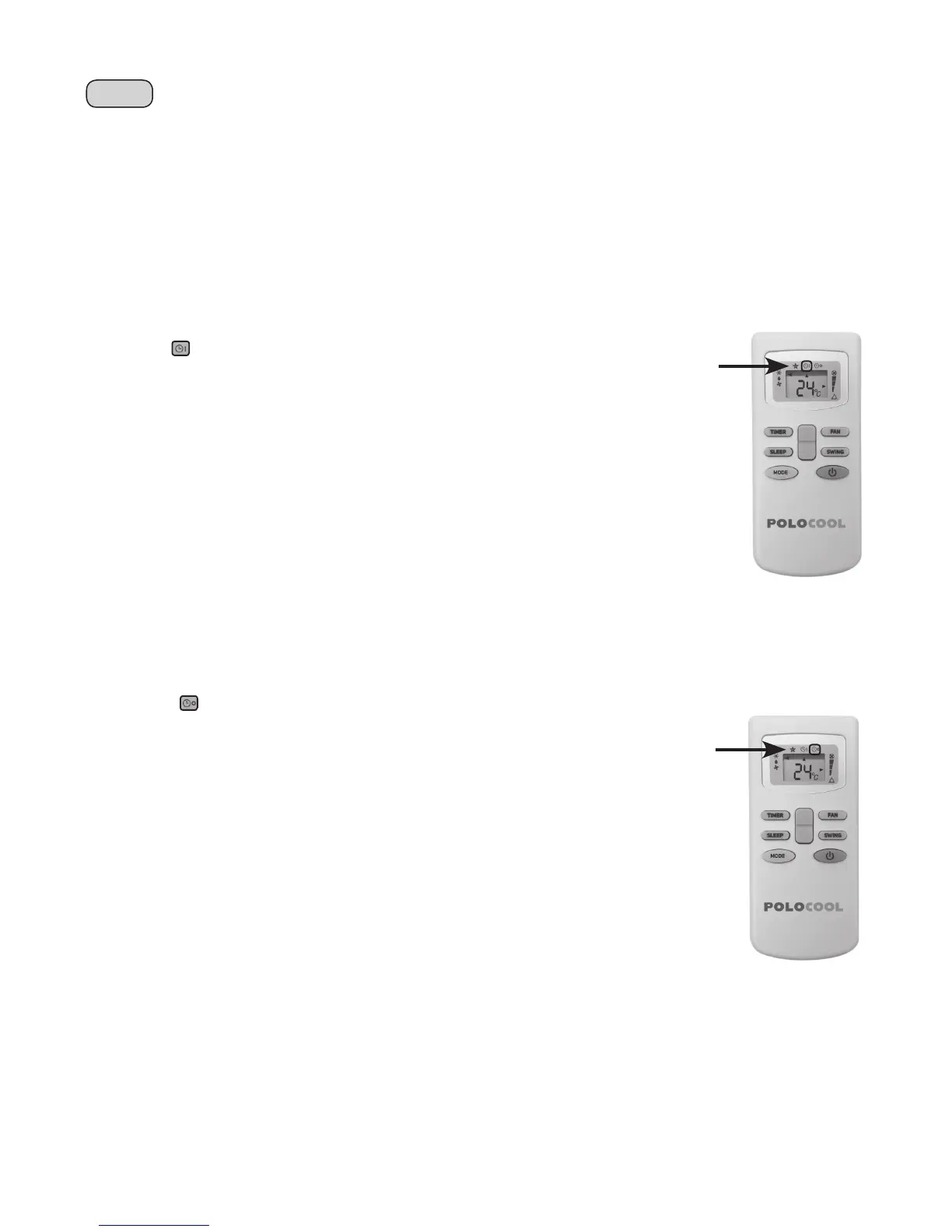
3. Press the TIMER button; the remote handset will come up with the time icon and ON next to it.
4. Press the TIMER button once; the clock display will come up and continue to flash next to
the ON time icon.
5. Set the time after which you want the unit to be turned ON
using the UP/DOWN button.
6. Once the selected time interval is set press the TIMER button again to st
ore the time interval in the memory.
7. The unit will start operating in the mode selected when the preset time is reached.
8. To cancel the timer setting, press the TIMER button.
TIMER OFF
This function is used to turn OFF the unit after a specifc time interval.
To set the OFF time:
1. Turn the unit ON if the unit is not running to start, press the TIMER button once.
The remote handset will display the time icon and OFF next to it.
2. Press the TIMER button once; the clock display will come up and continue to fash next
to the ON time icon.
3. Set the time after which you want the unit to be turned OFF using the UP/DOWN button.
4. Once the selected time is set press the TIMER button again to store the off time
interval in the memory.
5. The unit will be turned OFF when the preset time is
reached and will be in standby mode.
6. To cancel the timer setting, press the TIMER button.
NOTE: In both the timer modes the time interval can be incremented by 30 mins. In an event
of power failure the timer need to the reprogrammed. Once the time is set press the CLOCK
button to switch to the current time display if required.
This product has a self-evaporative system. The condensed water
will be recycled to cool the condenser. This not only improves
cooling effciency, but also saves energy.
When in Cool or Fan mode, there’s no need for water drainage.
The unit is equipped with a failsafe device, if the water tank fills.
So during dry mode, when the water in the water tray
exceeds the alarm level, the unit will stop completely and the
control panel will display Ft. This indicates the water tank is
FULL, the compressor and fan
will not restart until the tank
has been drained.
WATER DRAINAGE
11
13
The Timer Function is used to set the ON or OFF time interval of the unit.
This function can only be set using the remote control.
Timer ON and Timer OFF can not be set concurrently, only one or the other can be set at any one time.
The air conditioner must be running in the desired operating settings before selecting either the Timer ON
or Timer OFF function, for example Cooling Mode, 25°C Target Temperature, Fan Speed high.
In both timer modes the time interval can be incremented by 30 minutes from 1-10 hours.
Between 10-24 hours, the time interval can be incremented by 1 hour.
In an event of power failure the timer interval will need to be reprogrammed.
TIMER ON
This function is used to start the unit after a specic time interval.
To set the ON time:
1. The unit must be running in the desired operating settings under which you want the
unit to run when it starts up after the selected time interval has elapsed.
2. Press the ON/OFF button on the remote to switch the unit in STANDBY mode.
3. Press the TIMER button; the remote handset will display the time icon and
ON next to it.
4. Press the TIMER button once; the clock display will come up and continue to ash
next to the ON time icon.
5. Set the time interval after which you want the unit to be turned ON using the UP/
DOWN button.
6. Once the selected time interval is set press the TIMER button again to store the time interval in the memory.
7. The unit will start operating in the mode selected when the preset time is reached.
8. To cancel the timer setting, press the TIMER button.
TIMER OFF
This function is used to turn OFF the unit after a specific time interval.
To set the OFF time:
1. The unit must be running in the desired operating settings under which you want the
unit to run during the specified time interval.
2. Press the TIMER button once; the clock display will come up and continue to flash
next to the ON time icon.
3. Set the time interval after which you want the unit to be turned OFF using the
UP/DOWN button.
4. Once the selected time is set press the TIMER button again to store the off time
interval in the memory.
5. The unit will be turned OFF when the preset time is reached and will be in standby
mode.
6. To cancel the timer setting, press the TIMER button.


 To Next Page
 Loading...