
 Need help?
Do you have a question about the Poly Savi 8245-M UC and is the answer not in the manual?
The provided manual describes the Savi 8240/8245 UC Wireless Headset System, a DECT-based wireless headset designed for use with PCs, primarily for softphone applications and media streaming. This system offers a range of features for communication, audio quality, and user comfort, with an emphasis on security and configurability.
The Savi 8240/8245 UC is a wireless headset system that connects to a PC via a DECT USB adapter. Its primary function is to provide hands-free communication for softphone calls and to allow users to listen to PC audio. The system leverages DECT technology, which is highlighted for its enhanced security features, including robust registration, authentication, authorization, and encryption procedures, ensuring secure communication against known vulnerabilities. The headset is designed to be used within a specific region due to varying wireless radio frequencies across countries, and its use in unauthorized countries is explicitly stated as a violation of law.
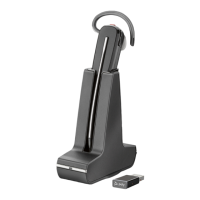
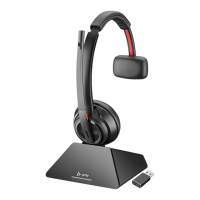
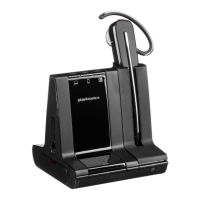
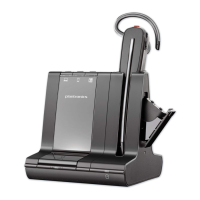
The core components of the system include the headset itself, a DECT USB adapter, a charge stand (Savi 8240 UC) or a charge stand with a spare battery compartment (Savi 8245 UC), and a charge accessory. The headset features an earloop, eartip, mute button, volume button, call button, battery, headset LED, and microphone. The DECT USB adapter provides the wireless link to the PC and indicates its status through an LED, showing whether the headset is powered off, unsubscribed, in subscribe mode, connected, receiving an incoming call, on a call/streaming media, muted, on hold, or undergoing an update.
The system supports various call management functions, including making, answering, and ending calls, adjusting call volume, and muting the microphone. It also facilitates conference calls, allowing up to four additional headsets to join manually. Guest headsets can remain connected for multiple calls and can be removed by pressing their Call button or by docking the primary user's headset.
The Savi 8240/8245 UC offers extensive customization and flexibility in its usage.
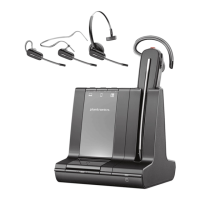
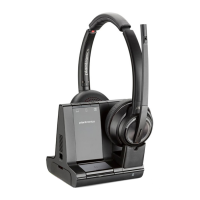
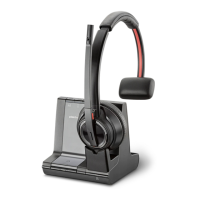
Headset Fit and Comfort: The headset provides three wearing styles: over-the-ear, over-the-head, and behind-the-head. Users can customize their fit by choosing the appropriate earloop and eartip sizes from the included fit kit. Detailed instructions are provided for assembling each wearing style, emphasizing correct alignment and rotation of components. For optimal microphone positioning, the manual advises adjusting the pivoting earpiece so the microphone rests as close to the cheek as possible without touching.
Battery and Talk Time: The headset uses a replaceable battery, and users are instructed to use only Plantronics-supplied battery types. The headset charges in its cradle, with an LED indicating charging status. A full charge takes approximately 3 hours, providing up to 4.5 hours of talk time in wideband mode and up to 6.5 hours in narrowband mode. A key feature is the ability to replace the battery during an active call, providing unlimited talk time with a charged spare battery. During a battery swap, the headset mutes, and upon replacement, the user hears "base connected" and "mute off," indicating reconnection to the call. Battery status can be checked via voice prompts or through the Plantronics Hub application.
PC Connectivity and Configuration: The DECT USB adapter comes pre-subscribed to the headset. To connect, users simply turn on the headset and insert the adapter into their PC. The adapter's LED indicates a successful connection. In cases where the adapter is disconnected or bought separately, users can re-subscribe it by putting both the headset and adapter into subscribe mode. The system also allows for configuration of the USB adapter for music playback and call management through the PC's sound settings (Control Panel for Windows, System Preferences for Mac).
Plantronics Hub Software: The Plantronics Hub for Windows/Mac is an essential tool for managing headset settings. It enables users to:
The manual provides troubleshooting steps to address common issues, which can be considered part of device maintenance.
Headset Stability: If the headset feels unstable, users are advised to ensure the microphone rests close to the cheek without touching, adjusting the pivoting earpiece as needed.
Battery Performance: If talk time is significantly degraded even after a full recharge, it indicates battery wear, and users are advised to contact Plantronics support for assistance.
These troubleshooting steps guide users through self-maintenance and problem-solving, ensuring the device operates optimally. The Plantronics Hub software also plays a crucial role in maintenance by providing firmware updates and access to various settings that can resolve performance issues.
 General
| Wearing Style | Over-the-ear |
|---|---|
| Wireless Technology | DECT |
| Talk Time | up to 13 hours |
| Microphone Technology | Noise-canceling microphone |
| Noise Cancellation | Yes |
| Hearing Protection | Yes |
| Optimized for | Microsoft Teams |
| Type | DECT |
| Range | Up to 180 meters (590 feet) |
| Charging Time | 3 hours |
| Compatibility | PC |


 To Next Page