poly.com/support
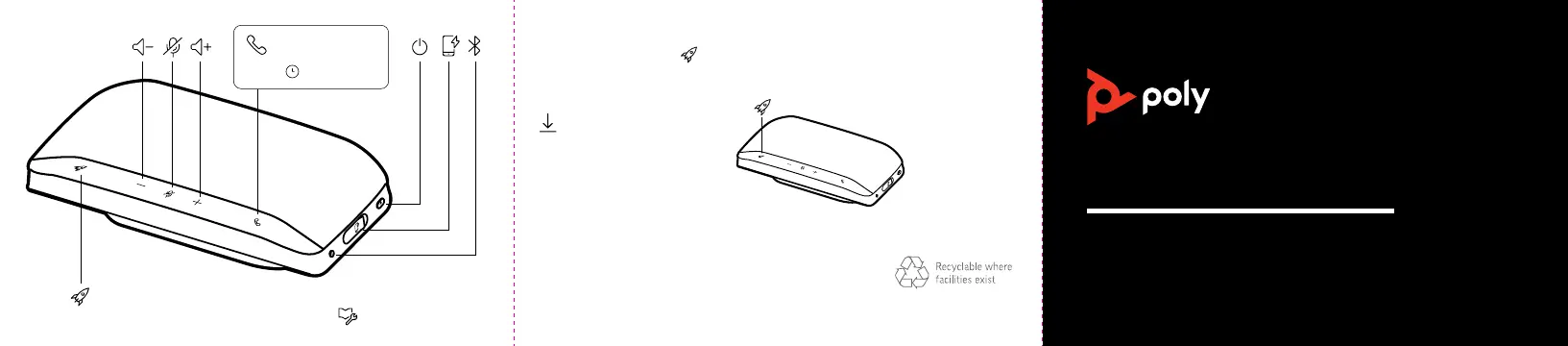
Congure your Rocket button feature in Poly Lens Desktop App.
Choose from play/pause music (default), device status check and more.
© 2021 Plantronics, Inc. All rights reserved. Poly, the propeller design, and the Poly logo are
trademarks of Plantronics, Inc. Bluetooth is a registered trademark of
Bluetooth SIG, Inc. and any use by Plantronics, Inc. is under license
All other trademarks are the property of their respective owners.
Manufactured by Plantronics, Inc.
215633-03 Rev C 02.21
Model ID: SY20/SY20-M USB-A/USB-C (may be followed by /BT600 or /BT600C)
QUICK START
POLY SYNC 20 SERIESPOLY SYNC 20 SERIES
CUSTOMIZE YOUR SPEAKERPHONE
Play/pause (default)
Siri
Google Assistant
:02
/
poly.com/lens



 To Previous Page