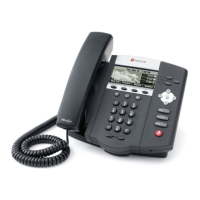
Polycom E220
Support:
Phone Guides & Online Training
hawaiiantel.com/VoiceSupport
Customer Support
808-643-8647
Web Portal
https://portal.bvoip.hawaiiantel.com
Blinks green on incoming call. Message Waiting Indicator (MWI) blinks red when a voicemail
is received.
4 buttons, supports up to 16 lines or speed dials per programming.
Labeled directly above in the Graphic Display. They’ll display different labels depending
on the menu option chosen.
Use arrows to move between options on the display. Use the middle button to select a
menu option
Access to additional phone options and features.
Allows you to receive and make calls using an optional headset
Used to make and receive hands-free calls
Disables the microphone on an active call
Automatically enabled when using hands-free mode
Adjusts the volume of the handset, headset, speaker and ringer
Displays information about calls, soft keys, time, date, caller display information and icons

 Need help?




 To Next Page
 General