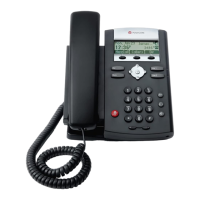
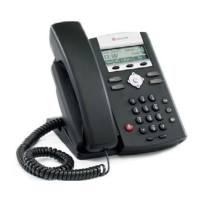
POLYCOM IP335 Phone
Message Waiting Light
Fast flashing red = message waiting
To Make or
Receive a Call…
…Lift handset.
or press Speakerphone.
or press Headset.
Display
changes based on
what you are doing.
It’s NOT a touch
screen, so push the
soft key under the
word to select it.
Navigation Keys
Scrolls up &
down display
Hold
Headset –
plugs in underneath
Speakerphone
Microphone
(under, so sound
bounces into it.)
Volume for ringer and calls
Mute
Menu
Speaker
Clear Missed Calls List
1. Press Menu.
2. Select Features.
3. Scroll to Call Lists.
4. Press √ to select.
5. Scroll to Clear… and select.
6. Scroll to Received Calls or
Placed Calls, and select.
7. Confirm Delete.
Permanently
Select Headset
Menu > Settings > Basic >
Preferences > Headset >
Headset Memory >
Enabled
Disable with same steps.
SCOE I.T. • 524-8324 • helpdesk@scoe.org Page 1 of 4 Revised 11/7/12

 Need help?







 To Next Page
 General