POLYPRINTDTG.COM
INSTALLATION GUIDE
9
NOTE: If there are still gaps or missing lines in the pattern please
refer to the Quick User Guide for instructions on cleaning the Print
Head.
| 04_STEP
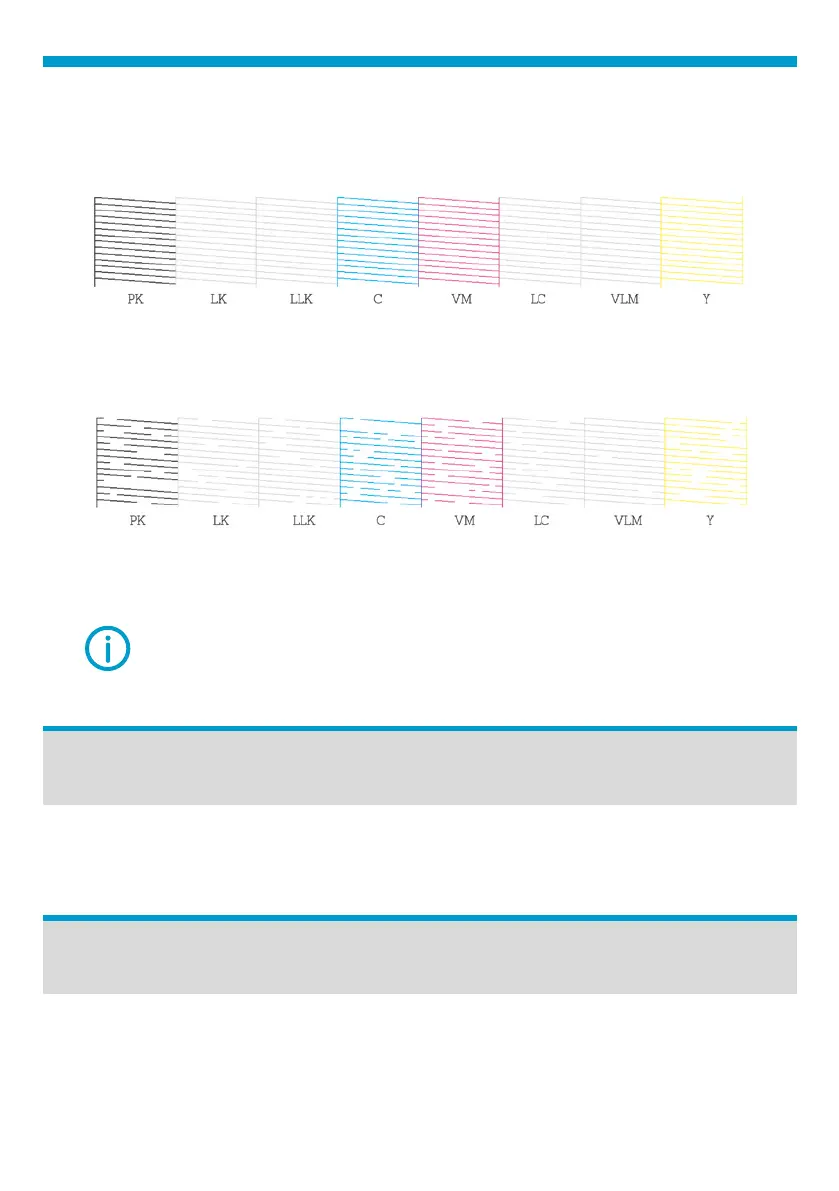
Check the pattern. If there are no gaps nozzles are clean.
Fig.16: Nozzle check correct sample.
If there are gaps in the pattern, perform a Head Cleaning.
Fig.17: Nozzle check failed sample.
Select the Settings Menu, tap Maintenance and Head Cleaning option.
Ink & Pretreatment Storage
White, CMYK inks, Cleaning solutions and Pretreatments should be stored
at a temperature ranging between 10-40
o
. Recommended dry place at 20
o
.
Before moving the TexJet
®
shortee² to other position, empty the
maintenance tank from the remaining waste and lock the platen tower,
by using the yellow safety bar.
Transporting the TexJet echo
2



 To Next Page