TexJet® ECHO²
4
NOTE: Check that the source voltage is the same as the rated voltage,
listed on the SN – Rating plate. If the available power source is different
from the TexJet
®
echo² AC rating, do not connect it to the power source.
| 03_STEP
Connect the power cord. Turn on the blue switch at the left side of the
printer.
Install Ink Cartridges
Ink Cartridges Conguration
The correct ink assignement is shown below:
SLOT
NUMBER
CARTRIDGE
CHIP
(CMYK+WWWW)
CONFIGURATION
(2XCMYK)
CONFIGURATION
1
(MK) Black Black
2
(PK) Black Black
3
(LK) White Yellow
4
(LLK) White Black
5
(C) Cyan Cyan
6
(VM) Magenta Magenta
7
(LC) White Cyan
8
(VLM) White Magenta
9
(Y) Yellow Yellow
Table 1: Ink Cartridges Conguration.
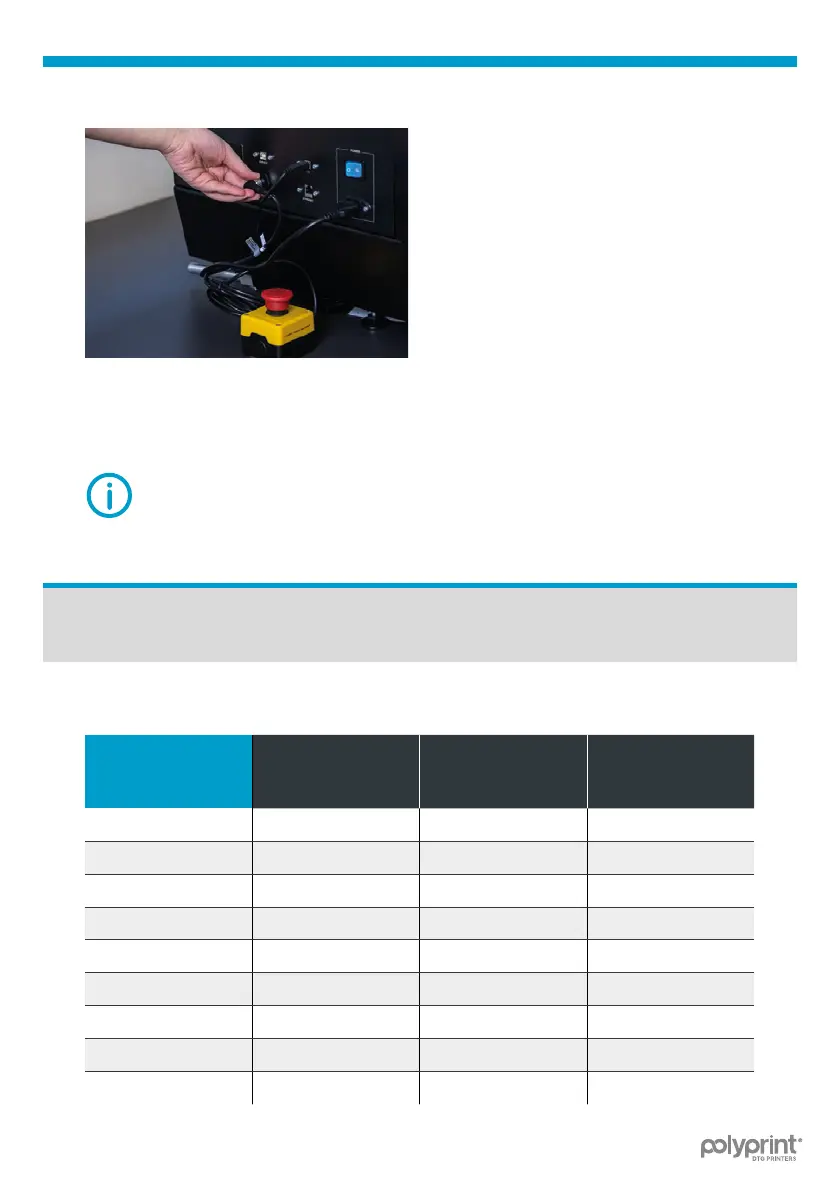
Connect the Emergency Stop
Button On the left side of the
printer.
Fig.7: Connect the Emergency stop button.
| 02_STEP



 To Next Page