110-511 PSC/EN 14
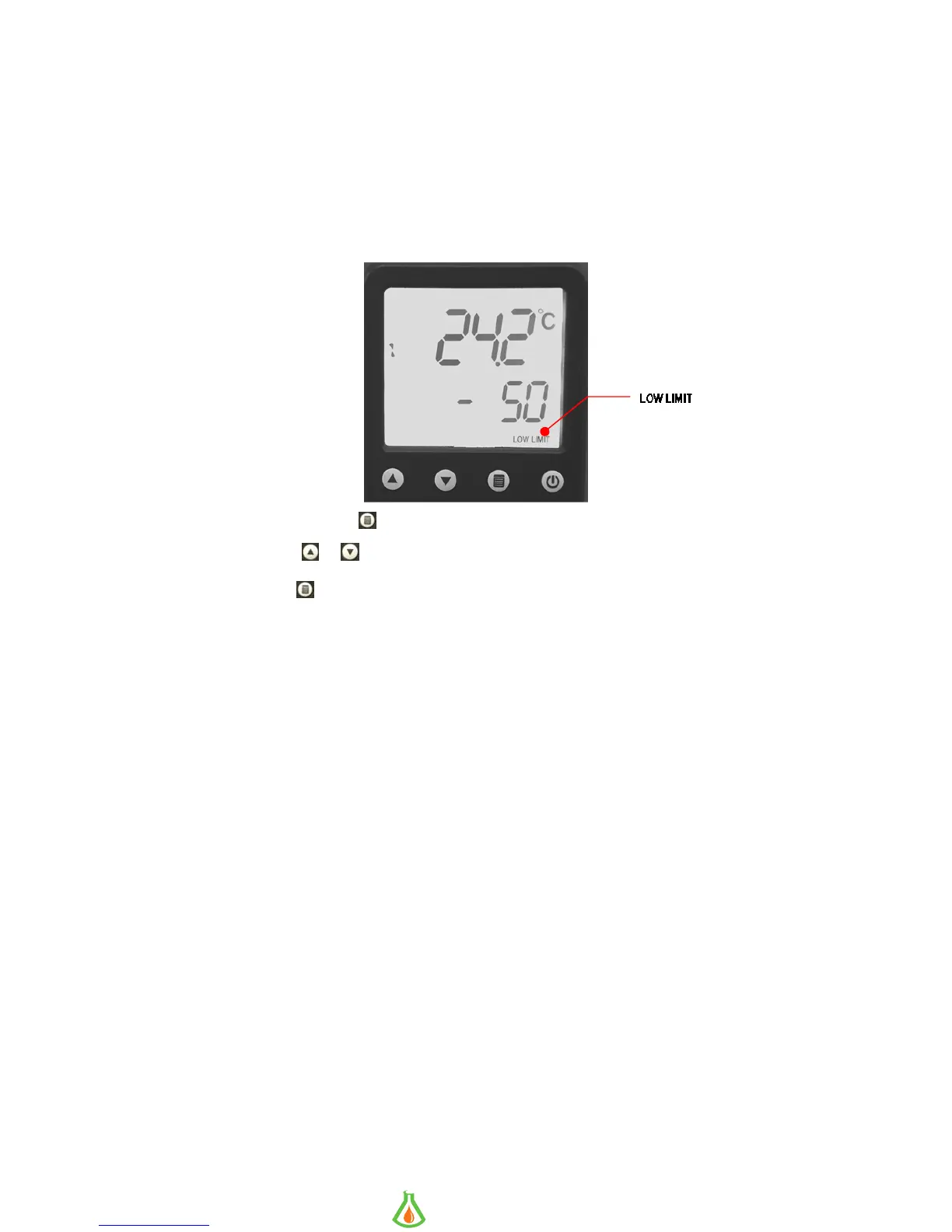
Setting the Low Limit Temperature
This sub-menu allows you to limit how low the temperature set point may be set. It also serves as a low
limit safety, alerting you if bath temperature falls below the low limit temperature setting. The Low Limit
value may be set from -35° to +10°C / -30° to +50°F; the factory default is -35°C / -30°F.
To avoid an unwanted alarms or shutdown during regular operation, the Low Limit value should be set at
least 5° lower than the selected control temperature.
To Access: This Press the
key until LOW LIMIT appears on the display.
To Change: Press
or
.
To Accept: Press or allow the LCD to return to the main operational display
(approximately 10 seconds).
Appears when in the
Low Limit sub-menu
info@GlobalScientificSupply.com
www.GlobalScientificSupply.com
GLOBAL SCIENTIFIC SUPPLY
The Laboratory Supply Company!


 To Next Page