12 | EN
4. Use
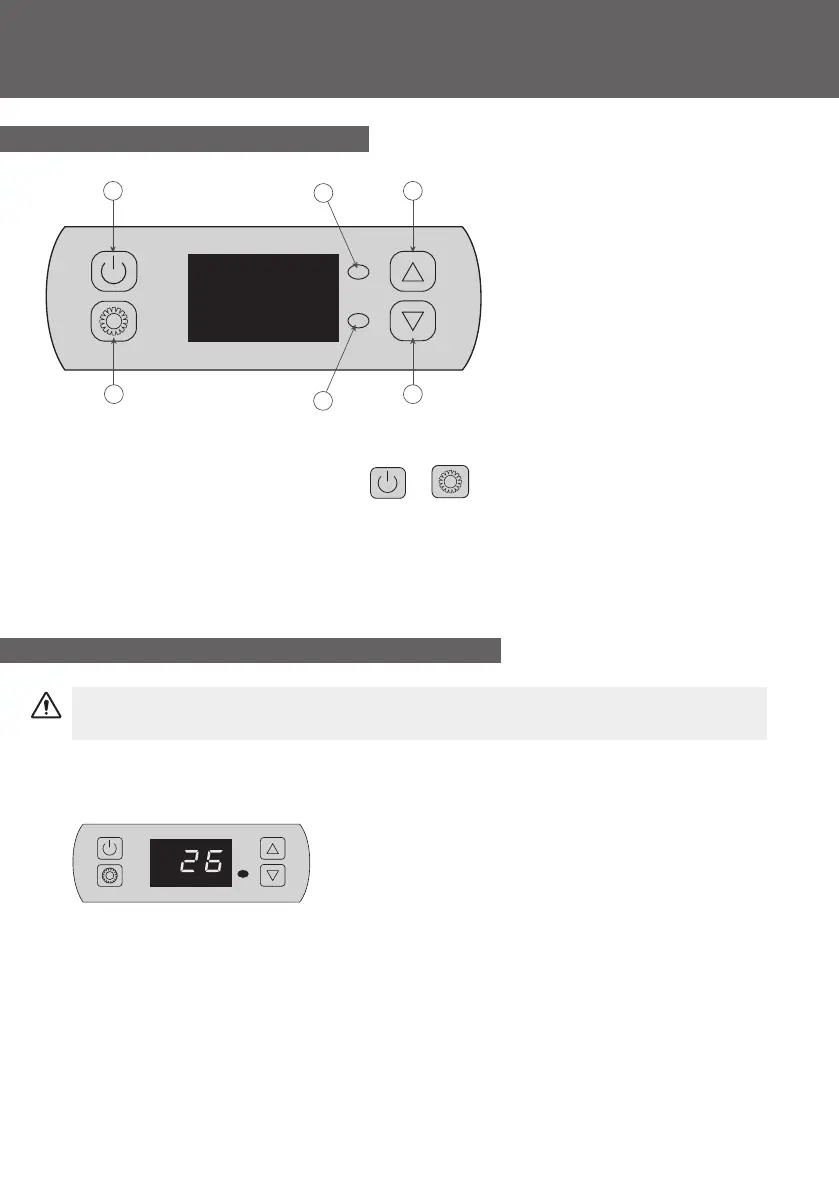
4.1 Control panel
4.2 Operating mode selector
Before starting, ensure that the ltration pump is working and that water is circulating
through the heat pump.
Prior to setting your required temperature, you must rst select an operating mode for your remote
control:
Heating Mode
Select the heating mode for the heat pump to heat the water in
your pool.
1. Cooling/Defrost mode indicator
2. Heating mode indicator
3. ON/OFF button
4. Mode button
5. Plus (+) button
6. Minus (-) button
To lock or unlock the control panel, press + 3s.
4
3
1
2
6
5


 To Next Page