EN| 13
EN
4. Use
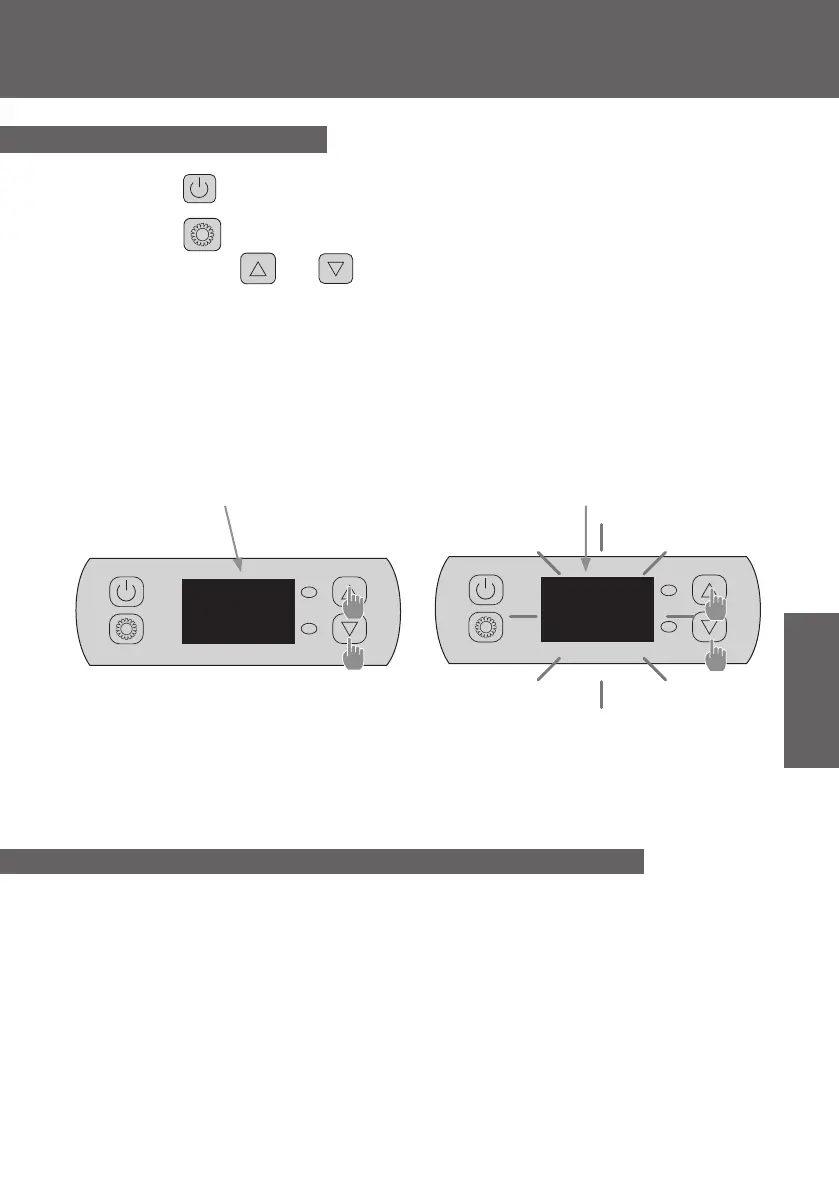
Step 1 : Press to switch on your pump.
Step 2 : Press to switch from one mode to another until the heating mode is displayed.
Step 3 : Using buttons and select the required temperature.
EXAMPLE:
If the current temperature is 15°C, default setting temperature is 27° required temperature is 30°C.
4.3 Heating Mode
Useful information about how the heating mode operates
When the incoming water temperature is less than or equal to the required temperature (setpoint
temperature) -X°C, the heat pump will switch to heating mode. The compressor will stop when the
temperature of the incoming water is greater than or equal to the required temperature (setpoint
temperature).
Indicators for adjustment range X and Y
X : adjustable parameter from 1° to 10°C, default setting is 3°C. (Parameter “H”)
Current water
temperature
Required
temperature
15
26


 To Next Page