14 | EN
4. Use
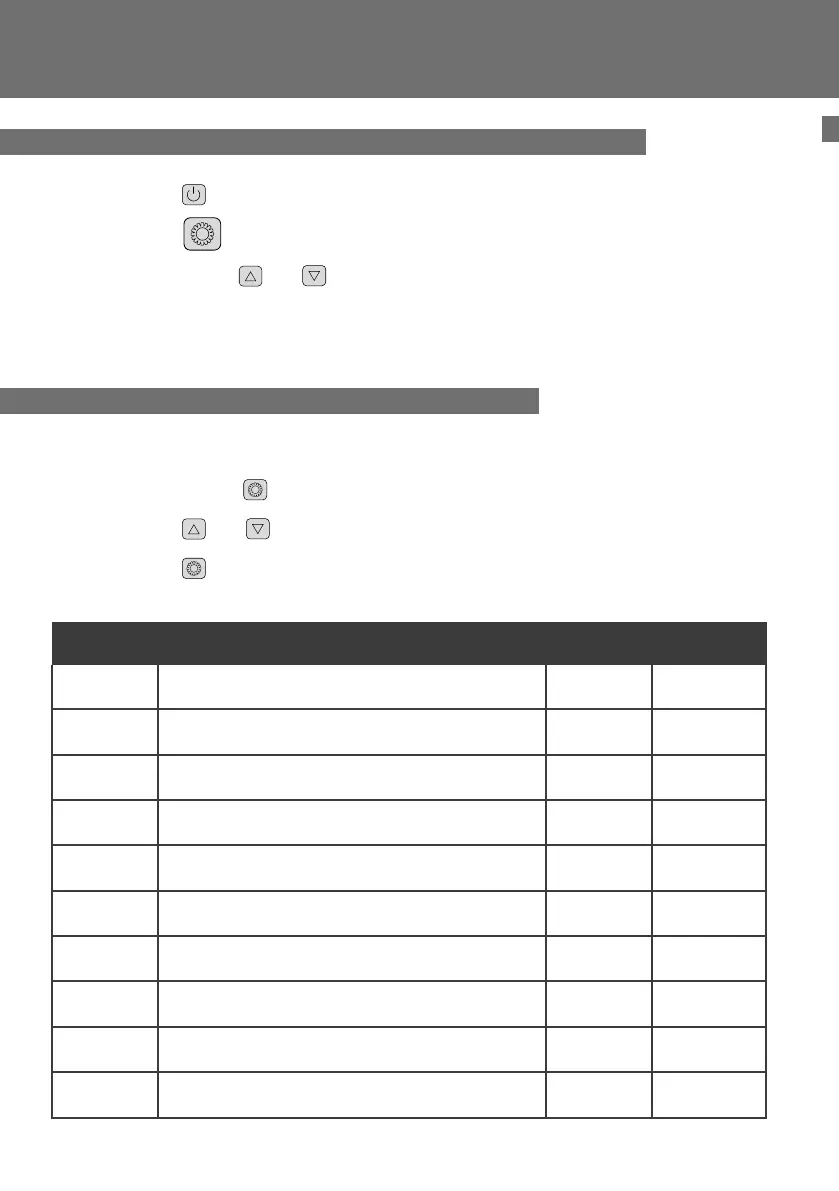
The system’s settings can be checked and adjusted via the remote control by following these
steps
Step 1 : Keep pressing
until you enter the settings verication mode.
Step 2 : Press
and for see the parameters.
Step 3 : Press
to select the setting to be viewed.
Parameters table
4.5 Status values and advanced settings
4.4 Cooling mode (only for Pico R)
Step 1 : Press to switch on your pump.
Step 2 : Press to switch from one mode to another until the cooling mode is displayed.
Step 3 : Using buttons and select the required temperature.
EXAMPLE :
If the current temperature is 30°C, default setting temperature is 27° required temperature is 15°C.
Paramètres Description Range value Comment
d0 Ambient temperature -20~80°C Measured value
d1 Water inlet temperature -20~80°C Measured value
d2 Exhaust temperature -20~140°C Measured value
d3 outside coil temperature -20~80°C Measured value
d4 Compressor ON/OF
d5 Fan motor ON/OF
d6 Four way valve ON/OF
d7 Reserved - Do not adjust
d8 Reserved - Do not adjust ON/OF
d9 Water ow switch



 To Next Page