REV. 032017
17
Power failure and temperature alarms
If the temperature alarm is given during a power failure:
1. Alarm light (6) comes on.
2. The alarm signal sounds continuously.
The alarm sound is muted by pressing any button and starts sounding again after a
delay if the power failure continues for an unusually long time. Temperature data and
alarms are stored during the power failure if the battery backup is switched on.
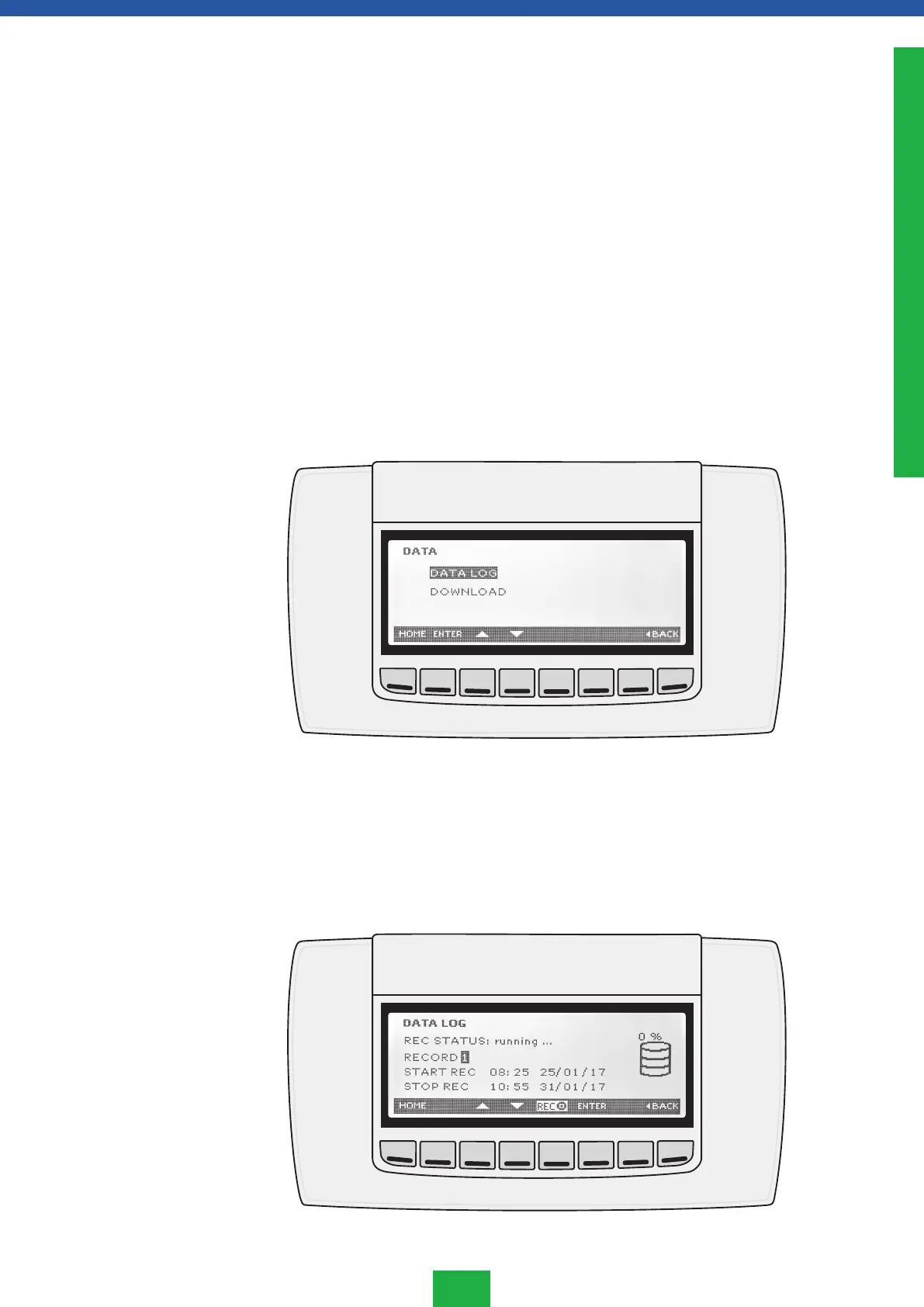
Press Data button in the main menu to go to DATA LOG menu
• DATA LOG contains all temperature data the controller has saved.
• DOWNLOAD exports the recorded data to a USB stick.
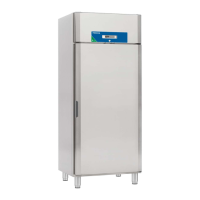
Data log menu
This menu contains all the information the controller has recorded.
1. Go to the data by pressing ENTER when the temperature history will appear on the
display. Wait until the hourglass on the left corner of the display disappears.
Temperature
data menu
ENGLISH



 To Next Page