REV. 032017
19
IMPORTANT!
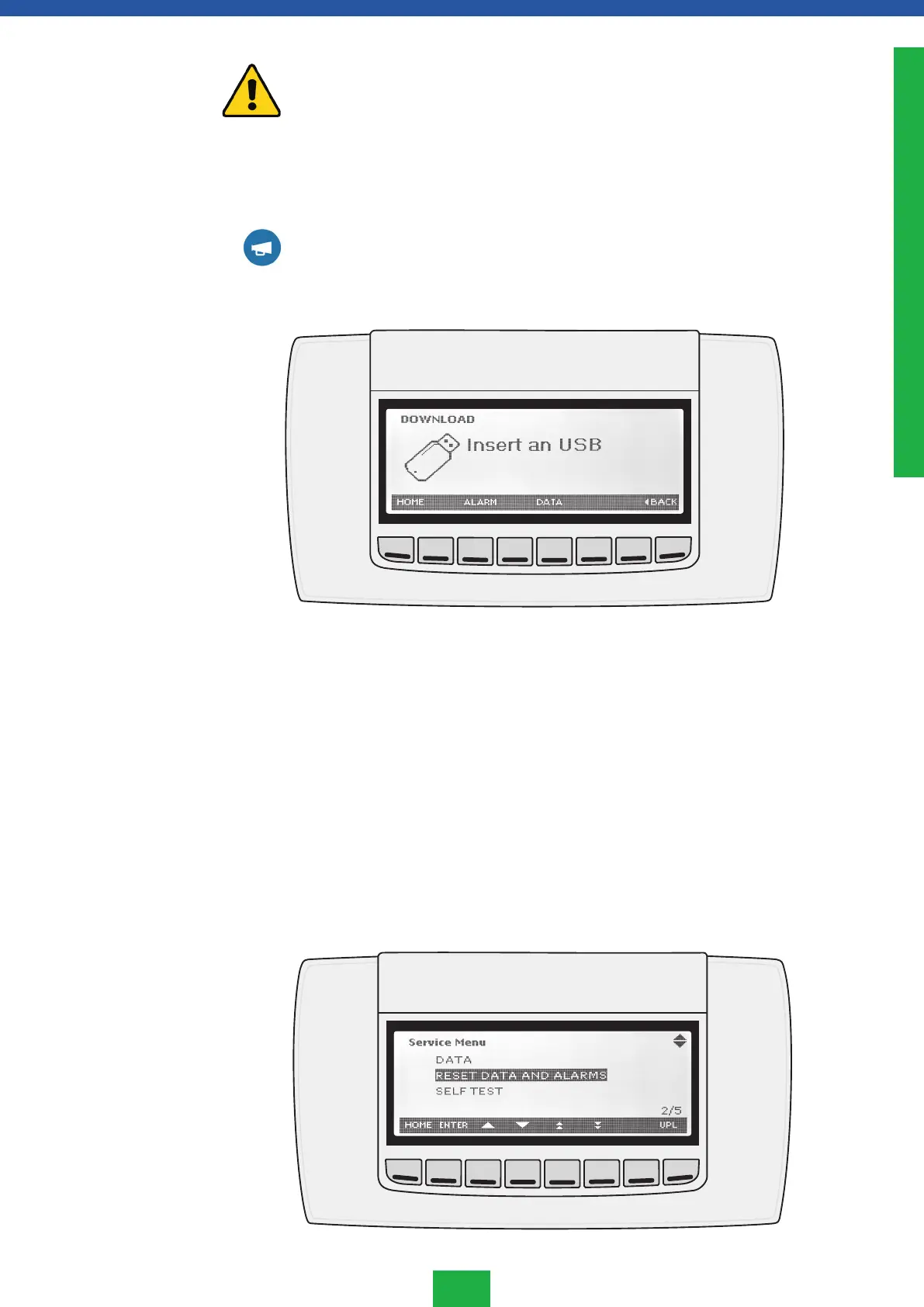
USB DEVICE MUST NOT BE REMOVED DURING THE LOADING PHASE. IT MAY
DESTROY THE DATABASE AND THE USB RECORDER.
5. Disconnect the USB device.
6. Go back to normal mode using the HOME or BACK button.
NOTE!
An ERROR message will be displayed in case of a failure. This message shows for 60 sec-
onds. Press the HOME or BACK button. After that the DATA MENU screen will be restored.
Remove the USB device or repeat the download operation.
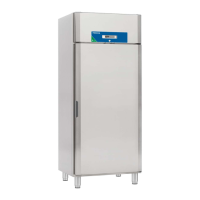
From the SERVICE menu, it is possible to select the RESET menu and delete all recorded
values from the internal database.
1. Enter the SERVICE menu.
2. Select RESET DATA AND ALARM submenu and press ENTER.
3. Select the item to reset by using ALARM or DATA button.
5. Wait for the process to finish.
6. At the end of the process the V icon will appear.
7. Exit the menu by pressing the HOME or BACK button.
Reset data and
alarm menu
ENGLISH



 To Next Page