Overviews
E F G H
A B C D
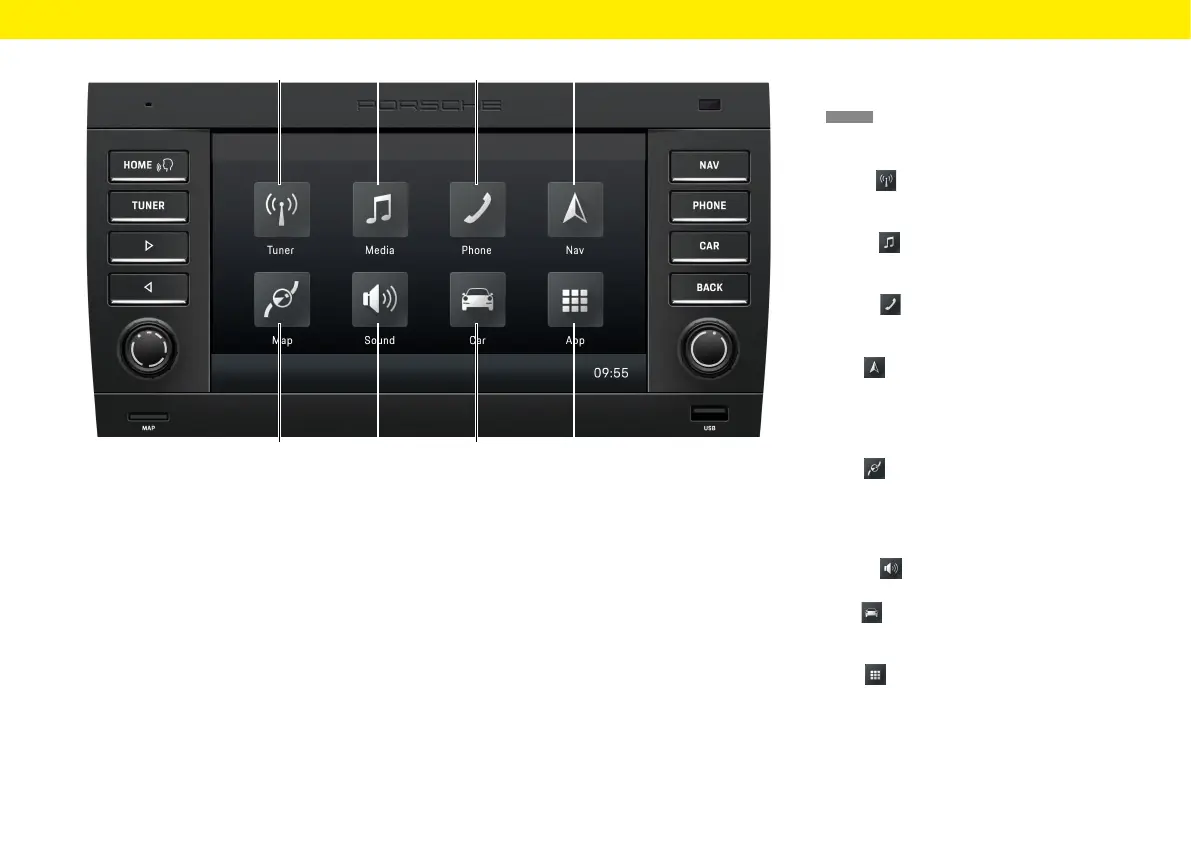
HOME screen
Press
HOME
to open the main menu and access the
following functions:
A Tuner
Tap Tuner to activate radio mode and toggle
between the FM/AM/DAB+ reception ranges.
B Media
Tap Media to activate the mode for playing
from the USB stick/ext. Bluetooth® audio source.
C Phone
Tap Phone to activate Bluetooth® hands-free
mode.
D Nav
Tap Nav to activate GPS navigation mode.
Forfurther information about the navigation
functions of the device, please refer to the sepa-
rate navigation manual.
E Map
Tap Nav to activate navigation Map view.
Forfurther information about the navigation
functions of the device, please refer to the sepa-
rate navigation manual.
F Sound
Tap Sound to activate sound settings mode.
G Car
Tap Car to activate Trip display mode and the
general system settings.
H App
Tap App to activate Apple CarPlay®/Android
Auto™ mode.
14



 To Next Page