Sound settings
The sound settings in the
HOME
Sound menu
allow you to adjust the sound of the audio sources
played back by your Porsche Classic Communication
Management Plus. To make adjustments, proceed
as follows:
Standard Equalizer settings
1. Press the
HOME
Sound button.
2.
Select the Equalizer menu option.
3.
Select the option eld you want :
– Pop,
– or –
– Rock,
– or –
– Classic,
– or –
– Jazz,
– or –
– Custom settings.
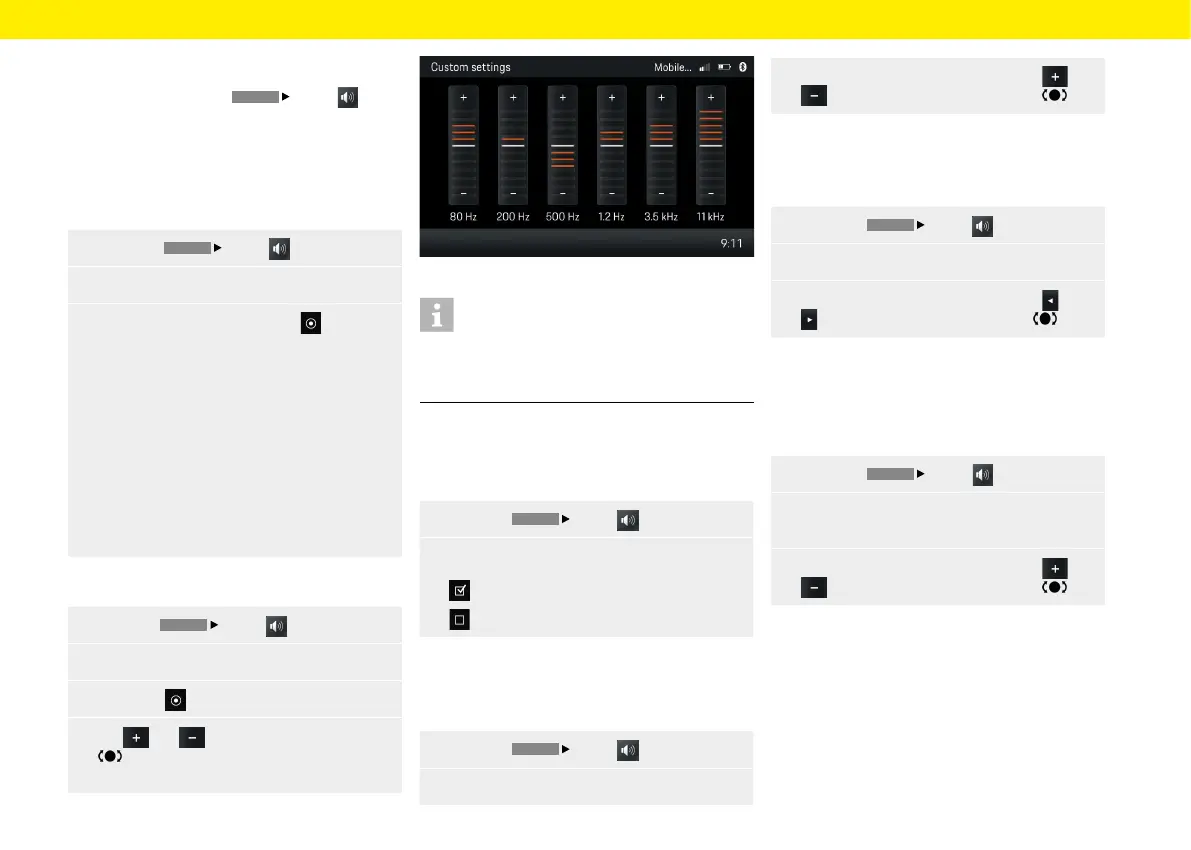
Custom Equalizer settings
1.
Press the
HOME
Sound button.
2.
Select the Equalizer menu option.
3.
Select the Custom settings option eld.
4.
Tap and or turn the right-hand knob
to make the required setting (6 bands
orbass and treble).
Fig.: Equalizer
Information
Under Custom settings, either a 6-band equaliser or
the settings for bass and treble appear, depending
onthe vehicle's technical requirements.
Loudness
The Loudness function increases the audibility of low
frequencies at lower volumes.
1.
Press the
HOME
Sound button.
2.
Loudness
Loudness is switched on.
Loudness is switched o.
Adjusting the fader
The fader controls the distribution of the volume
between rear and front speakers.
1.
Press the
HOME
Sound button.
2.
Select the Fader menu option.
3. Make the setting you want by tapping and
or by turning the right-hand knob .
Adjusting the balance
The balance controls the distribution of the volume
between le and right speakers.
1.
Press the
HOME
Sound button.
2.
Select the Balance menu option.
3.
Make the setting you want by tapping and
or by turning the right-hand knob .
Speed dependent volume adjustment
(with
basic speakers)
You can set the volume increase in line with speed
using the speed-dependent volume adjustment.
1.
Press the
HOME
Sound button.
2. Select the Speed dependent volume menu
option.
3.
Make the setting you want by tapping and
or by turning the right-hand knob .
Sound
25



 To Next Page