Tuner
Setting the reception range
1. Press
HOME
Press
TUNER
.
2.
Select AM, FM or DAB+.
– or –
Press the
TUNER
button repeatedly until the de-
sired reception range (AM, FM or DAB+) isset).
The radio supports the FM, AM and DAB+ (digitalra-
dio) reception range.
Setting/selecting a station
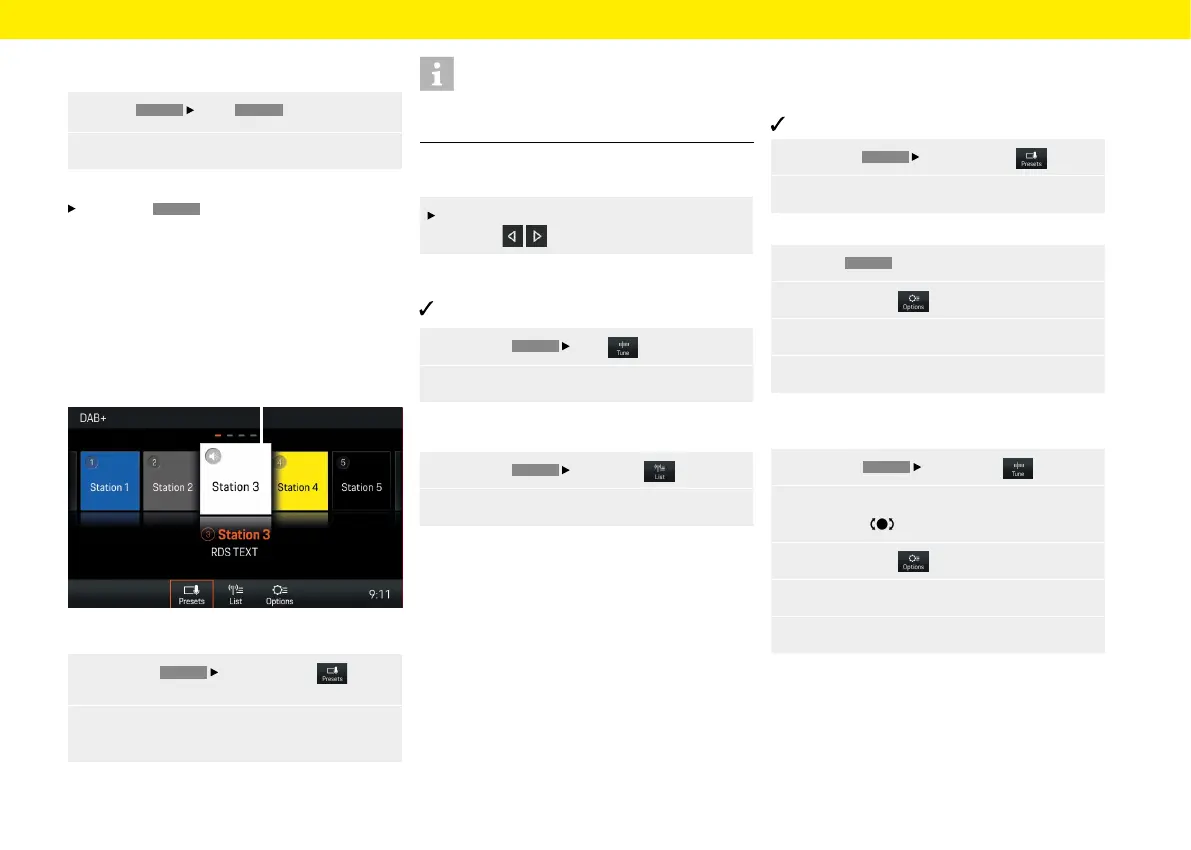
Displaying and selecting saved stations
(presets)
Fig.: Station buttons (presets)
1. Press the
TUNER
Select Presets but-
ton.
2.
Select station. The selected station (e.g. A)
ishighlighted.
Information
A total of 20 stations buttons (presets) are available
for assigning to stations.
Setting a station using the Skip buttons
A stored station can be set using the skip
buttons .
Setting a station manually
FM or AM reception range is activated.
1. Press the
TUNER
Tune button.
2. Select frequency using the frequency bar.
Selecting a station from the station list
1. Press the
TUNER
Select
List button.
2.
Select station.
All receivable stations are displayed in the station list
(maximum 100 entries).
Saving the station
Saving the set station
Station is selected.
1. Press the
TUNER
Select
Presets button.
2.
Press the desired station button for 2 seconds.
– or –
1. Select
TUNER
.
2.
Select Options .
3.
Select the Store menu option.
4.
Press the desired station button.
Saving the station using "Tune"
1. Press the
TUNER
Select
Tune button.
2.
Set the desired station by turning the right-
hand knob or via the touchscreen.
3. Select Options .
4.
Select the Store menu option.
5.
Press the desired station button.
A
37



 To Next Page