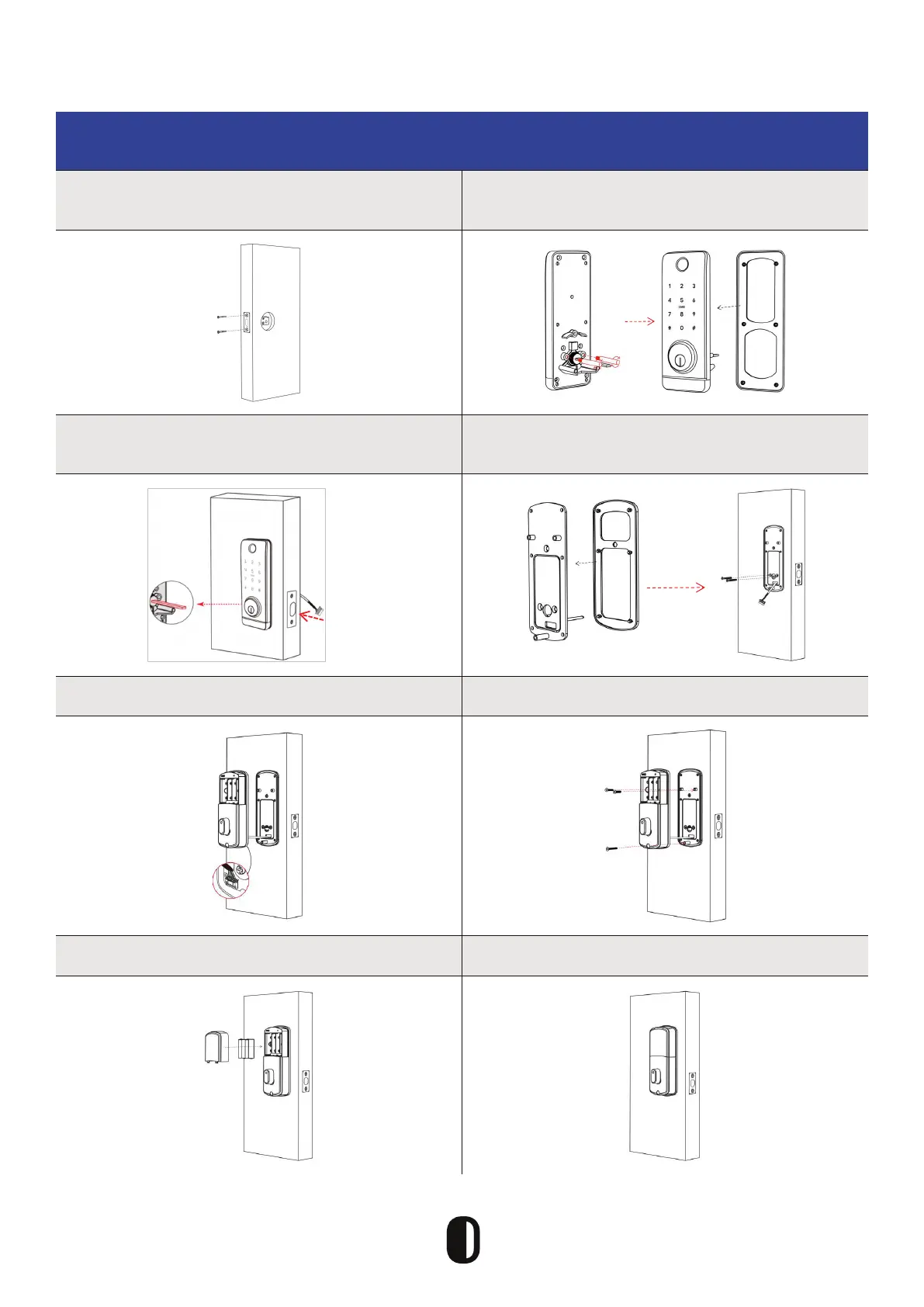
Installation Diagram
Step 1: Install Mortisse
Step 2: Install Screws, Casing, and Water
Rubber Plate
Step 3: Install Front Panel
Step 4: Secure Front Panel and Water
Rubber Plate
Step 5: Connect Front and Back Panels Step 6: Install Screws for Back Panel
Step 7: Install Batteries Step 8: Install the Battery Cover
Always keep the
spindle horizontal
Always keep
the deadbolt
pulled in
7



 To Next Page