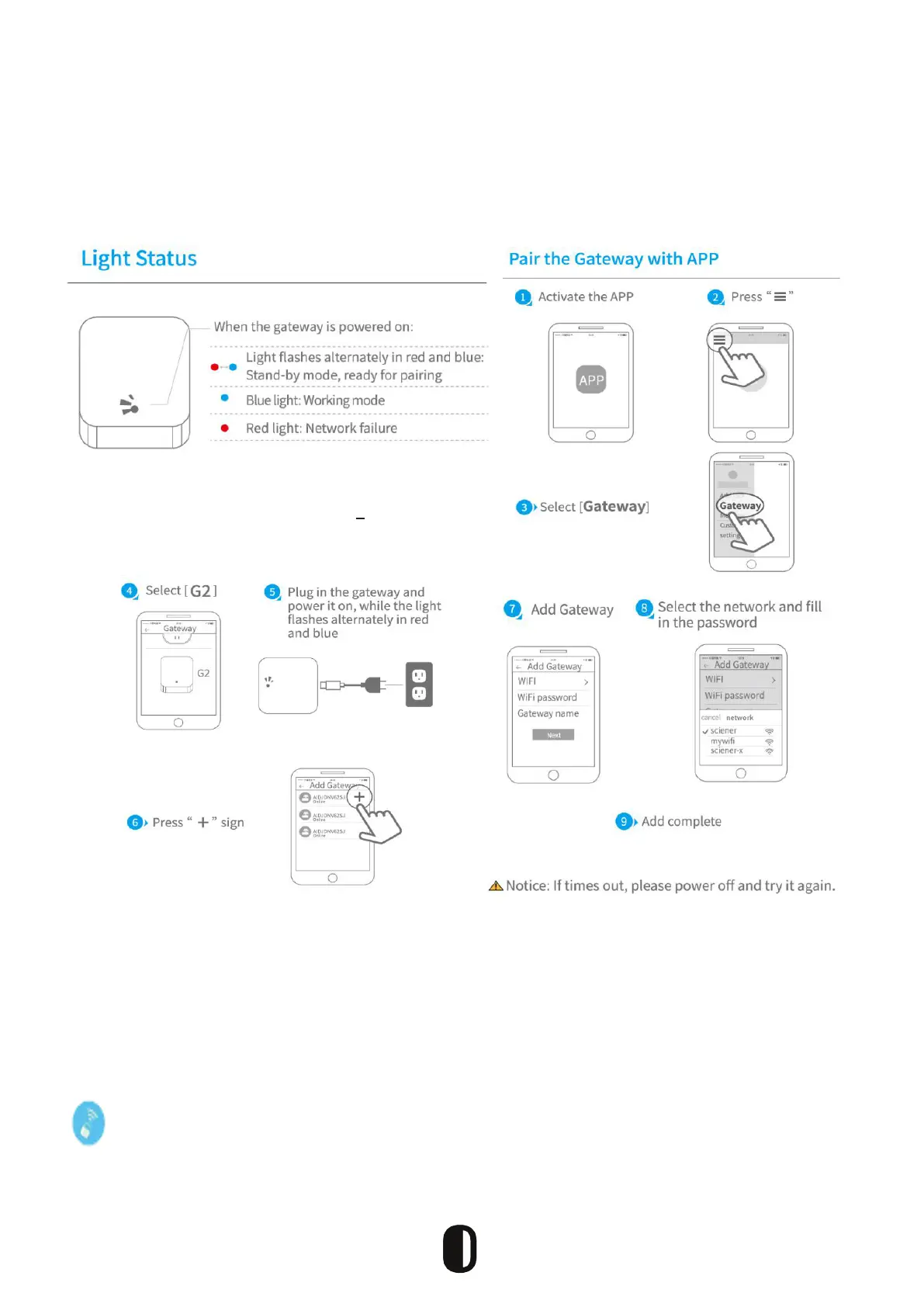
Adding a Gateway
Please note that when adding a gateway, your smartphone and the gateway
must be connected to the same Wi-Fi network.
Remote Wi Management
17
TTLock is directly connected via Bluetooth and is not connected to the network itself, which is why
it is not vulnerable to network attacks. The gateway is an accessory of the smart lock, it is the
bridge connecting the smart lock and the home wi network. Through the gateway, users can
remotely view and calibrate the lock clock, read the unlocking records of passwords in a timely
manner and remotely delete and modify passwords.
After conrming that your phone and door lock are connected to the gateway, click
“ ” to unlock. Once completed, the remote operation is active where network is available.


 To Next Page