10
To start the machine, depress the switch trigger (A) Fig. 11. To stop the machine, release the switch trigger.
This saw is equipped with an automatic electric blade brake. As soon as the switch trigger (A) Fig. 11 is released, the electric
brake is activated and stops the blade in seconds.
A rotating saw blade can be dangerous. After completing the cut, release the switch trigger (A) Fig. 11
to activate the blade brake. Keep the cuttinghead down until the blade has come to a complete stop.
The torque developed during braking may loosen the arbor screw. The arbor screw should be checked
periodically and tightened if necessary
.
LOCKING SWITCH IN THE “OFF” POSITION
IMPORTANT: When the miter saw is not in use, the switch should be locked in the "OFF" position, using a padlock (B) Fig.
12 with a 3/16" diameter shackle to prevent unauthorized use of the saw.
STARTING AND STOPPING MACHINE
A
B
Fig. 11
Fig. 12
Make sure that the switch is in the “OFF” position before plugging in the power cord. In the event of a
power failure, move the switch to the “OFF” position. An accidental start-up can cause injury.
OPERATION
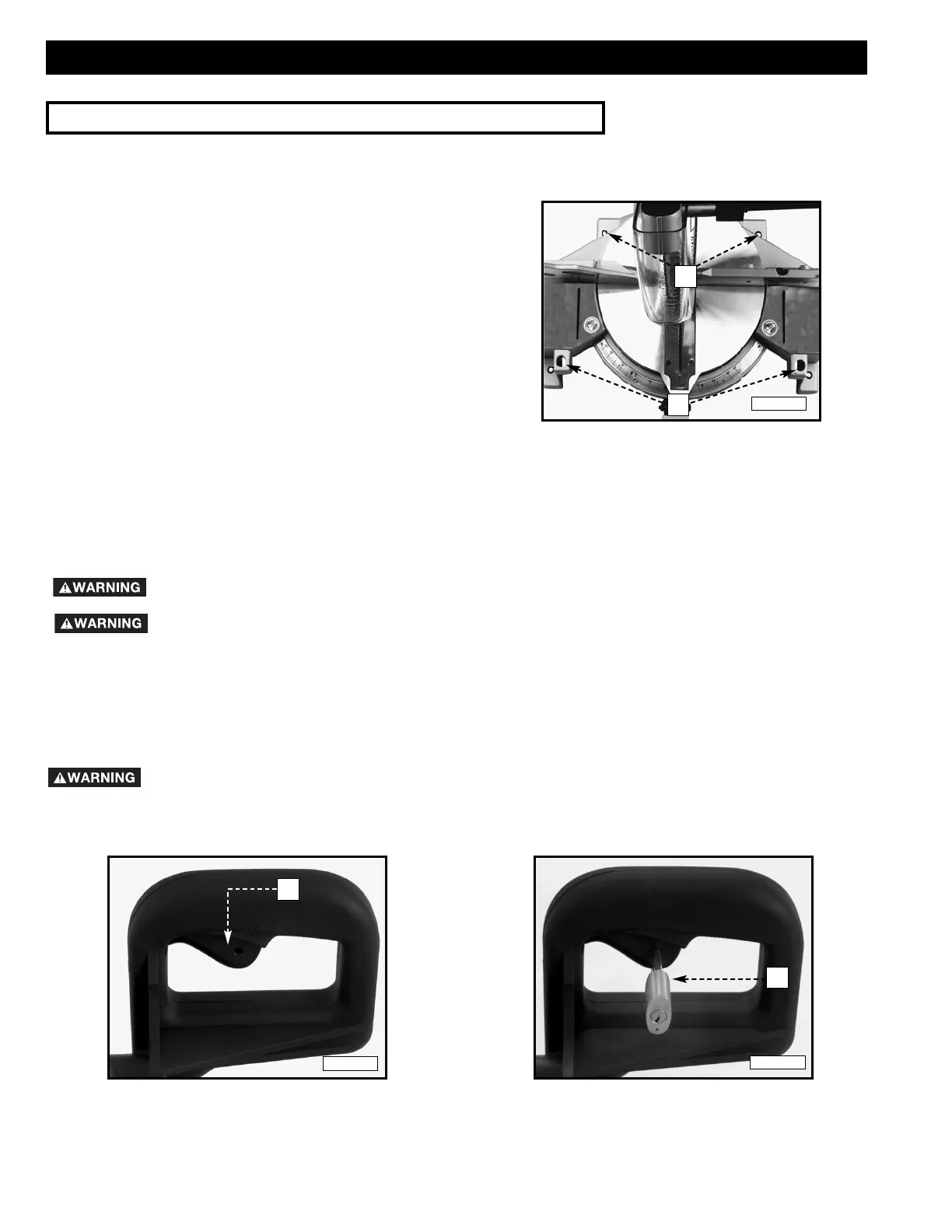
Before operating your miter saw, firmly mount it to a workbench
or other supporting surface. Four holes (A) Fig. 10 are provided for
fastening the saw to a supporting surface.
When frequently moving the saw from place to place, mount the
saw on a 3/4” piece of plywood. The saw can then be easily
moved from place to place and the plywood can be clamped to
the supporting surface using “C” clamps.
FASTENING THE MACHINE TO THE SUPPORTING SURFACE
A
OPERATING CONTROLS AND ADJUSTMENTS
A
Fig. 10



 To Next Page