RUBY-D718VG2AR
Copyright © Portwell 2016 RUBY-D718VG2AR User's Guide
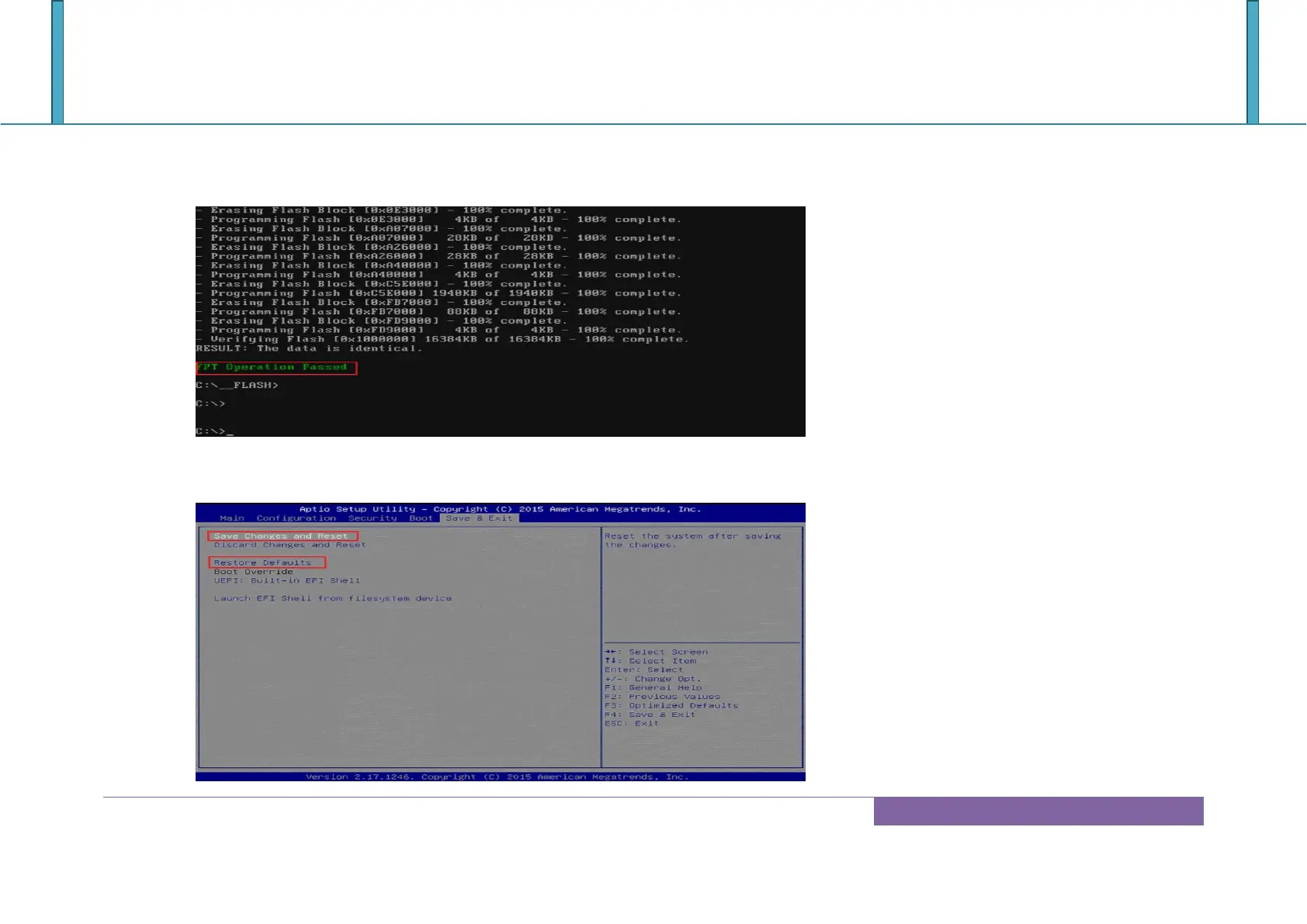
6. When you see the ―FPT Operation Passed‖ message, which means the BIOS update processes finished. Please cut the AC power off and wait for
10 seconds before powering on.
7. Press “del” key into the BIOS setup menu and switch to “Save & Exit” page then select “Restore Defaults” option and press “Yes” then select
“Save Changes and Reset” to finish all BIOS update processes.














 To Next Page