PRK-6000 Operation Manual
- 5 -
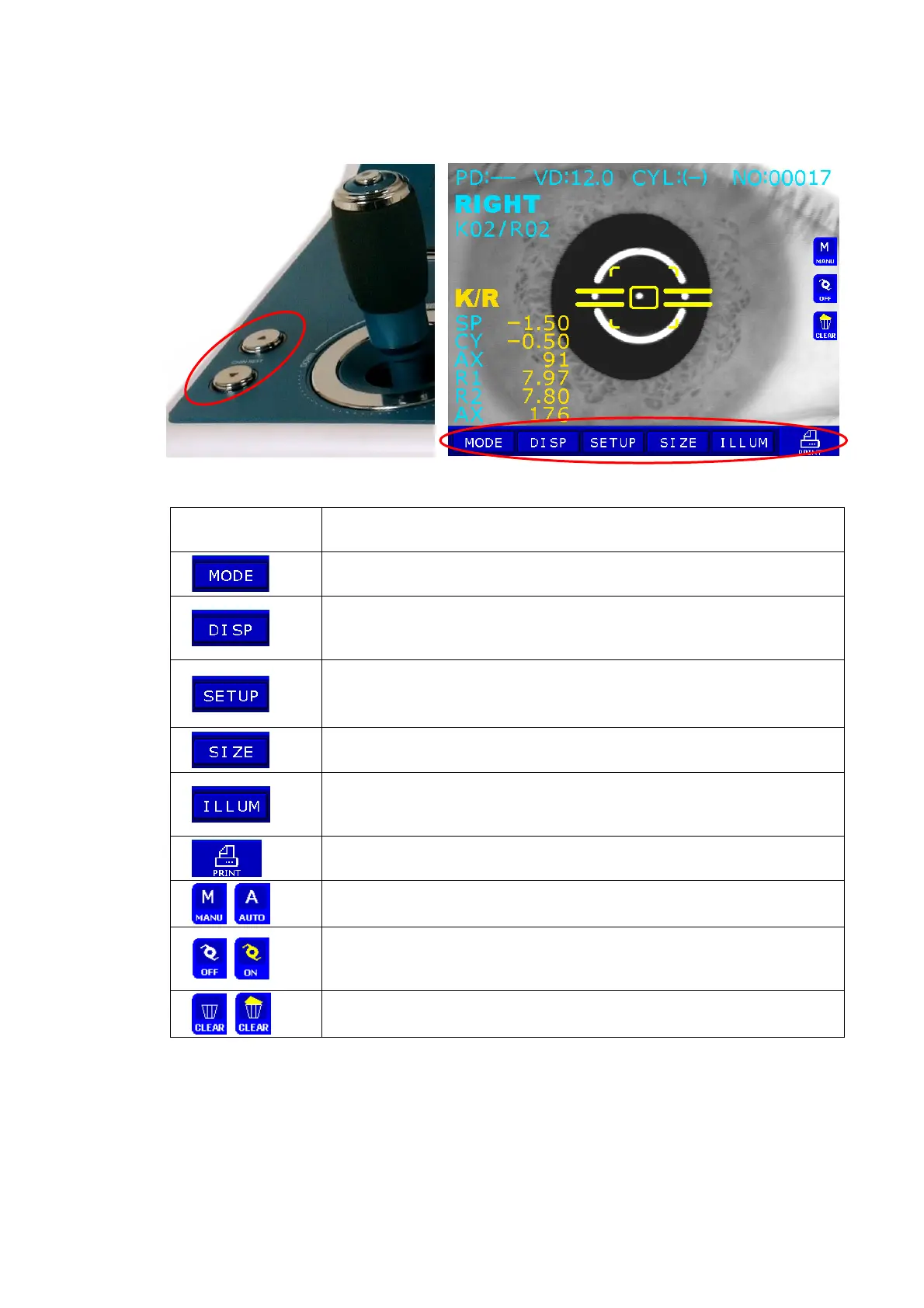
3.2 Operation Panel
CHINREST ▲/▼ Touch Button (virtual button by monitor & touch screen)
CHINREST ▲/▼
These switches are for rasing/lowering the chin rest. Press “
▲”
switch in order to raise and “
▼” switch to lower the chin rest.
(Touch Button) Press this button in order to change measurement
mode.
(Touch Button) Press this button in order to enter DISPLAY Mode,
where you can see measurement data stored in
memory..
(Touch Button) Press this button in order to enter SETUP Mode,
where you change
all the settings about
measurements, printouts etc.
(Touch Button) Press this button in order to enter SIZE Mode,
where you can measure the diameter of cornea, etc.
(Touch Button) Press this button in order to enter RET
(Retroillumination) Mode, where you can observe the
image obtained by retroillumination.
(Touch Button) Press this button in order to print or transfer the
measurement.
(Touch Button) Press this button in order to start manual or
automatic measurement.
(Touch Button) Press this button when the examinee’s eye is
difficult to measure due to cataract or examinee with
intraocular lens (IOL).
(Touch Button) Press this button to clear all stored data in memory.



 To Next Page