PRK-6000 Operation Manual
- 23 -
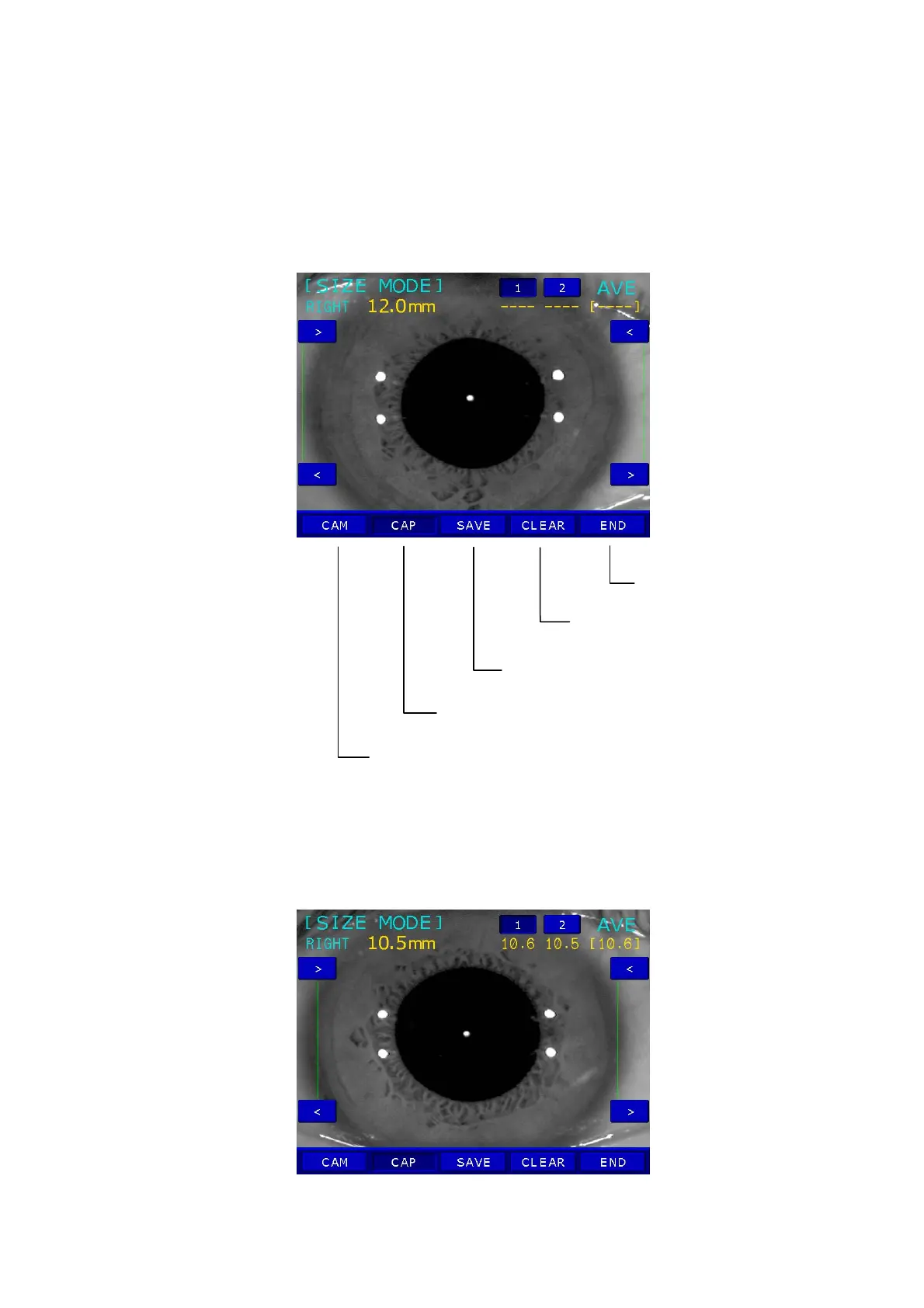
End of the SIZE MODE
Unfreeze the image and delete the
(3) Measurement
Press the measurement button to pause the window.
If the frozen image is not clear, you can unfreeze the image by pressing the MODE
button.
To move the vertical bars by pressing the AUTO button or DISPLAY button.
To move two vertical bars by pressing the IOL button or ILLUM button at the same time.
z The measured value will be displayed on the monitor.
When you press the Measurement button, it will save the measured value, unfreeze
the image and change the entry of measured value.
z Measured value is shown under “1” as well as “AVG” on top of the window.
Save measured value
Capture image to be measured
Unfreeze the image



 To Next Page