7
5.1 Installing the Transformer
The transformer requires an unswitched 120 VAC 60 Hz electrical outlet with at least 350mA of available current. Never
share the transformer output with any other equipment. The 120 VAC circuit is not power limited.
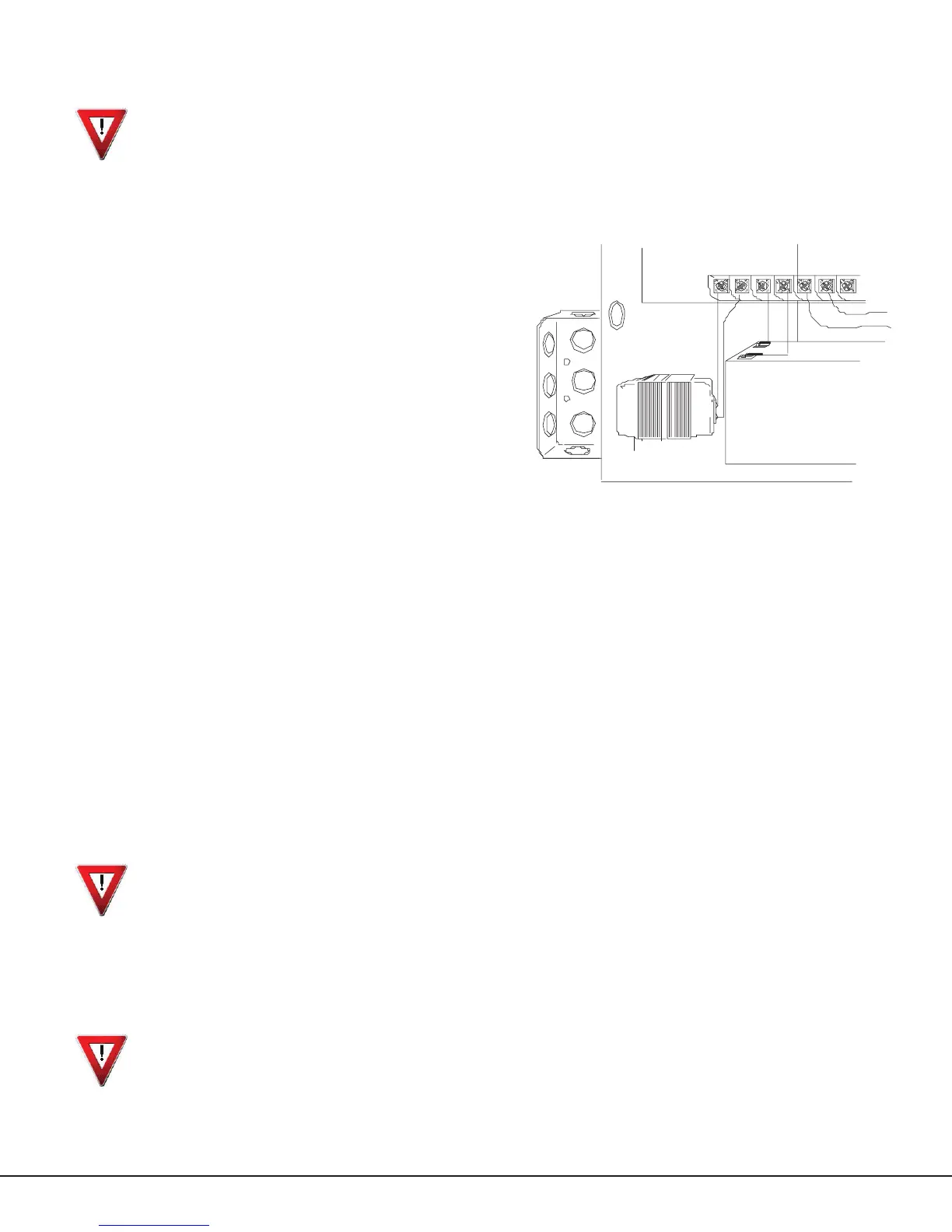
To mount the Model WLT Transformer to a single-gang box adjacent to the PFC-7500/PFC-7501 enclosure, follow the
steps below. Refer to Figure 6 as needed.
1. Remove the lower knockout from the PFC-7500/PFC-7501 enclosure.
2. Attach a single-gang box adjacent to the PFC-7500/
PFC-7501 enclosure.
3. After the single-gang box is secured, attach the
transformer to the junction box, using the bottom box’s
bottom knockout. The screw on the transformer should
extend into the single-gang box.
4. Tighten the screw to secure the transformer to the
junction box .
5. An electrician must then connect the black and white
leads on the transformer to an unswitched 120 VAC 60 Hz
electrical outlet with at least 550mA of available current.
6. Connect the wires from the bottom (the side opposite
the attaching screw) two terminals on the transformer
to terminals 1 and 2 on the panel. Use no more than 70
ft. of 16-gauge wire or 40 ft. of 18-gauge wire between
the transformer and the PFC-7500 or PFC-7501 panel.
5.2 Terminals 1 and 2
AC Transformer Input
The transformer provides up to 500mA of auxiliary current for the PFC-7500/PFC-7501 panels. The total current
available is limited by the total battery standby requirements of the installation. See the Power Requirements section for
standby battery calculations.
Note: After power is applied to the PFC-7500/PFC-7501 panel, any SNM Notication Modules connected to the panel
display Bell Trouble for 20 seconds.
DC Power Input to AC Input
When powering the PFC-7501/SL panel from the 12 VDC output of an FACP, connect the positive wire to the positive
battery terminal of the PFC-7500/PFC-7501 and the negative wire to the negative battery terminal of the PFC-7500/
PFC-7501.
When powering the panel from the DC output of a 24 Volt Fire Alarm Control Panel (FACP), connect the positive wire
from the FACP to terminal 1 and the negative wire to terminal 2. In order to power the PFC-7500/PFC-7501 from the
12 VDC or 24 VDC of an FACP, the FACP must operate as a grounded control panel. If the FACP is a non-grounded
system, it may detect a ground fault when connected to the PFC-7500/PFC-7501 panel AC or DC Input terminals. In this
case the PFC-7500/PFC-7501 should be powered from a separate WLT wire-in transformer and not from the FACP.
Do not use battery backup with 12 or 24 VDC input: Do not connect any batteries to the PFC-7500 or PFC-7501 panels
when using the 12 or 24 VDC output from a FACP. The PFC-7500/PFC-7501 panels use the backup battery capability of
the FACP for their standby requirements.
When powering the PFC-7500 or PFC-7501 panel from the 24 VDC output of a FACP, the following features are
disabled:
• Bell Output on the PFC-7501
• AC test (PFC-7500/PFC-7501)
• Battery test (PFC-7500/PFC-7501)
Always ground the panel before applying power to any devices: The PFC-7500/PFC-7501 panels must be properly
Primary Power Supply
Maintain 1/4”
spacing between
battery leads and
power limited wiring.
Figure 6: Transformer Installation



 To Next Page