10
3 Installation instructions
3.1 Mechanical installation
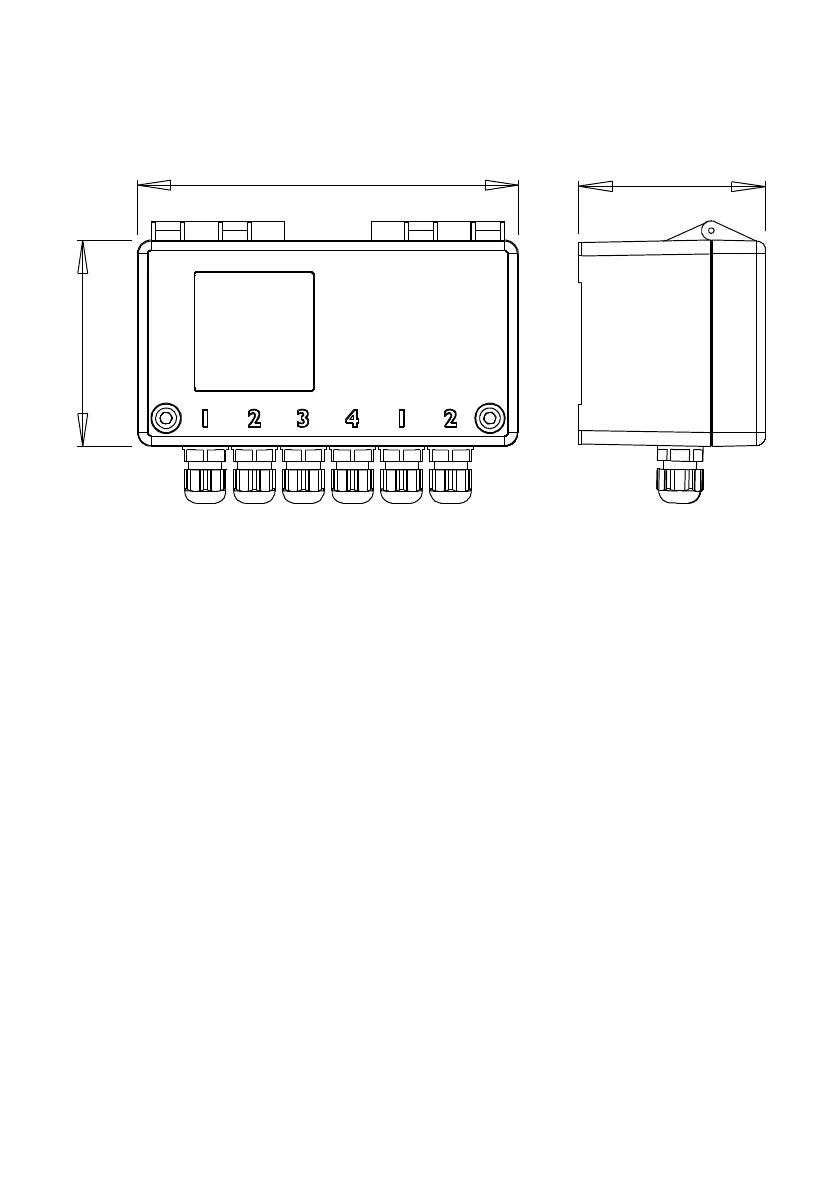
All dimensions in mm.
Open the lid to reveal the 2 mounting holes. These should be used to fasten the Metron 2 down to a baseplate,
wall or other surface. To access these two holes, you may have to remove two M12 blanking plugs. These
must be replaced.
The two screws on the front of the enclosure should not be over tightened – otherwise it is possible to break the
watertight seal by tearing or deforming the ‘O’ ring below the head of each screw.
The unit needs a mobile phone signal to work – the stronger the signal the better so try and avoid mounting
inside metal cabinets or underground. Mounting it on the outside of a metal container may help improve the
signal, depending on the direction and location. Use the ‘Get config / signal’ feature to find the optimum location
first.
Weatherproofing Information
It is essential that the following is checked if being used outdoors
All cable glands and breather glands on the unit should have an ‘O’ ring fitted and are sufficiently
tightened
Both screws on the top are tightened, but not over tightened
The seal around the lid is correctly in place


 To Next Page