EasyManua.ls Logo

Power Acoustik PTID-7002NR - User Manual

Power Acoustik PTID-7002NR
42 pages
Print Icon
To Next Page IconTo Next Page
Loading...
OWNER’S MANUAL
Mobile Video System

Questions and Answers

  • J
    John FullerSep 8, 2025
    How to correct prolonged image on Power Acoustik PTID-7002NR Car Video System?
    • H
      Heather RichardsonSep 8, 2025
      If you notice a prolonged image or an improper height/width ratio display on your Power Acoustik Car Video System, it could be due to improper video signal connections. Check the wiring and correct it. It could also be due to an improper aspect ratio setup, so use the correct aspect ratio setting.
  • E
    Eric BlankenshipAug 23, 2025
    What to do if Power Acoustik Car Video System unit blows fuse?
    • D
      Desiree MorrisonAug 23, 2025
      If your Power Acoustik Car Video System unit blows a fuse, it could be due to a few reasons. Check if the yellow or red wire is touching the chassis ground, indicating a pinched wire. Also, inspect the speaker wires to ensure they aren't touching the chassis ground. Finally, verify that you are using a fuse with the correct rating and replace it if necessary.
  • L
    lnguyenAug 25, 2025
    Why Power Acoustik Car Video System has power but no audio output?
    • G
      Gail RodriguezAug 25, 2025
      If your Power Acoustik Car Video System has power but the audio output is low or nonexistent, start by checking the speaker wire connections at the speakers. Also, make sure that none of the speaker wires are touching each other or the chassis ground; if they are, insulate all bare speaker wires. Finally, review the wiring diagram and check for damaged speakers.
  • D
    David EricksonAug 27, 2025
    How to improve sound quality on Power Acoustik PTID-7002NR?
    • A
      Allison WeberAug 27, 2025
      If your Power Acoustik Car Video System exhibits poor sound quality or distortion, it might be due to incompatible speakers. Ensure that the speaker power rating is compatible with the unit and connect proper speakers. Also, check the speaker wire contact, as a shorted speaker can cause this issue.
  • T
    Tyler MarshAug 27, 2025
    Why Power Acoustik PTID-7002NR resets itself when engine is off?
    • L
      Laurie MillerAug 27, 2025
      If your Power Acoustik Car Video System unit resets itself when the engine is off, the issue is likely due to an incorrect connection between the ACC and positive battery wire. Check the wiring and correct it to resolve this problem.
  • R
    Ricardo CameronSep 22, 2025
    What to do if 'Bad Disc' appears on Power Acoustik PTID-7002NR display?
    • G
      gsheppardSep 22, 2025
      If 'Bad Disc' appears on the display of your Power Acoustik Car Video System, it indicates a focus error. Press the eject button or the RESET button.
  • D
    Dawn FreemanSep 16, 2025
    Why Power Acoustik PTID-7002NR Car Video System has no repeat while playing VCD?
    • T
      Terry BellSep 16, 2025
      If there is no repeat or searching function while playing a VCD on your Power Acoustik Car Video System, it is likely that PBC (Playback Control) is turned on. Turn PBC off to enable these functions.
  • S
    sarah44Sep 18, 2025
    Why Power Acoustik PTID-7002NR has interruption during MP3 playback?
    • J
      joannebrowningSep 18, 2025
      If interruption occurred during MP3 playback on your Power Acoustik Car Video System, the disc might be dirty or scratched. Clean the disc or replace it with a new one.
  • C
    choitonySep 7, 2025
    Why Power Acoustik Car Video System has flashing image or interference on screen?
    • A
      Angelica TurnerSep 7, 2025
      If you see a flashing image or interference on the screen of your Power Acoustik Car Video System, it may be due to the DVD not being compatible with the current TV system settings. Change the setup to accommodate the disc.
  • I
    igillSep 4, 2025
    What to do if Power Acoustik PTID-7002NR Car Video System has no video display when in reverse?
    • D
      David BowersSep 4, 2025
      If there is no video display on your Power Acoustik Car Video System when in reverse, first check the connections at the reverse lamp to ensure the reverse circuit is connected. Also, verify that the vehicle is actually in reverse gear.

Summary

SAFETY INFORMATION

Fuse Replacement Warning

Critical warning about using correct fuse ratings to prevent unit damage.

WIRE CONNECTION

Connection Ports Overview

Identifies the main connection ports on the unit.

Wiring Harness Color Codes

Explains the function of each wire in the main wiring harness.

UNIT INSTALLATION METHOD 1

Installation Steps

Step-by-step guide for the first method of installing the unit.

UNIT REMOVAL METHOD 1

UNIT INSTALLATION METHOD 2

Installation Steps with Back Strap

Steps to install the unit using a back strap and securing with screws.

UNIT REMOVAL METHOD 2

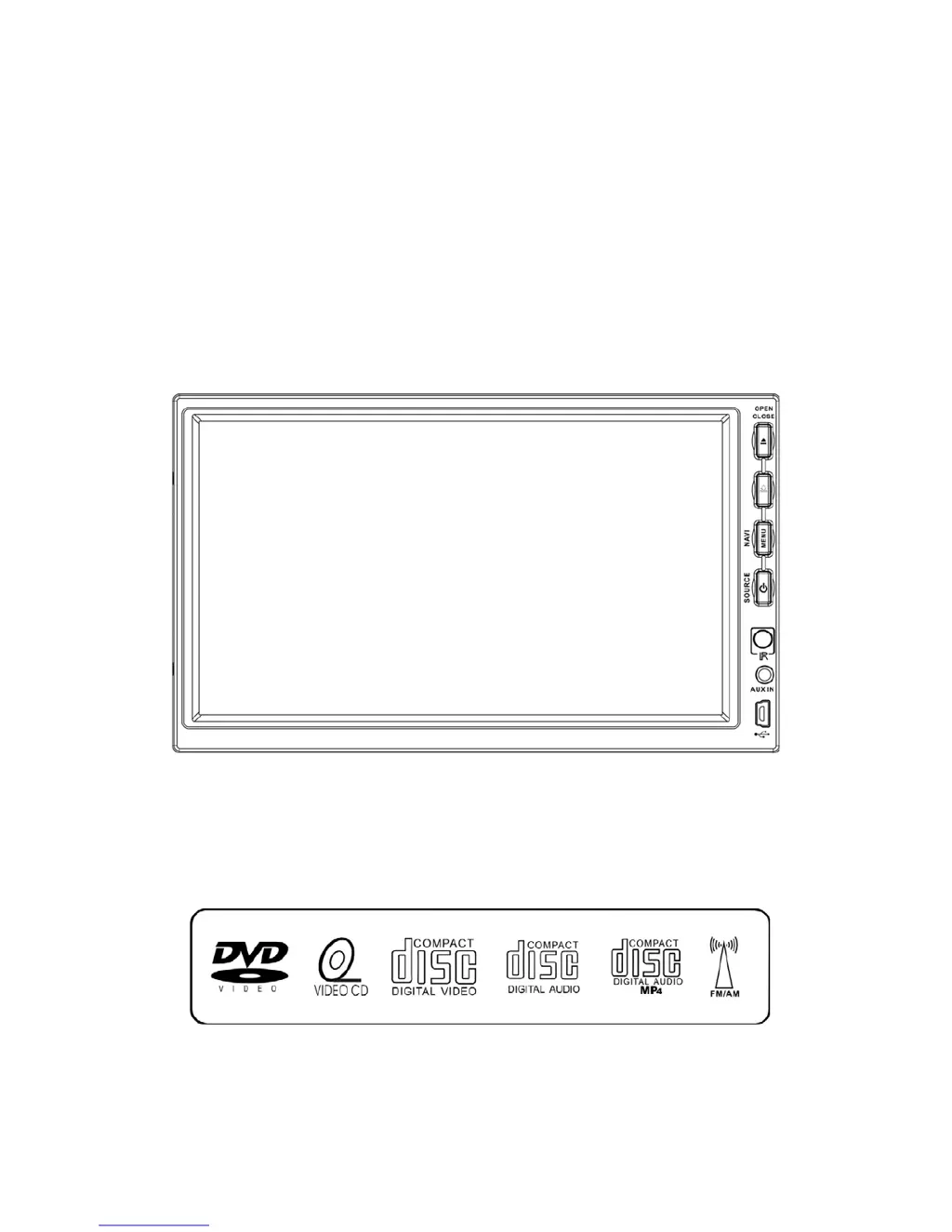
FRONT PANEL OPERATION

Front Panel Button Functions

Explains the function of each button on the front panel.

REMOTE CONTROL OVERVIEW

Remote Control Button Functions

Detailed explanation of each button's function on the remote.

REMOTE CONTROL FUNCTIONS PART 1

REMOTE CONTROL FUNCTIONS PART 3

REMOTE CONTROL FUNCTIONS PART 4

TOUCH SCREEN OPERATIONS

Touch Screen Calibration Procedure

Step-by-step process to calibrate the touch screen for accurate input.

MAIN MENU NAVIGATION

Accessing Main Menu Modes

Explains how to select different modes like DVD, Radio, NAVI, and iPod from the main menu.

RADIO OPERATIONS

Radio Mode Interface and Controls

Explains the interface and controls for operating the radio.

DVD PLAYER OPERATIONS

DVD Mode Interface and Controls

Explains the interface and controls for operating the DVD player.

DVD PLAYER PLAYBACK FEATURES

DVD PLAYER SETUP MENU

DVD PLAYER PREFERENCE SETTINGS

SD CARD OPERATIONS

USB OPERATIONS

NAVI OPERATIONS

Navigation Touch Screen Calibration

Process to calibrate the touch screen for the navigation system.

NAVI OPERATIONS: INFORMATION AND SD CARD HANDLING

NAVI OPERATIONS: ENTERING NAVIGATION MODE

Accessing Navigation Mode via Main Menu

Instructions on accessing the navigation mode from the main menu.

ATSC OPERATIONS

SYSTEM PARAMETERS SETUP: SCREEN AND SOUND

SYSTEM PARAMETERS SETUP: OTHER OPTIONS AND DEFAULT

SPECIFICATIONS

TROUBLESHOOTING GUIDE: GENERAL ISSUES

General Troubleshooting (Unit Power, Audio, Reset)

Solutions for common issues like no power, low audio, or unit resetting.

TROUBLESHOOTING GUIDE: DISPLAY AND DISC ISSUES

TFT Monitor and Disc Playback Problems

Solutions for video display problems and disc playback errors.

Power Acoustik PTID-7002NR Specifications

General IconGeneral
Display Size7 inches
Resolution800 x 480 pixels
TouchscreenYes
DVD PlayerYes
NavigationNo
BluetoothYes
USB PortYes
SD Card SlotYes
AV InputYes
Radio TunerAM/FM
Rear Camera InputYes
Video InputYes
Media FormatMP3, WMA, JPEG

Related product manuals