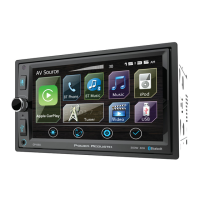
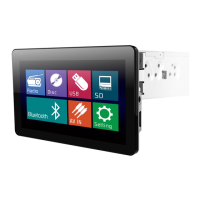
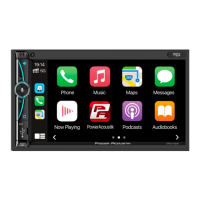
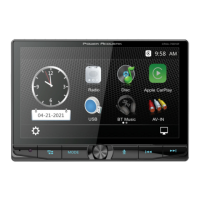
The Power Acoustik HD-14KIT is a 7-inch motorcycle audio head unit designed for 2014+ Harley-Davidson Touring Motorcycles, including Road Glide, Street Glide, Ultra Limited, and Tri-Glide models. This device serves as a comprehensive infotainment system, offering a range of audio, communication, and navigation features tailored for motorcycle use.
Function Description
The HD-14KIT provides a central hub for audio playback, phone connectivity, and smart device integration. Its primary functions include:
- Audio Playback: The unit supports AM/FM radio, USB media playback, and Bluetooth music streaming. Users can tune into radio stations, play audio files from a USB device, or stream music wirelessly from a connected smartphone.
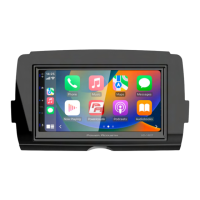
- Smartphone Integration: It features Apple CarPlay® and Android Auto® compatibility, allowing users to connect their smartphones and access various applications directly from the head unit's display. This includes navigation, messaging, music apps, and voice assistants like Siri.
- Bluetooth Phone: The device enables hands-free calling through Bluetooth, allowing users to dial, answer calls, and access their phonebook without needing to physically interact with their phone. An included external microphone ensures clear communication.
- Voice Control: With Apple CarPlay or Android Auto connected, users can activate voice control functions (like Siri) to manage various features using voice commands, minimizing distractions while riding.
- Sound Customization: The head unit offers extensive audio settings, including a 10-band equalizer, balance/fader controls, loudness settings, and subwoofer adjustments (frequency and level) to tailor the sound output to personal preferences.
- Display and Interface: It features a 7-inch touchscreen display with a user-friendly graphical interface. The main menu provides quick access to different modes like Radio, Phone, USB, BT Music, and Settings.
- Settings Management: Users can customize various aspects of the unit through the settings menu, including time and date, sound preferences, general settings (like brightness, key LED color, radio area, language), and wallpaper.
- Waterproof Faceplate: The unit boasts an IPx5 waterproof faceplate, providing protection against water splashes, which is crucial for motorcycle use in varying weather conditions.
Usage Features
The HD-14KIT is designed for intuitive operation, even while riding, though some features are locked out for safety when the motorcycle is in motion.
- Power/Mute Button: A single button controls power on/off and muting/unmuting of audio. A short press mutes, while a long press turns the unit off.
- Home Button: This button allows users to quickly toggle between the Home screen and the active media source, providing easy navigation between different functions.
- Volume Controls: Dedicated physical buttons for volume up (+) and volume down (-) allow for quick and easy audio level adjustments.
- Siri Button (Voice Recognition): When an iPhone or Android phone is connected, this button activates the voice control function, enabling hands-free operation of compatible apps.
- Main Menu Navigation: The main menu displays icons for each function (Radio, Phone, USB, BT Music, Apple CarPlay, Android Auto). Grayed-out icons indicate that a function is not ready or a device is not connected.
- Time Settings: Users can set the date and time, with options for 12-hour or 24-hour format.
- Sound Settings:
- Beep: Toggle beep sounds on or off.
- Reverse Vol: Adjust the volume level when reversing.
- EQ: Access balance/fader controls and the 10-band equalizer. Balance and fader can be adjusted by touching arrows or reset to default. The equalizer allows fine-tuning of frequency bands.
- Loud: Toggle loudness enhancement on or off.
- Subwoofer: Enable/disable the subwoofer, adjust its frequency, and level.
- Default Volume: Set default volume levels for Main, BT Talking, Navi, and Voice.
- General Settings:
- Nighttime Brightness: Adjust display brightness for night use. Day Time Brightness is fixed.
- Key LED: Choose between automatic LED color changes or select a fixed color (White, Red, Orange, Blue, Green, Purple, Cyan).
- Radio Area: Select the appropriate radio region (America, Europe, Japan, etc.).
- Language: Choose the desired display language.
- Serial & Version: View device information.
- Reset Factory Data: Reset all settings to factory defaults, which will cause the system to reboot.
- Wallpaper: Select from preset backgrounds for the display.
- Radio Operation:
- Band Selection: Easily switch between FM1, FM2, FM3, AM1, and AM2 bands.
- Seek/Step: Short touches perform seek functions, while long touches step through frequencies.
- Auto Search/Prescan: Prescan plays each station for 10 seconds, while long touch performs auto searching.
- Preset Stations: Store and recall up to 6 preset stations per band.
- RDS Function: Display information like traffic status, station name, and program types (PTY).
- USB Operation:
- File Browsing: Browse folders and file lists on connected USB devices.
- Playback Controls: Play, pause, skip tracks (previous/next), fast rewind/forward.
- Repeat/Shuffle: Options for repeating all, repeating one, or repeating a folder, and shuffling tracks.
- Goto: Directly input a track number for playback.
- Bluetooth Phone Operation:
- Pairing/Connecting: Connect a mobile phone via Bluetooth by searching from either the phone or the head unit.
- Dial Pad: Make calls using an on-screen dial pad.
- Call Logs: View dialed, answered, and missed calls.
- Contacts: Access the phonebook of the connected mobile phone.
- Incoming Calls: Answer or reject incoming calls, and switch call audio between phone and AV receiver.
- Mute Microphone: Mute the microphone during a call.
- BT Setup: Configure auto answer and auto load phonebook settings.
Maintenance Features
Proper care and cleaning are essential to maintain the HD-14KIT's performance and appearance.
- Cleaning Products: Use only HD-14KIT recommended products and methods. Avoid abrasive cleaners, polishes, rubbing compounds, or ammonia-based cleaners, as these can damage the screen and other components.
- Screen Cleaning:
- Gently clean the display glass surface with a clean, dry microfiber cloth.
- Before cleaning, it is recommended to remove any visible dust, dirt, or sand particles using a gentle compressed airstream to prevent scratching.
- Do not use chemical cleaners or chemical-containing wipes/cloths on the screen.
- General Cleaning: Keep the radio, speakers, and other audio system components clean and in good condition using approved methods.
- Fuse Check: If the unit fails to power on, check and replace the main fuse if necessary.
- Reset Button: In case of malfunction, a small reset button (RST) can be pressed with a penpoint to restart the unit.
- Battery/Fuse Check: If setting information is lost after the ignition is switched off, check the battery and fuses.
- USB Overcurrent Protection: The head unit has built-in protection against USB overcurrent. If this occurs, disconnect the USB device and restart the head unit.
- Bluetooth Connectivity: If Bluetooth fails to connect, ensure the device is within range, Bluetooth is turned on, and re-pair/reconnect the device.
- Apple CarPlay/Android Auto Troubleshooting: If these features do not start, check the USB cable, ensure the device is unlocked and powered on, and try unplugging and re-plugging the device after closing all apps.


 To Next Page
 General