5
© Copyright 2016 Power Electronics
®
International Inc. 561-8 Plate Drive, East Dundee, Illinois 60118-2467 USA
Installation Help
How are PE
®
drives supposed to be mounted?
PE
®
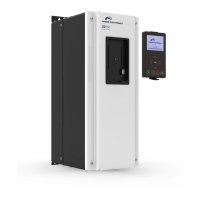
drives are designed to be mounted vertically on an electrical panel (mounted so the print on the device is upright).
The heat sink fins in the unit are designed to cool best with that orientation. However, if the drive is mounted in an area
where the normal ambient temperatures are much lower than the maximum temperature rating of the unit, it may be
mounted in other directions – consult PE
®
for further help in this scenario.
Mount the drive out of direct sunlight or radiant heat with spacing in an enclosure that allows adequate ventilation of
the heat sink (refer to the drive’s manual for Clearance and Wiring specifications).
What does it mean if P.C. 22 is flashing on the display of my drive?
Note: You will only see this code on Ver 2.2 or 4.2 drives (or higher). If the display on your drive alternates between “P.C.
22” and “rOFF” or “cOFF”, this means the drive’s U22 parameter has not yet been set. This is typically the case when
you are installing a new drive. The drive will not accept control input, and will not send power to the motor or brake
output until U22 is properly set.
IMPORTANT:
U22 must be set to total motor FLA, and U26 must be set to “ON” or “1” unless separate motor thermal protection is
provided by user. Refer to your drive’s manual for more information about the U parameters.
CAUTION: Do not set U22 greater than total motor nameplate amps.
Before you can enter your motor (or group of motors) FLA value at U22, the unlock code must first be entered at the U0
parameter. This code is 369. After holding the “Scroll” button to arrive at the U0 parameter, you can enter the unlock
code by pressing and holding the increase button until the number displayed scrolls up to 369. If you go past this
number, you can press the decrease button to adjust. Once 369 is displayed, you can now poke the scroll button to
reach U22 and then use the Increase/Decrease buttons to enter your value. If you have not unlocked the U parameters
properly, you will see the word “code” displayed. In that case, return to U0 and re-enter the unlock code.
More information about how to perform the programming steps (including a video of the procedure) can be found
HERE.
How do I perform a Gang-Set
®
with my drive?
If you have just installed a PE
®
drive, or if you would like to return your drive to some recommended default values, you
can perform a Gang-Set
®
to help you get up-and-running quickly. When the drive is Gang-Set, each “A” parameter is
programmed to a factory chosen value. Since each A parameter is reprogrammed each time a Gang-Set
®
is initiated, all
previous custom adjustments to the “A” parameters will be lost. Therefore, it is recommended that all fine-tuning of
individual “A” parameters must be done after a Gang-Set, and not before.
Performing a Gang-Set
®
is simple and quick. Make sure your drive is in the idle state, and displays either “rOFF” or
“cOFF”. From there, press and hold down all three buttons on the drive, until either “Pb” or “Ph” appears. Then use the
increase or decrease buttons to choose the desired program using the Gang-Set
®
descriptions found in your manual.



 To Next Page