12
o Secondly, you will be asked to look up and select stimulation program, up to 3 relevant muscle
groups or body areas and optionally select number of PowerDot devices to be used.
o Thirdly, you will be asked to select scheduling parameters, such as total duration of the program (in
days), periodization of the sessions, starting date, notifications settings (about missing or late
stimulation sessions).
o Fourthly, you can optionally mark stimulation sessions to be accessible for the Remote (home use)
stimulation from Patient Mobile App.
Be careful when confirming stimulation sessions for remote execution by the patient!
First, you have to make sure that your patients or their caregivers are prepared for and
capable of running unsupervised electrical stimulation sessions.
Specifically, they should be aware on to assemble, apply and control PowerDot PD-02,
are able to follow stimulation pad placements and stimulation positions
recommendations and are able to adjust their stimulation intensities in the controlled
manner.
They should be also aware of the product counter-indications, basic troubleshooting
and maintenance guidelines. Remote stimulation sessions are not for everyone!
o Finally, you will be asked to adjust stimulation parameters for the session (in the relevant ranges
only).
Use scheduled sessions functionality whenever a stimulation course is required for the specific patient.
Scheduled sessions’ parameters, listed above, can be always changed/re-adjusted if required.
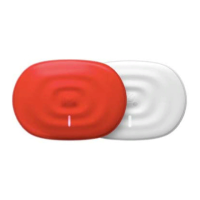
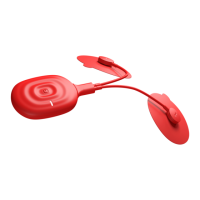
Before commencing the stimulation, PowerDot Doctor App will be asking to turn on PowerDot PD-02 device
(or devices) which you are planning to use for the current stimulation session (please make sure the device
has been previously activated via Devices screen). Doctor App will automatically detect turned on devices,
connect to them, check for activation, display serial numbers and blink Power LED to confirm that right
PowerDot PD-02 device has been selected and associated with the session.
In addition, PowerDot Doctor App will automatically check for remaining battery level and lead cable
connection status for all the PowerDot PD-02 devices associated with the current session.
After the checks, Get Started button will appear, which means you can already launch the stimulation session.
6. Controlling A Stimulation
Using the PowerDot Doctor App, you can control your stimulation session from the Stimulation Dashboard,
which has the following controls available:


 To Next Page