EasyManua.ls Logo

Powermania Turbo M320V2 - User Manual

Default Icon
25 pages
Print Icon
To Next Page IconTo Next Page
Loading...
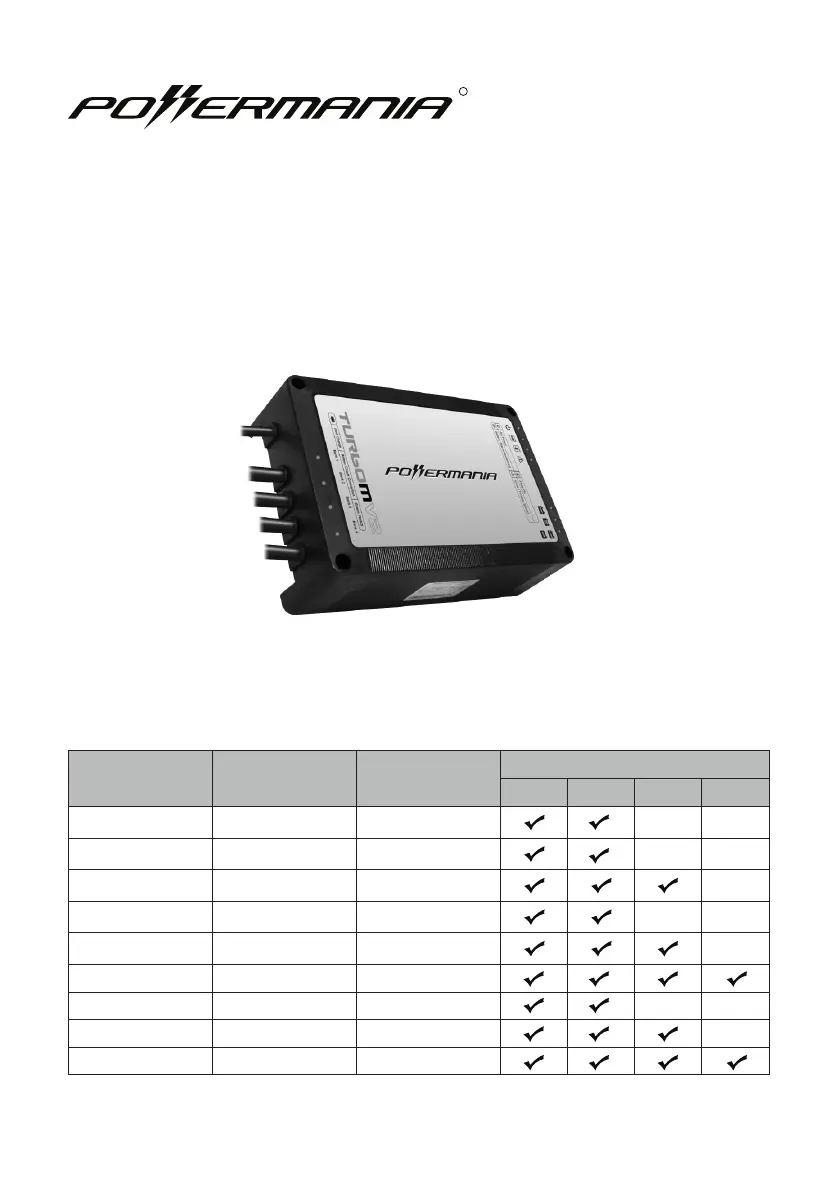
Model # 12V Output Max. Output
Battery System (DC)
12V 24V 36V 48V
Turbo M212V2 2 12 Amps
Turbo M220V2 2 20 Amps
Turbo M320V2 3 20 Amps
Turbo M230V2 2 30 Amps
Turbo M330V2 3 30 Amps
Turbo M430V2 4 30 Amps
Turbo M240V2 2 40 Amps
Turbo M340V2 3 40 Amps
Turbo M440V2 4 40 Amps
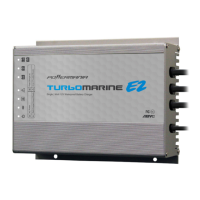
Turbo MV2 series battery charger
Operation Manual
R

Questions and Answers

  • T
    Tammy AustinAug 13, 2025
    Why is the Error LED on my Powermania Battery Charger on?
    • E
      Eric EvansAug 13, 2025
      If the Error LED is on your Powermania Battery Charger, it could be due to a few reasons. First, the charger might be detecting that the battery voltage exceeds a safe range. To fix this, check and correct the battery wiring, ensuring each output is connected to a 12V battery. Wait at least 30 seconds before plugging the AC power in again. If the issue persists, a Battery Isolation Test is recommended. Another cause could be that the charger or the surrounding temperature is too high. In this case, remove any obstructions around the charger to improve airflow. If it's in direct sunlight, move it to a shaded area. Once the temperature drops, the charger should automatically restart.
  • J
    Jennifer SmithAug 17, 2025
    What to do if Charge Status / Connection Check LED displays amber on Powermania Turbo M320V2 Battery Charger?
    • P
      Patricia JacksonAug 17, 2025
      An amber Charge Status/Connection Check LED on your Powermania Battery Charger indicates a few potential issues: * One or more outputs are not properly connected to a 12V battery. Ensure the DC output is correctly connected. * A fuse failure may have occurred. Check the output cables for blown fuses and replace them if necessary. * Faulty terminal connections could be the cause. Clean the battery terminals and tighten all wiring connections. * Reverse polarity on the DC wiring connections can trigger this. Verify that the polarities match and replace any damaged fuses on the output cables. * The battery itself might be defective. Perform a battery test and replace any damaged batteries.
  • T
    Tamara DavisAug 21, 2025
    How to fix Powermania Battery Charger when no LED is on?
    • D
      Daniel HillAug 21, 2025
      If no LED is illuminated on your Powermania Battery Charger, the most likely cause is a lack of AC input. First, check the AC input connection to ensure it's secure. Then, try plugging the charger into a different AC outlet to rule out a problem with the original outlet.
  • C
    Charles CurryAug 25, 2025
    What to do if Charge Status is stuck in Red (Charging) for too long on Powermania Turbo M320V2?
    • J
      Jessica WeeksAug 25, 2025
      If the Charge Status on your Powermania Battery Charger remains red (indicating charging) for an extended period, turn off or disconnect all devices connected to the batteries. A Battery Isolation Test is recommended.
  • A
    Ariel FosterAug 28, 2025
    Why is the power indicator not on for my Powermania Turbo M320V2?
    • B
      Brooke Johnson MDAug 28, 2025
      The power indicator might not be on due to a few reasons. First, there may be no AC input; ensure the AC input connection is properly connected and that AC power is present. Second, a short circuit at the DC output could be the cause. Check and correct the battery wiring connections, referring to the wiring connection charts, and replace the fuse if necessary.
  • K
    karenyoungSep 1, 2025
    What to do if the Charge Status / Connection Check LED displays amber on my Powermania Turbo M320V2?
    • C
      Carolyn CombsSep 1, 2025
      If the Charge Status / Connection Check LED is amber, several issues could be the cause. It could be that the output cable isn't properly connected to a 12V battery; ensure it's correctly connected, referring to the wiring connection charts. Another cause may be a fuse failure, so check for blown fuses on the output cables and replace any damaged fuses. Faulty terminal connections could also be the reason; clean the battery terminals and tighten all wiring connections. In addition, reverse polarity on DC wiring connections can cause this issue, so make sure the connections have matching polarity and replace any damaged fuses. Finally, a damaged battery could be the reason, so perform a battery test and replace damaged batteries if needed.
  • M
    Monica HernandezSep 5, 2025
    What to do if the Over-Voltage warning indicator is on (amber) on my Powermania Turbo M320V2 Battery Charger?
    • C
      christopherthomasSep 5, 2025
      If the Over-Voltage warning indicator is on (amber), it means the battery voltage exceeds the safe range. Check and correct the battery wiring connections, referring to the wiring connection charts, and ensure each output is connected to one 12V battery. Wait at least 30 seconds before plugging in AC power again. If the Over-Voltage LED continues to be on even with correct wiring connections, unplug the charger’s AC power input and stop using the charger to avoid possible damage to the battery and/or connected devices.
  • J
    Jennifer WrightSep 9, 2025
    How to fix an overheat warning on my Powermania Turbo M320V2?
    • K
      kdunnSep 9, 2025
      If the overheat warning indicator LED is on (amber), it means the ambient temperature exceeds the safe range. Remove any objects obstructing airflow around the charger. If the charger was operated under direct sunlight, move it away from direct sunlight exposure. The charger will wait for the temperature to come down, then automatically start again.

Summary

Important Safety Notices

General Safety Warnings

Covers battery type compatibility, explosive gases, AC cord use, grounding, and DC wiring safety.

Product Overview

Introduction to Turbo MV2 Charger

Waterproof, corrosion-resistant charger for 12V DC batteries in harsh environments.

Safety Guidelines

Personal & Pre-Charging Safety

Guidelines for safe operation near batteries and before initiating a charge cycle.

Product Information

Box Contents List

Details the items included in the charger package.

Product Specifications

Feature Highlights

Key Charger Features

Details on Adaptive Loading and 3-Stage Smart Charge functionality for efficient charging.

Installation Guide

Mounting and Installation Drawings

Instructions and visual aids for charger mounting and footing options.

Battery Type Selection

Using the Battery Selector Switch

How to set the charger for different battery chemistries (Lead-Acid, AGM, LiFePO4).

DC Wiring Guide

Battery Connection Configurations

Wiring diagrams and instructions for single, serial, and parallel battery setups.

Operating Instructions

Operation Steps and LED Indicators

Step-by-step guide to charger operation and understanding LED status lights.

Troubleshooting

Problem Solving and Tests

Common issues, solutions, and the battery isolation test procedure.

Maintenance and Care

Charger Maintenance Recommendations

Tips for keeping the charger in optimal condition and ensuring reliable performance.

Other Information

Fuse Replacement Procedure

Step-by-step instructions for safely replacing fuses in the charger.

Support and Accessories

Warranty, Contact, and Accessories

Details on warranty, contact information, and available optional accessories.

Product Registration

Registration Card Details

Fields for product and warranty registration information.

Powermania Turbo M320V2 Specifications

General IconGeneral
BrandPowermania
ModelTurbo M320V2
CategoryBattery Charger
LanguageEnglish

Related product manuals