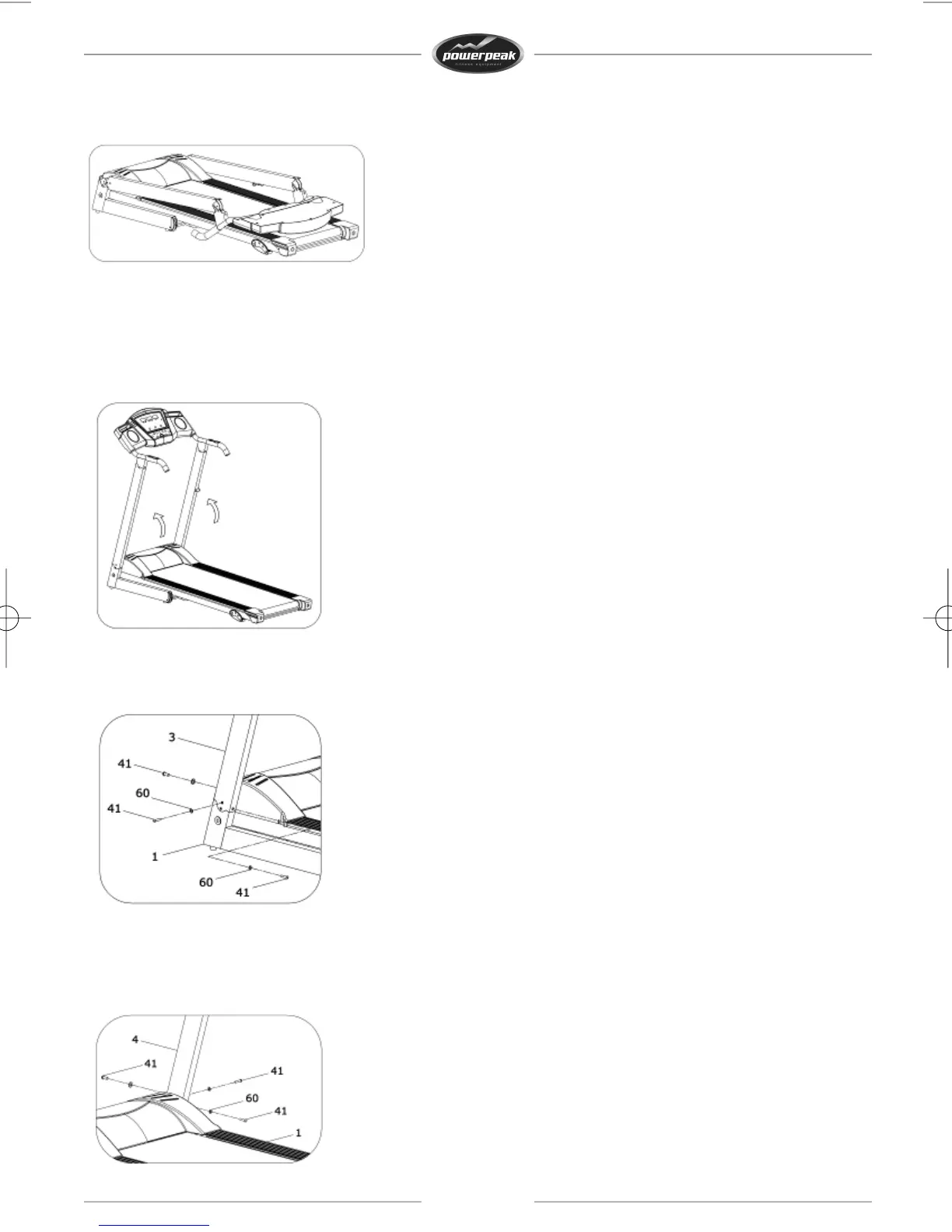
Step1
Openthecartonandtakeoutalltheparts.Placethemainframeonthefloor.
Step2
Pullupbothcolumnsandthecomputer,asshowninthefigure.Supportthecolumnsandthecomputer
withyourhands,toavoidfallingdownanddamaging.
Becareful:whenassemblingthedevice,pleasemakesurethecolumnsdonotpressonthewiresthat
areinthecolumns.
Step3
Attachtheleftcolumntothemainframewithbolts,washersandtheallenwrench,asshowninthe
figure.Supporttheleftcolumnwithyourhands,toavoidfallingdownanddamaging.
Step4
Attachtherightcolumntothemainframewithbolts,washersandtheallenwrench,asshowninthe
figure.Supporttherightcolumnwith
yourhands,toavoidfallingdownanddamaging.
25



 To Next Page