COMPUTER
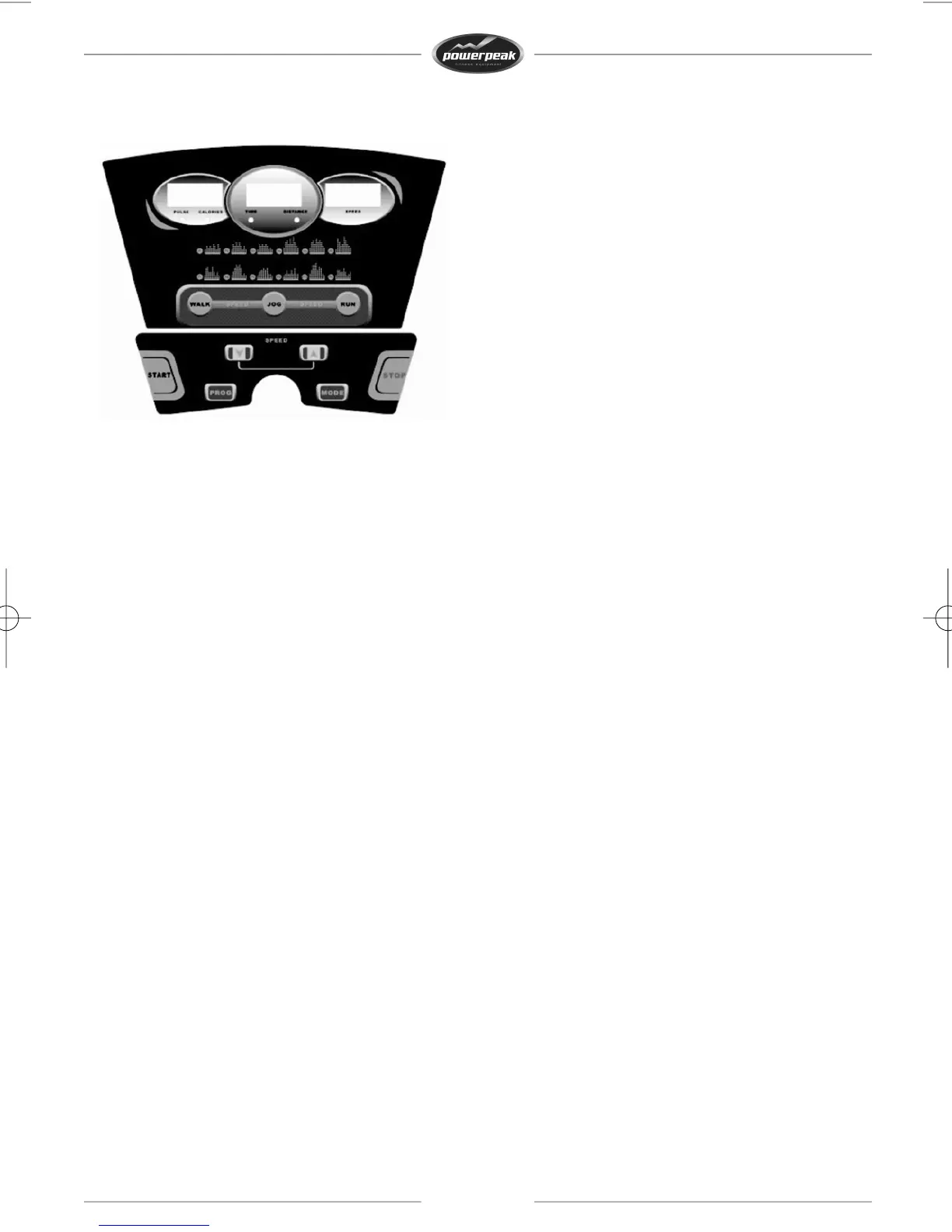
Display
PULSE/CALORIES:showsthecaloriesandtheheartbeatfrequency.Whenthecalorieshavereached999,
thedisplaywillcountfrom0again.Whenyouhavesetthecalories,thecomputerwillcountdownto0.
Afterreaching0,thetreadmillwillstopslowlyandthedisplayshows‘END’.Whentheuserholdsthe
handpulsesensorsformorethan5seconds,thedisplaywillshowtheheartbeatfrequency(50–200
heartbeatsperminute).
TIME/DISTANCE:showsthetime(0:00–99:59)andthedistance(0:99,9),displayswitchesbetween
thesetwovalues.Assoonastimehasreached99:59,thetreadmillwillslowlystop.Whenyouhaveset
thetime,thecomputerwillcountdownto0:00.Afterreaching0:00,thetreadmillwillstopslowlyand
thedisplayshows‘END’.
Assoonasdistancereaches99,9,thetreadmillwillslowlystop.Whenyouhavesetthedistance,the
computerwillcountdownto0.Afterreaching0,thetreadmillwillstopslowlyandthedisplayshows
‘END’.
SPEED:showsthespeed(1,0–16km/h).
Buttons
PROGRAM:wheninstandbymode,thisbuttonisforchoosingaprogram:0:00(manualprogram),P1to
P12(pre‐setprograms),FAT(bodyfatprogram).
MODE:thisbuttonistoswitchbetweenthedifferentoptions:0:00(manualoperation),15:00(time
countdown),1,0(distancecountdown)or50(caloriescountdown).UsetheSPEED+orSPEED‐buttonto
modifythesettings.ThenpressSTARTtostartthetreadmill.
START:whenthedeviceisswitchedonandthesafetykeyisattached,pressthisbuttontostartthe
treadmill.
STOP:ifyoupushthisbuttonwhilerunning,thetreadmillwillslowlystop.Thespeedwilldeclineuntil
thetreadmillhascometocompletestandstill.
29


 To Next Page