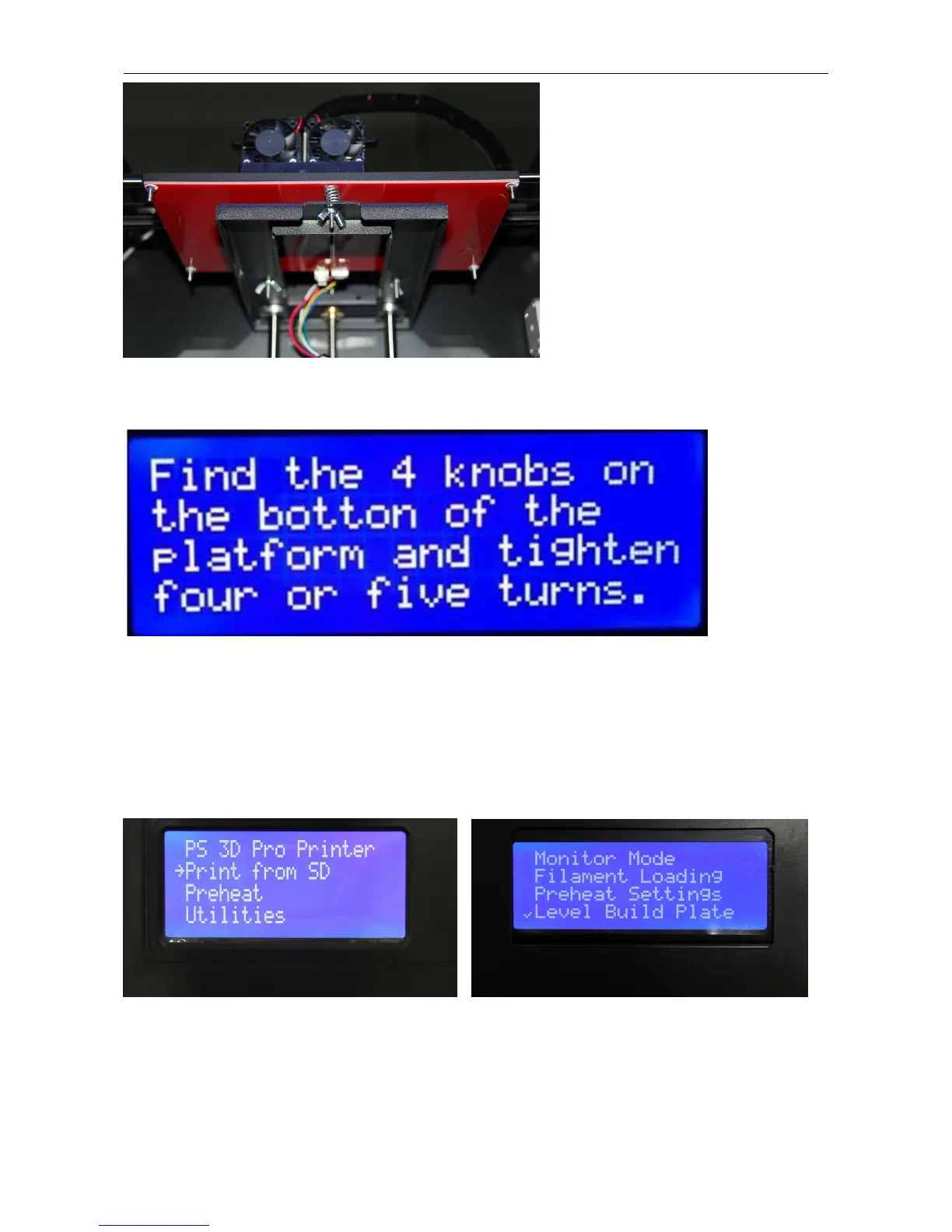
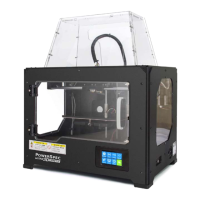
If your machine has factory firmware, Go to Utilities>Level Build Plate , Leveling Your Platform. Pay close attention:
leveling your platform is very important to print quality! Here’s the first screen.
Actually you will find the printer only has three knobs on the bottom of the platform, just inside the plastic arms that
hold it up. This doesn’t affect leveling operation, please ignore the quantity of knobs and process it. The printer has
been leveled perfectly before leaving factory. However, it will get unleveled during long distance shipping. Please do
level the build plate again before starting a print.
If your machine loaded with sailfish firmware, need you to adjust the build plate manually.
Now, go to Utilities > Level Build Plate, you will see
Next, Press OK key to level build plate, you will see the extruder start to move to the build plate. Now, manually move
the extruder to four corners and center to adjust the build plate. Use a sticky note, sticky side up, to test the platform
height one last time. If the note can back and forth freely underneath the nozzle, your platform is too low; loosen the
knobs to make it closer. If it can slide around a little bit with some resistance, you’re ready to go.


 To Next Page