10
Charging indicator
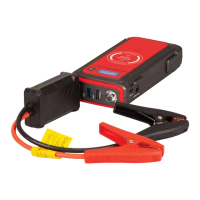
1. Press the power button to see the charge status of the Jump Starter LCD
screen.
2. When charging, the LCD screen will show the specific number range from 0
to 100%.
3. The input function will stop once the jump starter is fully charged.
Wireless charging
Your Jump Starter is charging ready. You can charge a smart device wirelessly
from your Jump Starter. Please make sure your device can be support to be
charged wirelessly before using this feature. If your device doesn’t support, it will
not able to charge wirelessly from the jump starter.
1. Press the power button.
2. Place your device on the wireless charging area on the jump starter.
3. Your device will now charge wirelessly.
Running a 12V device
Your Jump Starter is capable of running 12V device.
TROUBLESHOOTING
ISSUE LIKELY CAUSE SOLUTION
The power capacity of the
device is shown in 100%,
but did not fullycharged in
charging process.
The battery shown 100%
in the LCD Screen of Jump
Starter on means stop
charging, and this situation
means it is semi-state of
charge, which is conducive
to long-term storage when
the device is not in use for
long time.
Pull out the charge plug,
then reinsert.
Nothing happens when
pressing the switch button.
Low voltage protection of
the device is started and the
device can not be turned
on.
Insert the charger plug
into the 9V2A input port to
activate.


 To Next Page