6
5. Fault LED (red): To indicate the UPS is in fault condition because of
inverter shutdown or over-temperature.
6. Warning LED (yellow): To indicate the UPS is in the status of overload,
bypass and battery back-up.
7. Normal LED (green): To indicate the UPS is operating normally.
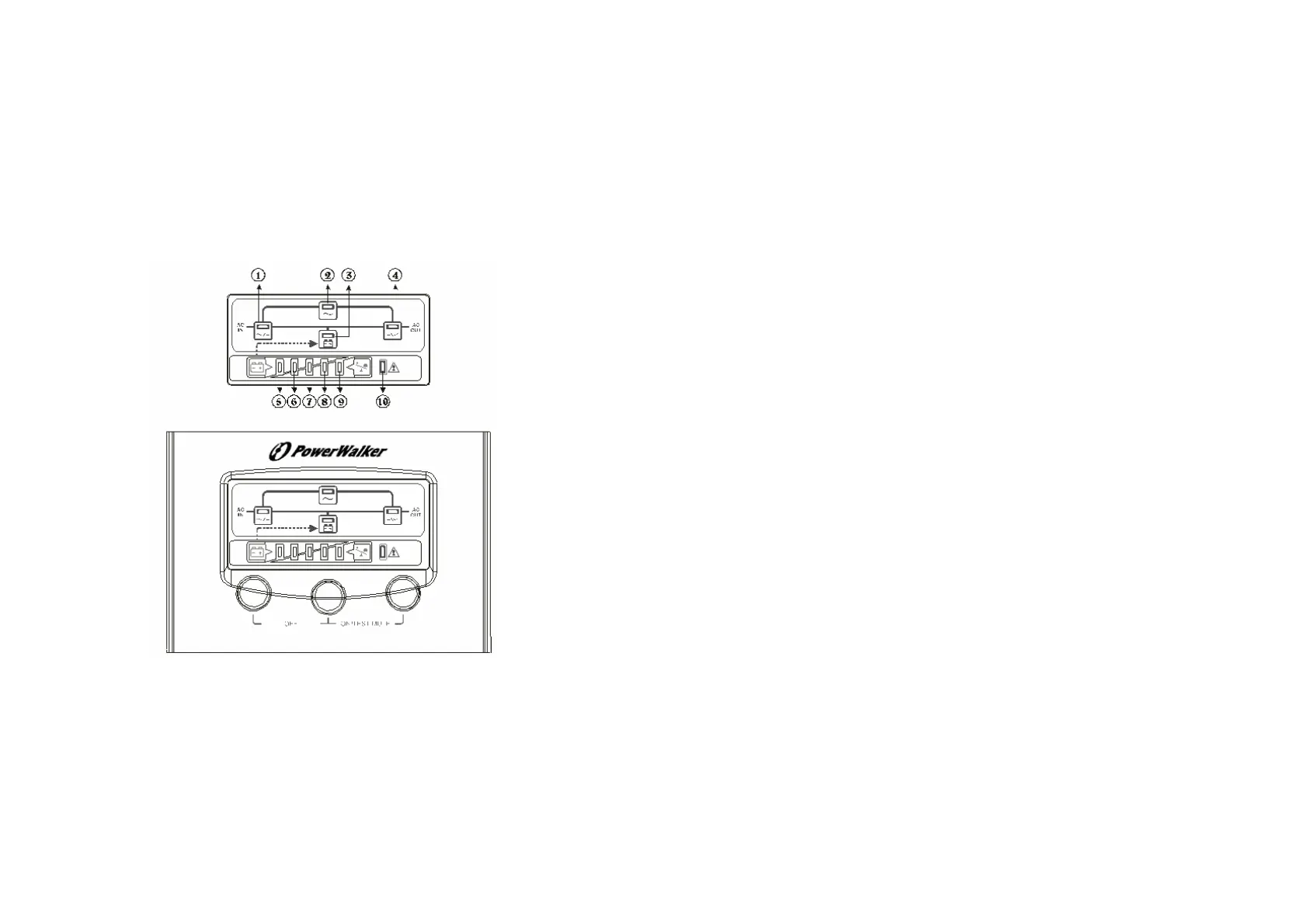
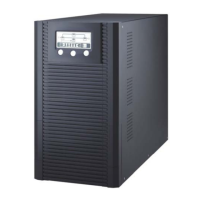
3.2 LED Display
1. Line LED (green): To indicate the AC power is applied to the UPS input.
In case this LED blinks, it means the main AC source is out of tolerance.
2. Bypass LED (yellow): To indicate the load is powered via the bypass.
3. Battery LED (yellow): To indicate the UPS is in battery backup mode
when the mains power has failed.
4. Inverter LED (green): To indicate the UPS is powered through inverter.
7
5~9. Load & Battery Capacity LEDs:
(a) No. 5 to 8 LED is green color and No. 9 (used as warning LED for
overload or battery low) is yellow.
(b) These LEDs show the load % of the UPS if the mains power is
available (in normal operation). LEDs light up to indicate the
following information.
No. 5 LED: 0-35 % No. 5&6&7&8 LEDs: 76-95 %
No. 5&6 LEDs: 36-55 % No. 5&6&7&8&9 LEDs: 96-105%
No. 5&6&7 LEDs: 56-75 %
(c) In the battery operation, the LEDs indicate the capacity (%) of the
batteries. LEDs light up to indicate the following information.
No. 9 LED: 0%-25 % (battery low level)
No. 8&9LEDs: 26%-50 % No. 6&7&8&9 LEDs: 76%-95 %
No. 7&8&9 LEDs: 51%-75 % No. 5&6&7&8&9 LEDs: 96-100 %
10. Fault LED (red): To indicate the UPS is in fault condition because of
inverter shutdown or over-temperature
11. On/Test/Mute key: It should be pressed with the control key (see the
following item 12) simultaneously to do UPS auto test and turn off the
buzzer when in battery operation.
12. Control Key:
(a) When this key is pressed with the On/Test/Mute key simultaneously
for 3 seconds, the UPS will be switched on after two beeps.
(b) When UPS is in operation, press this key and On/Test/Mute/ key
simultaneously, the UPS will do auto battery test. And the Battery LED
will blink if the battery may have problem. Besides, in battery operation



 To Next Page