35
EN
11. Communication Port
11.1 RS-232 and USB communication ports
To establish communication between the UPS and a computer, connect a
computer to one of the UPS communication ports by using an applicable
communication cable.
11.2 RS-232 port
The RS-232 port is available for UPS monitoring, control, and firmware
updates. To establish communication between the UPS and a computer,
connect one end of the serial communication cable that comes with the UPS
to the RS-232 port on the UPS. Connect the other end of the serial cable to
the RS-232 port on a computer.
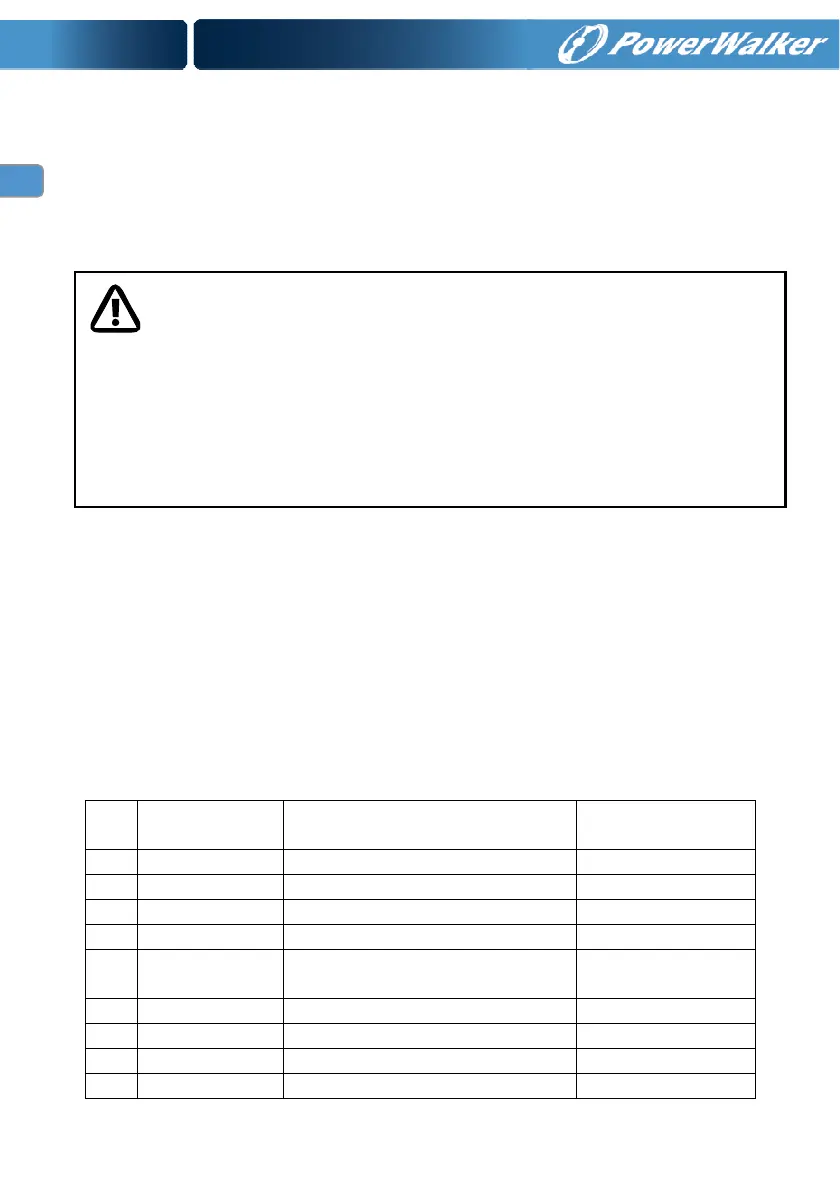
The cable pins for the RS-232 communication port are identified in the
following illustration.
RS-232 communication port pin assignments
Pin Signal name Function
Direction from
the UPS
1 Unused Not applicable
2 Tx Transmit to external device Out
3 Rx Receive from external device
In
4 Unused Not applicable
5 GND
Signal common
(tied to chassis)
Not applicable
6 Unused Not applicable
7 Unused Not applicable
8 Unused Not applicable
9 Unused Not applicable
NOTE:
Only one of the communication ports can be active at one time. The USB port has
priority over the RS-232 port.
When a communication cable is installed, the power management software can
exchange data with the UPS. The software polls the UPS for detailed information
on the status of the power environment. If a power emergency occurs, the
software initiates the saving of all data and an orderly shutdown of the equipment




 To Next Page