56 - PredatorSense
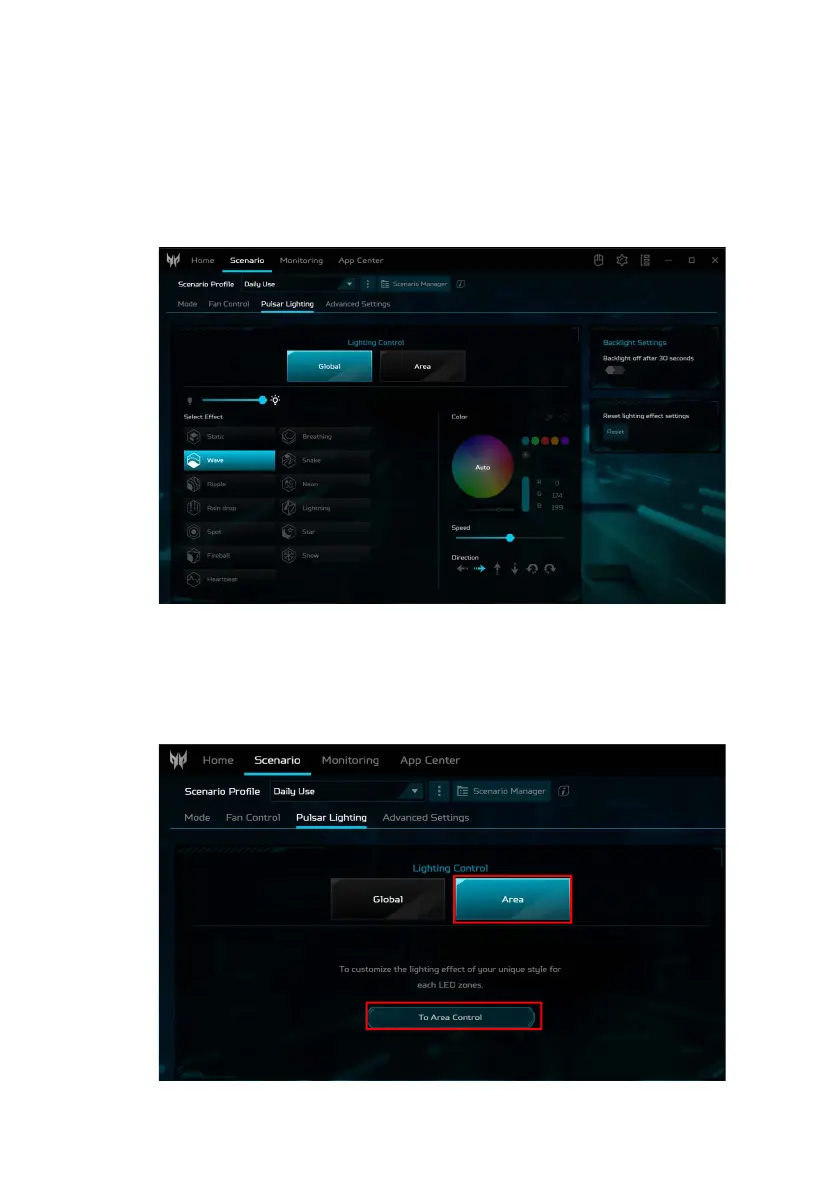
Global lighting
Click Global to customize the lighting effect for the
keyboard and others simultaneously. Adjust the keyboard
backlight brightness and select an animated light effect.
Depending on the effect, you may customize its color,
speed, and direction.
Area lighting
Click Area > To Area Control to customize the lighting effect
for the keyboard and others by adjusting each LED zone
individually.



 To Next Page